28
Laser Beam Calibration
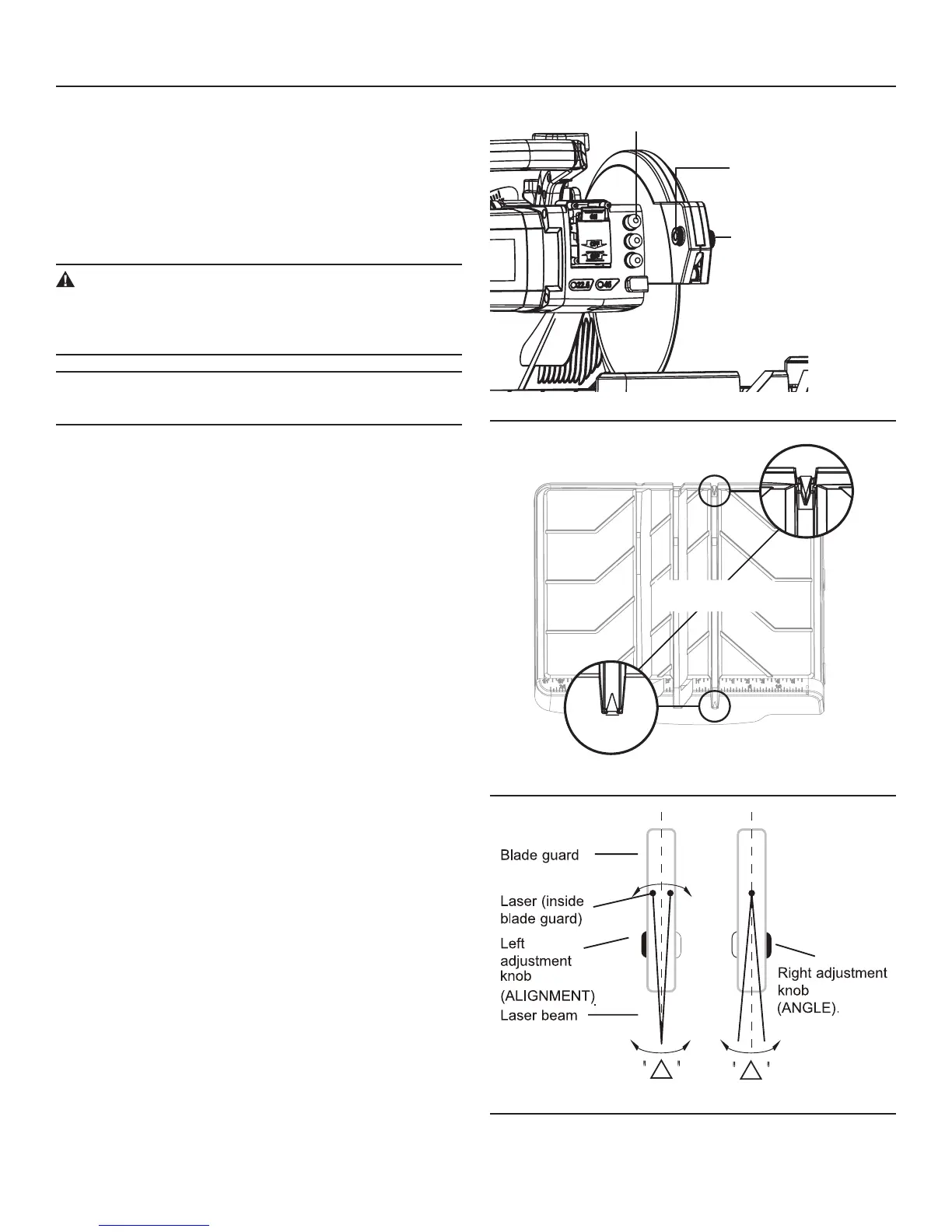
Press the laser switch to turn on the laser (Fig. 36).
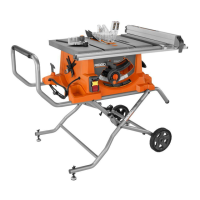
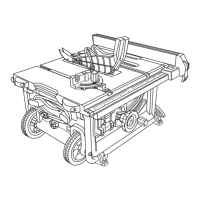
To adjust the alignment and angle of the laser beam, turn the
right knob (Laser ANGLE Adjustment) and the left knob
(Laser ALIGNMENT Adjustment) alternately until the laser
beam goes across the two ▲marks engraved in the slot of
the work table (Fig. 37, Fig. 38).
WARNING:
DO NOT stare directly at the laser beam. Never aim the
light at any person or at any object other than the work
piece.
NOTE: If you want to use laser as a cutting guide, make sure
that the laser beam is aligned with the cutting line.
ADJUSTMENTS
LASER SWITCHLASER SWITCH
LASER ALIGNMENT
ADJUSTMENT KNOB
LASER ALIGNMENT
ADJUSTMENT KNOB
LASER ANGLE
ADJUSTMENT KNOB
Fig. 36
ENLARGEMENT OF
ALIGNMENT TRIANGLES
ENLARGEMENT OF
ALIGNMENT TRIANGLES
Fig. 37
Fig. 38



 To Next Page