EasyManua.ls Logo

Riello UPS SDL 8000 - User Manual

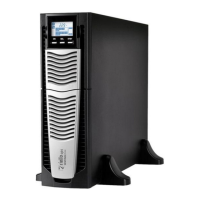
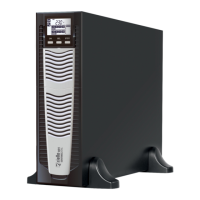
Riello UPS SDL 8000
196 pages
Go to English
Print Icon
To Next Page IconTo Next Page
Loading...

Table of Contents

Questions and Answers

  • V
    vasquezrobertAug 19, 2025
    What to do if the Riello UPS buzzer sounds continuously and shows codes A54, F50, F51, F52, F55, L50, L51, L52?
    • E
      Emily ShermanAug 19, 2025
      If the Riello UPS is beeping and displaying one of the listed codes, it means the load applied to the UPS is too high. Reduce the load to be within the threshold of 100%, or the user threshold in the case of code A54.
  • D
    Dr. Shawna MckayAug 21, 2025
    Why is my Riello UPS operating from battery when mains voltage is present?
    • M
      Melvin HenryAug 21, 2025
      Your Riello UPS might be running on battery despite available mains voltage due to two possible reasons: 1. Upstream protection has been triggered. In this case, reset the protection, ensuring there's no overload on the UPS output. 2. The input voltage is outside the acceptable range. If this is the reason, wait for the mains voltage to return to the correct tolerance. The UPS will then automatically switch back to mains operation.
  • S
    Sheila NewmanAug 23, 2025
    What to do if the Riello UPS display does not switch on?
    • M
      Michele JohnsonAug 23, 2025
      If the display of your Riello UPS isn't turning on, there are several things to check: * Ensure the general switch on the front panel is pressed. * Verify the battery box connector is properly connected. * Check the connection to the electricity mains. * Confirm the presence of mains voltage, as a blackout could be the cause. * See if upstream protection has been triggered and reset it, while also checking for output overloads.
  • S
    Steven BennettAug 26, 2025
    What to do if the Riello UPS display is on but the load is not powered?
    • M
      Matthew JacksonAug 26, 2025
      If your Riello UPS display is lit but your equipment isn't receiving power, consider these possibilities: * The UPS could be in standby mode. Press the 'ON' key on the front panel to power the loads. * The 'STAND-BY OFF' mode may be selected, which only provides power during blackouts. You may need to change this mode. * There might be no connection to the load. Check the connection to ensure it is properly connected.
  • M
    molly60Aug 28, 2025
    What does it mean when my Riello UPS displays code A61?
    • C
      cheryl46Aug 28, 2025
      When the Riello UPS shows the code A61, it means the batteries need to be replaced. Replace the battery box to resolve this issue.
  • N
    Natalie TownsendAug 30, 2025
    What to do if the Riello UPS buzzer sounds continuously and shows codes F03, F05, F07, F10, F13, F21, F40, F41, F42, F43?
    • K
      Kenneth BishopAug 30, 2025
      If your Riello UPS is beeping continuously and displaying one of the listed error codes, it indicates a malfunction that may cause the UPS to shut down. If possible, disconnect power from the load, then switch the UPS off and on again. If the problem persists, contact the support service centre.
  • K
    Kenneth FoxSep 1, 2025
    What does it mean when my Riello UPS displays code A62?
    • M
      Mark PhillipsSep 1, 2025
      If the Riello UPS displays the code A62, it indicates that the battery box is either not present or not correctly connected. Verify that the battery box is properly inserted and connected.
  • I
    Isaiah SchmidtSep 3, 2025
    What does it mean when my Riello UPS displays codes C01, C02, or C03?
    • T
      Tina MorganSep 3, 2025
      If your Riello UPS is showing one of these codes, it means a remote control has been activated. If this is not required, check the position of the manual bypass switch or the status of the control inputs of any optional contacts card. Also, check the closing of the R.E.P.O. contact at the back of the UPS.
  • J
    James VillarrealSep 5, 2025
    What to do if the Riello UPS buzzer sounds continuously and shows codes F60, L03, L05, L07, L10, L13, L20, L21, L40, L41, L42, L43?
    • C
      Caitlin MendozaSep 5, 2025
      If your Riello UPS is beeping continuously and displaying one of the listed error codes, it indicates a UPS malfunction. If you can remove power from the load, try switching the UPS off and then on again. If the problem continues, contact the support service centre.
  • C
    Colleen WhiteSep 7, 2025
    What does it mean when my Riello UPS displays code A63?
    • H
      Holly GaySep 7, 2025
      If the Riello UPS displays code A63, it means the batteries are discharged and the UPS is waiting for the battery voltage to exceed the set threshold. Either wait for the batteries to recharge, or manually force a start-up by pressing and holding the 'ON' key for at least 2 seconds.

Summary

Safety

General Safety Precautions

This part of the manual contains precautions that must be adhered to strictly since they regard SAFETY.

Introduction

Environmental Protection

Details the company's commitment to environmental aspects and the materials used in packaging.

Disposing of the Product

Information on treating and disposing of toxic and hazardous waste materials from the UPS.

Presentation

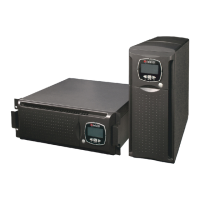
Tower and Rack Versions

Illustrates the two different installation versions of the Sentinel Dual UPS product.

UPS Views

Diagrams showing the front and rear views of the UPS unit with key components labeled.

Battery Box Views

Diagrams showing the front and rear views of the battery box with key components labeled.

Display Mask View

Details the LCD display elements, buttons, and indicators on the UPS front panel.

Installation

Opening Packaging and Checking Contents

Lists the items typically found in the UPS and battery box packaging for verification.

Tower Version Installation

Describes the operations for preparing the UPS and battery box for tower configuration.

Rack Version Installation

Details the sequence of operations to convert the UPS and battery box into a rack version.

Installation Procedures

Lists essential points to ensure before connecting the UPS to the battery box.

Connecting UPS to Battery Box

Instructions on how to connect the UPS to the battery box using the provided cable and fuses.

Use

Connections

Details essential safety and procedural steps for connecting the UPS to mains and load.

8-10 kVA Single Phase Connections

Step-by-step guide for connecting the 8-10kVA single phase UPS to power sources and load.

Three Phase Connections

Instructions for connecting 8-10kVA and 6.5kVA three-phase UPS models to power.

External Bypass Remote Control

Steps to configure the bypass remote maintenance control externally for the UPS.

First Start-Up Procedure

Guides through the initial steps to power on and verify the UPS after installation.

Start-Up from Mains

Instructions on how to start the UPS when connected to the mains power supply.

Start-Up from Battery

Steps to initiate the UPS operation directly from the battery power.

UPS Shutdown

Procedures for safely turning off the UPS, including stand-by and complete shutdown.

Display Panel Indications

Explains the meaning of various icons, statuses, and indicators shown on the UPS LCD display.

Measurements Display Area

Details how to view different UPS measurements (voltage, frequency, load) on the display.

Configuration Area

Describes the settable parameters on the UPS display and how to change them.

Operating Modes

Explains different UPS operating modes like ON LINE, ECO, SMART ACTIVE, and STAND-BY OFF.

R.E.P.O. (Remote Emergency Power Off)

Details the function and connection of the remote emergency power off switch.

Programmable Auxiliary Socket (Power Share)

Explains the function of the programmable output socket for load disconnection.

UPS Configuration Table

Provides a table of configurable UPS parameters and their possible settings.

Advanced Settings

Lists advanced settings for input frequency tolerance, bypass voltage, and ECO mode sensitivity.

Communication Ports

Describes the RS232, USB connectors, and expansion slots for communication.

Software

Details the monitoring, control, and configuration software for the UPS.

Troubleshooting

Common Problems and Solutions

A table listing common UPS issues and their corresponding solutions.

Alarm Codes

Lists and explains fault and alarm codes indicated by the UPS.

Technical Data Table

Single;Single Phase UPS Data

Presents technical specifications for single/single-phase UPS models.

Three;Single Phase UPS Data

Presents technical specifications for three/single-phase UPS models.

Battery Box Technical Data

Provides technical specifications for the UPS battery box models.

Table of Overload Times

Details how the UPS responds to different overload conditions in bypass and inverter modes.

Riello UPS SDL 8000 Specifications

General IconGeneral
ModelSDL 8000
Apparent Power8000 VA
Active Power7200 W
Output Frequency50/60 Hz
Battery TypeSealed lead-acid
Operating Temperature0 - 40 °C
Output WaveformSinusoidal
Communication InterfaceRS232, USB

Related product manuals