EasyManua.ls Logo

Riello UPS Multi Sentry 160 MST - User Manual

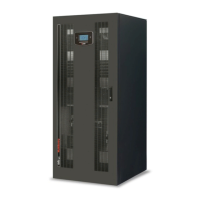
Riello UPS Multi Sentry 160 MST
264 pages
Go to English
Print Icon
To Next Page IconTo Next Page
Loading...

Table of Contents

Questions and Answers

Riello UPS Multi Sentry 160 MST Specifications

General IconGeneral
Form FactorTower
Relative Humidity0-95% non-condensing
Input Voltage230 VAC
Output Voltage230 VAC ±5%
Frequency50/60 Hz
Communication PortsRS232, USB
Output Voltage Accuracy±5%
Operating Temperature0°C to 40°C

Summary

Introduction and Environmental Considerations

Environmental Protection

Information on environmental aspects, materials, and disposal.

Disposing of the Product

Guidance on disposing of toxic and hazardous waste materials.

Product Presentation and Overview

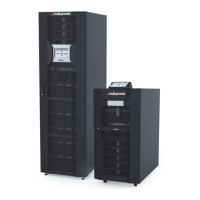
Multi Sentry 160-200 kVA Models

Details about the MST 160-200 series UPS models.

User Interface and Control Panel

Explanation of the user interface and control panel elements.

UPS Connections View

Diagram showing UPS connection points.

Installation Procedures

Installation Set-up Guidelines

Guidelines for setting up the UPS installation.

Installation Environment Requirements

Requirements for the UPS installation environment.

Overvoltage Protection

Details on overvoltage protection.

Physical Handling and Positioning

Removing the UPS from the Pallet

Instructions for safely removing the UPS from its packaging.

UPS Positioning Guidelines

Guidelines for positioning the UPS.

Electrical Connections

Preliminary Operations for Connection

Steps to perform before making electrical connections.

UPS Electrical Connections

Instructions for connecting the UPS to power sources.

Electrical System Connection Diagrams

Diagrams illustrating electrical system connections.

Protections and Safety Features

Short-Circuit Protection

Explanation of short-circuit protection mechanisms.

Protection Against Back-Feed

Details on preventing back-feed voltage.

Battery Line Protection

Protection requirements for the external UPS battery line.

Differential Protection and Configuration Options

Differential Protection Requirements

Explanation of differential protection and its requirements.

Dual Input Versions

Information on configuring the UPS with dual input.

Parallel Versions

Details on connecting multiple UPS units in parallel.

Output and Auxiliary Functions

Output Line Fuses;Thermal Magnetic Switches

Information on output line protection components.

R.E.P.O. (Remote Emergency Power Off)

Explanation of the Remote Emergency Power Off function.

Schuko Socket

Information on the UPS's Schuko output socket.

Optional Accessories

External Sync Functionality

Synchronization with external signal sources for inverter output.

External Temperature Sensor

Temperature sensing for remote battery boxes.

Remote Panel for Monitoring

Remote monitoring capabilities for UPS status.

Maintenance and Expandability Options

Remote Maintenance Bypass

Installation and function of remote maintenance bypass.

Parallel Connection for Redundancy

Connecting multiple UPS units for redundancy and power.

Top Cable Entry Accessory

Accessory for routing cables at the top of the UPS.

UPS Operation and Settings

UPS Description and Purpose

Explanation of the UPS's purpose and core functionality.

First Start-up and Initial Settings

Steps for initial startup and configuration.

Shutdown Procedure

Procedure for safely shutting down the UPS.

User Interface and Operating Modes

Graphic Display Overview

Explanation of the UPS's graphic display interface.

Display Menu Navigation

How to navigate and use the UPS display menus.

Manual Bypass Operation

Procedure for using the manual bypass switch (SWMB).

Advanced Features and Power Management

Redundant Auxiliary Power Adapter

Functionality of the redundant power adapter for automatic bypass.

Power Walk-In Mode

Explanation of the power walk-in mode for generator compatibility.

Power Derating for Specific Voltages

Power derating for 220/200/208V phase-neutral loads.

UPS Configuration Options

User Configurable Settings

Settings adjustable via the control panel.

Output Voltage Configuration

Setting the rated output voltage (Phase-Neutral).

Operating Mode Configuration

Selecting one of the different operating modes.

Communication Interfaces

RS232 and USB Connectors

Details on RS232 and USB communication ports.

Communication Slot and AS400 Port

Information on expansion slots and AS400 port.

Software and System Signals

Acoustic Signal (Buzzer) Interpretation

Explanation of buzzer sounds and their meanings.

Monitoring and Control Software

Details on the PowerShield management software.

Configuration Software

Information on software used for UPS parameter configuration.

Troubleshooting Guide

No Power to Load Troubleshooting

Troubleshooting steps when the UPS does not power the load.

UPS Operating on Battery Despite Mains Voltage

Diagnosing why UPS runs on battery with mains present.

Troubleshooting Display Error Code C01

Troubleshooting steps for display code C01.

Specific Troubleshooting Codes

Troubleshooting Display Error Code C05

Troubleshooting steps for display code C05.

UPS Will Not Start Up

Resolving issues preventing the UPS from starting.

UPS Input Stage Malfunction

Troubleshooting input stage malfunctions.

Input, Output, and Phase Issues

Phase Voltage Imbalance

Addressing voltage imbalance issues between phases.

UPS Input or Output Stage Malfunction

Troubleshooting input or output stage malfunctions.

No Connection on One or More Phases

Checking for missing phase connections.

Protection and Switch Faults

Broken Fuses in Protections

Troubleshooting broken fuses in input or battery protections.

Bypass Line Upstream Protection Open

Resolving bypass line upstream protection faults.

Bypass Switch (SWBYP) Open

Troubleshooting when the bypass switch is open.

Component Malfunctions

Battery Charger Malfunction

Diagnosing and resolving battery charger malfunctions.

Batteries Are Flat

Troubleshooting steps when batteries are depleted.

Input Switch Short-Circuited

Resolving issues with a short-circuited input switch.

Temperature and System Faults

Temperature Sensor or Cooling System Malfunction

Troubleshooting temperature sensor or cooling system issues.

Static Bypass Switch Fault

Diagnosing malfunctions of the static bypass switch.

Cooling Fan Malfunction

Troubleshooting cooling fan malfunctions.

Critical Load and Short Circuit Issues

Load Applied to UPS Is Too High

Reducing load when it exceeds UPS capacity.

Short-Circuit in Output

Steps to resolve output short circuits.

Battery Efficiency Test Failure

Actions required after battery efficiency test failure.

Environmental and Static Bypass Issues

Ambient Temperature and Ventilation Issues

Addressing high ambient temperature and ventilation problems.

Static Bypass Breakage or Malfunction

Troubleshooting static bypass malfunctions.

Display and Power Supply Anomalies

Display Power Problems

Troubleshooting issues with the UPS display's power.

UPS Bypass with Redundant Power Adapter

Understanding UPS bypass status with redundant power.

Status and Alarm Codes

UPS Status Codes

Interpreting codes indicating the current UPS status.

UPS Command Codes

Understanding codes related to active commands.

UPS Warning Messages

Information on warning messages for specific modes.

Anomaly Codes and Configuration Issues

Anomaly Codes Overview

Addressing minor problems indicated by anomaly codes.

Incorrect Data Configuration

Correcting issues with data configuration settings.

Inverter Not Synchronized

Troubleshooting inverter synchronization problems.

Input and Output Tolerance Issues

Input Frequency Tolerance Issues

Addressing input frequency outside acceptable ranges.

Load Exceeding Threshold

Resolving load issues when exceeding user thresholds.

Output Switch Open

Troubleshooting an open output switch.

Battery and Temperature Sensor Issues

Battery Branch and Fuse Issues

Addressing battery branch absence or fuse faults.

System Temperature Sensor Fault

Troubleshooting faults in the system temperature sensor.

System Overtemperature

Resolving system overtemperature conditions.

Dissipator and Battery Overtemperature Issues

Phase Dissipator Temperature Below Zero

Addressing dissipator temperatures below zero.

Internal Battery Overtemperature

Troubleshooting internal battery overtemperature.

External Battery Temperature Sensor Fault

Resolving faults in external battery temperature sensors.

Battery Replacement and Firmware Issues

Batteries Must Be Replaced

Actions required when batteries need replacement.

Different Firmware Version

Addressing issues related to firmware version mismatches.

Critical Faults

Internal Communication Error

Troubleshooting internal communication errors.

Incorrect Input Phase Cycle Direction

Correcting incorrect input phase cycle direction.

Phase Input Fuse Broken or Switch Jammed

Resolving input fuse or switch faults.

Capacitor and Boost Stage Faults

Capacitor Pre-Charge Failure

Troubleshooting capacitor pre-charge failures.

Boost Stage Fault

Diagnosing and resolving BOOST stage faults.

Incorrect Bypass Phase Cycle Direction

Correcting incorrect bypass phase cycle direction.

Inverter and Battery Voltage Faults

Phase Sinusoid Inverter Deformed

Addressing deformed phase sinusoid inverter output.

Inverter Stage Fault

Troubleshooting faults within the inverter stage.

Battery Overvoltage Conditions

Resolving positive or negative battery overvoltage.

Output and Charger Faults

Output Overload and Switch Issues

Addressing output overload and switch malfunctions.

Output Fuse Broken or Switch Jammed

Resolving output fuse or switch faults.

Battery Charger Stage Fault

Troubleshooting battery charger stage faults.

Measurement and Temperature Faults

Battery Voltage Measurement Incongruence

Resolving discrepancies in battery voltage measurements.

Dissipator Overtemperature

Addressing dissipator overtemperature.

Cooling Fan Malfunction

Troubleshooting cooling fan malfunctions.

DC Bus and Parallel Faults

DC Bus Measurement System Incongruence

Resolving DC bus measurement system discrepancies.

Boost Battery Fuse Broken

Troubleshooting broken BOOST battery fuses.

Parallel Communication and Bypass Faults

Addressing parallel communication and bypass signal faults.

Lock Conditions and Related Issues

UPS Lock Due to Auxiliary Power Supply

Resolving UPS lock caused by auxiliary power supply problems.

Phase Input Fuse Broken or Switch Jammed

Troubleshooting input fuse or switch faults.

Boost Stage Overvoltage

Addressing BOOST stage overvoltage conditions.

Inverter Voltage and Bypass Lock Issues

Boost Stage Undervoltage

Resolving BOOST stage undervoltage conditions.

Static Bypass Switch Fault

Diagnosing malfunctions of the static bypass switch.

Bypass Output Locked

Troubleshooting locked bypass outputs.

Phase Inverter Overvoltage

Addressing phase inverter overvoltage.

Inverter Undervoltage and Output Issues

Phase Inverter Undervoltage

Resolving phase inverter undervoltage conditions.

Continuous Voltage on Inverter Output or Deformed Inverter Output

Addressing voltage issues or deformed inverter output.

Phase Output Overload

Troubleshooting phase output overload conditions.

Phase Output Short-Circuit

Resolving phase output short circuits.

Parallel and Temperature Related Faults

Parallel Synchronization Error

Troubleshooting parallel synchronization errors.

Phase Dissipator Overtemperature

Addressing phase dissipator overtemperature.

Battery Charger Overtemperature

Troubleshooting battery charger overtemperature.

Technical Data and Specifications

Input Stage Technical Data

Specifications for the UPS input stage.

Output Stage Technical Data

Specifications for the UPS output stage.

Battery Charge Stage Technical Data

Specifications for the UPS battery charge stage.

Operating Modes and Efficiency

Selection of Operating Modes

Choosing between different UPS operating modes.

AC;AC Yield in Eco Mode

Efficiency rating for the UPS in Eco mode.

Other Specifications

General specifications not covered elsewhere.

Environmental and Physical Specifications

Noise Level and Casing Protection

Information on noise levels and casing protection ratings.

Ambient Temperature and Colour

Recommended ambient temperature and unit colour.

Related product manuals