EasyManua.ls Logo

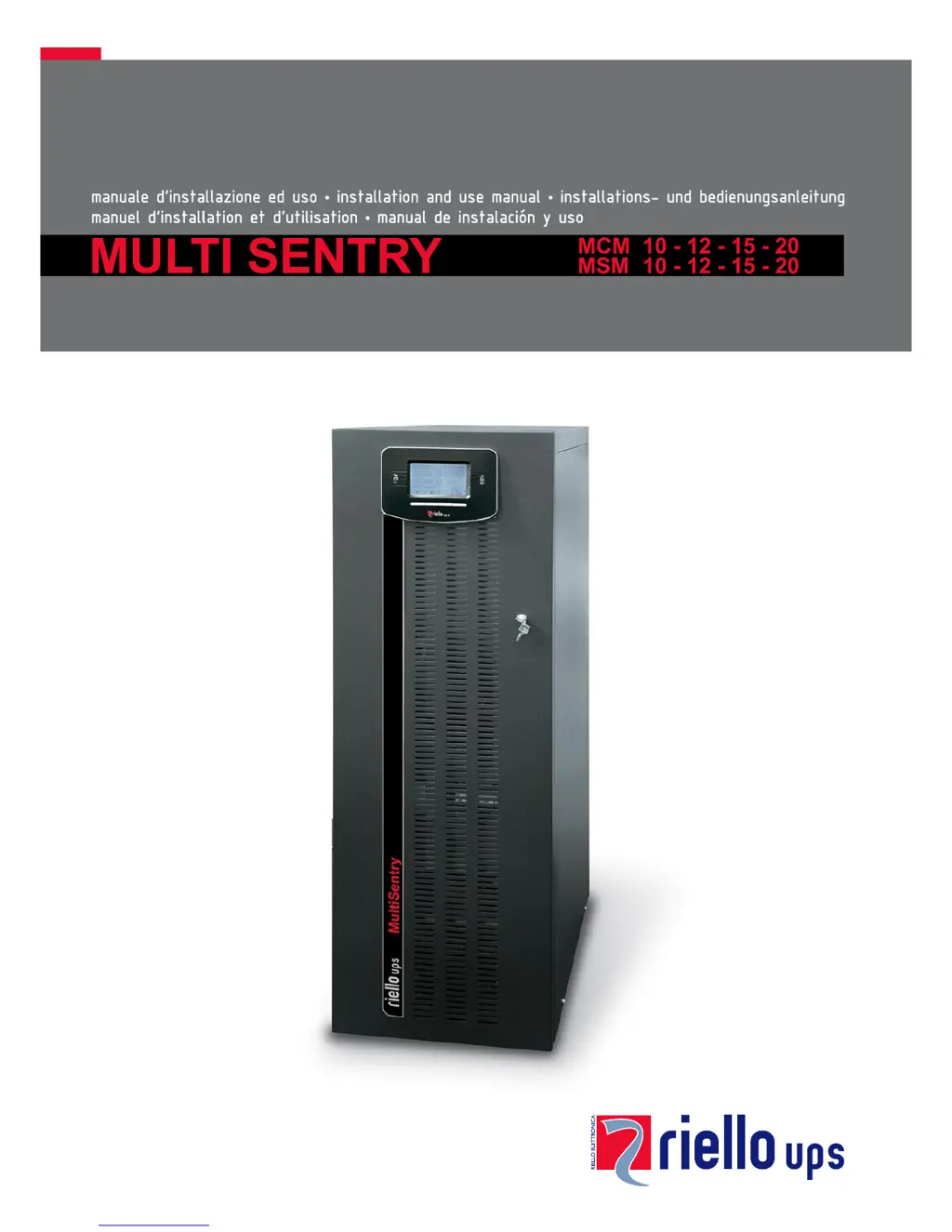
Riello MSM 20 - User Manual

Riello MSM 20
59 pages
Print Icon
To Next Page IconTo Next Page
Loading...

Table of Contents

Questions and Answers

  • M
    Mia HortonSep 9, 2025
    What does C01 mean on the display of my Riello UPS?
    • A
      Ashley FloresSep 9, 2025
      If the Riello UPS display shows the code C01, it means that the jumper is missing from the R.E.P.O. connector (J13) or is not inserted correctly. Mount the jumper or check that it is inserted correctly.
  • J
    jarvisnatalieSep 8, 2025
    What does C05 mean on my Riello UPS display?
    • E
      Erica MarshallSep 8, 2025
      If the Riello UPS display shows the code C05, it may be due to the SWMB maintenance bypass switch being closed. Open the SWMB switch located behind the door. Another cause could be the jumper missing from the terminals for the remote maintenance bypass (J10). In this case, insert the jumper.
  • L
    Lori VazquezAug 22, 2025
    What to do if my Riello MSM 20 UPS display shows A22, F23, or L23 indicating a high load?
    • C
      Christina SanchezAug 22, 2025
      To resolve this, reduce the load connected to the Riello UPS until it is within the 100% threshold, or the specified load threshold if code A22 is displayed.
  • I
    Isaiah WalkerSep 5, 2025
    What should I do if my Riello MSM 20 UPS displays F09 or F10?
    • A
      annebautistaSep 5, 2025
      If the Riello UPS display shows one or more of the following codes: F09, F10, it may indicate a malfunction at the UPS input stage. Activate the maintenance bypass (SWMB), switch the UPS off and then on again, and exclude the maintenance bypass. If the problem persists, contact the nearest service centre. It is also possible that phase 1 has a much lower voltage than the other two phases. Open the SWIN, start up the UPS using the batteries, wait until the sequence ends, and then close SWIN.
  • P
    Patrick MillsSep 4, 2025
    Why won't my Riello UPS start up and shows A30, A32, A33, or A34?
    • K
      Kimberly MarshallSep 4, 2025
      If the Riello UPS display shows one or more of the following codes: A30, A32, A33, A34 and the UPS does not start up, the environmental temperature may be below 0°C. Heat the environment and wait until the temperature of the heat sink rises above 0°C before switching on the UPS. Alternatively, there could be a malfunction of the temperature sensor on the heat sink. In that case, activate the maintenance bypass (SWMB), switch the UPS off and then on again, and exclude the maintenance bypass. If the problem persists, call the nearest service centre.
  • M
    Michael BarreraSep 2, 2025
    What to do if my Riello MSM 20 UPS displays F37 or L37?
    • M
      Matthew CoxSep 2, 2025
      If the Riello UPS display shows one or more of the following codes: F37, L37, it could be due to ambient temperature exceeding 40°C, heat sources near the UPS, obstructed ventilation slits, or a fault in the temperature probe or battery charger cooling system. Eliminate the cause of the overtemperature. Open the battery fuse holder isolators (SWBATT) and wait for the battery charger heat sink to cool down. Close the battery fuse holders. If the problem recurs, contact your local service centre. Never open the SWBATT fuse holders during battery operation.
  • J
    jkingSep 1, 2025
    What does it mean when my Riello UPS displays F11, F14, F17, L06, L07, L08, L09, L14, L17, or L20?
    • J
      Justin RitterSep 1, 2025
      If the Riello UPS display shows one or more of the following codes: F11, F14, F17, L06, L07, L08, L09, L14, L17, L20, this could be due to faulty loads. Disconnect the load. Insert the maintenance bypass (SWMB), switch the UPS off and then on again. Exclude the maintenance bypass. If the problem still persists, call the nearest service centre. Another cause may be a malfunction at the UPS input or output stage. Activate the maintenance bypass (SWMB), switch the UPS off and then on again and exclude the maintenance bypass. If the problem persists, call the nearest service centre.
  • G
    Gregory HaleAug 31, 2025
    Why is my Riello MSM 20 displaying F34, F35, F36, L34, L35, or L36?
    • J
      jenniferalvaradoAug 31, 2025
      If the Riello UPS display shows one or more of the following codes: F34, F35, F36, L34, L35, L36, it may be due to ambient temperature exceeding 40°C, heat sources near the UPS, or obstructed ventilation slits. Activate the maintenance bypass (SWMB) without powering off the UPS to cool the heat sink more quickly. Eliminate the cause of the overtemperature and wait for the heat sink to cool down. Then, exclude the maintenance bypass. The issue may also be due to a fault in the temperature probe or UPS cooling system. Insert the maintenance bypass (SWMB) without turning off the UPS to allow the fans to cool the heat sink, then turn the UPS off and on again. Exclude the maintenance bypass. If the problem persists, contact your local service centre.
  • H
    Hailey MurphyAug 30, 2025
    What should I do if my Riello UPS displays F03, F04, F05, A08, A09, or A10?
    • C
      Caitlin WilsonAug 30, 2025
      If the Riello UPS display shows one or more of the following codes: F03, F04, F05, A08, A09, A10, check the connections to the terminals. Also, verify that the short circuit bar is present for input single-phase connection, following the instructions in the paragraph on single-phase connections. If the internal protection fuses on the phases or the input relay have blown, contact the nearest service centre.
  • B
    Brenda KramerAug 28, 2025
    What to do if my Riello MSM 20 has no power to the load?
    • X
      xwilliamsAug 29, 2025
      If no power reaches the load connected to the Riello UPS, verify the connection to the output terminals. Also, check if the SWOUT switch located behind the door is open and close it. Ensure that the UPS is not in standby mode by running the start-up sequence. Check if 'Stand-by OFF' mode has been selected. This mode is used to power the loads only during blackouts. If none of these solutions work and there is a malfunction of the UPS and automatic bypass out of use, insert the maintenance bypass (SWMB) and contact the nearest service centre.

Summary

Using the UPS System

Powering On for the First Time

Detailed steps for initial power-up, including checks for errors and setting date/time.

Operating Modes

Description of different operating modes like ON LINE, ECO, SMART ACTIVE, and STAND-BY OFF.

Maintenance Bypass (SWMB)

Procedure for performing maintenance without interrupting power to the load.

Configuring the UPS

User-configurable parameters via the control panel, like language, output voltage, and operating mode.

MCM UPS Views and Connections

View of the MCM Connections

Detailed view of the MCM UPS connection terminals and their functions.

MSM UPS Views and Connections

View of the MSM Connections

Detailed view of the MSM UPS connection terminals and their functions.

Control Panel and Battery Box

View of the Control Panel

Illustration and explanation of the UPS control panel elements and function keys.

UPS Installation Procedures

Internal Batteries

Safety precautions and guidelines for handling internal UPS batteries.

UPS and Battery Box Removal

UPS Installation and Connections

Installing the UPS and the Battery Box

Guidelines for positioning and securing the UPS and battery box during installation.

Electrical Connections and Protection

Electrical Connections

Diagrams and instructions for connecting the UPS to the electrical system.

Internal Protective Devices of the UPS

Details on isolators and internal fuses protecting the UPS input and output lines.

External Protective Devices

Recommendations for external magnetothermal and differential protection devices.

Connections

General guidelines for connecting the UPS, emphasizing earthing and neutral connections.

Remote Controls and Battery Connection

Connecting the Remote Maintenance Bypass

Instructions for installing a remote maintenance bypass to enable UPS replacement.

Connecting the Battery Box to the UPS

Procedure for connecting the external battery box to the UPS with the power off.

Communication and Software Management

Software Management

Details on monitoring and configuration software for UPS management.

Troubleshooting and Technical Data

Troubleshooting Guide

Guidance on identifying and resolving common UPS operational problems and distractions.

Status; Alarm Codes

Explains UPS status, command, warning, anomaly, and fault codes for diagnostics.

Technical Data

Comprehensive technical specifications of the UPS models.

Riello MSM 20 Specifications

General IconGeneral
Frequency50/60 Hz
Battery TypeVRLA
TechnologyOn-line double conversion
Communication InterfaceRS232, USB
Operating Temperature0-40 °C
Power Rating20 kVA / 18 kW
Battery RuntimeDepending on configuration (typically 10-30 minutes at full load with standard battery)
TopologyOn-line double conversion (VFI-SS-111)

Related product manuals