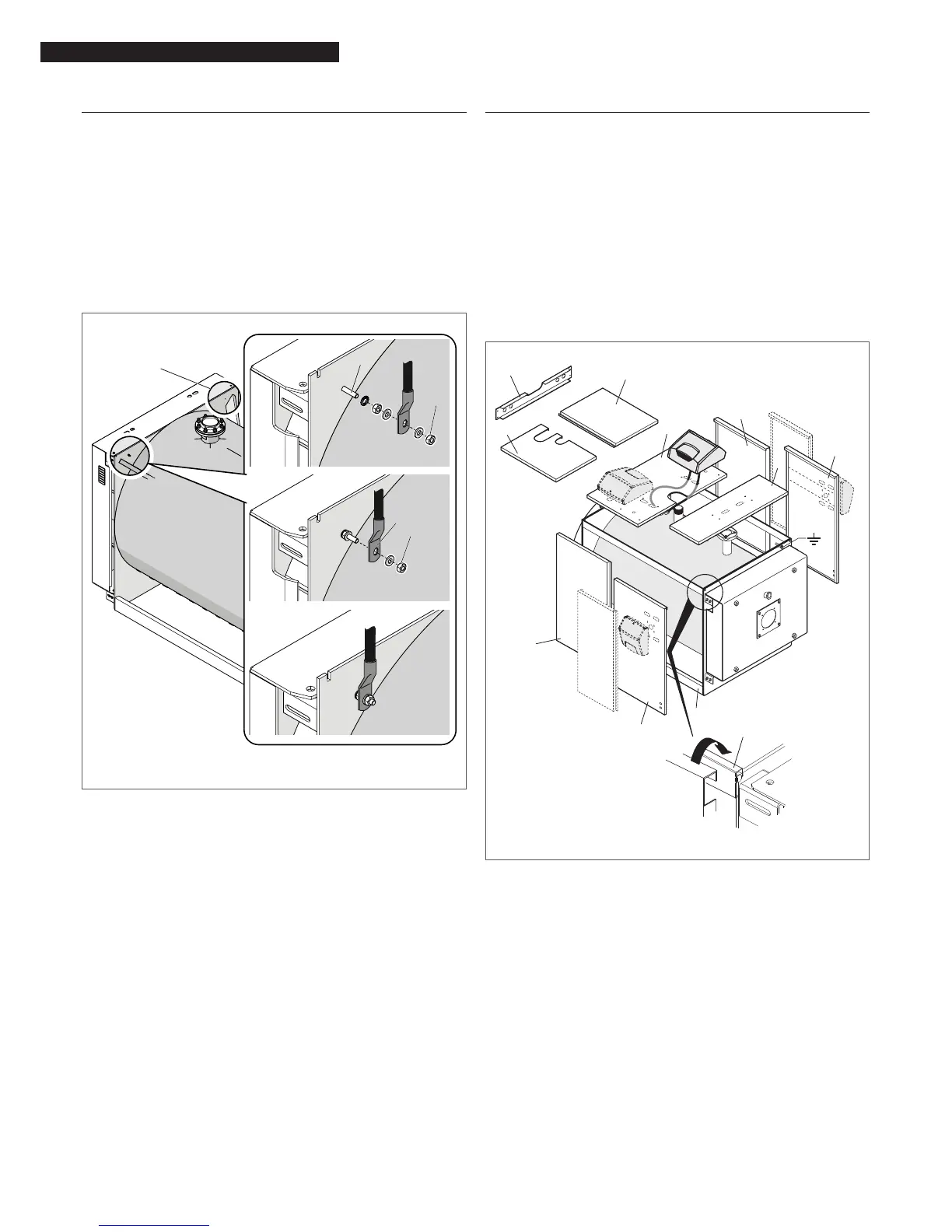
2.12 Earth connection
A terminal is provided on the front boiler head to connect the
boiler body to an efcient earth system.
Proceed as follows.
− Unscrew the nut and washer (1) from the earth terminal;
− Attach the earth cable’s eye connector (2) to the terminal
(make sure that the cable is of adequate size and com-
plies with legislation in the country of installation);
− Fit the nut and washer (1) to the earth terminal and tight-
en the nut;
− Connect the other end of the cable to the system’s earth
bar.
(*)
(**)
1
2
1
(**) M6x30 brass
9
Another hole (*) in the left side of the boiler head can also
be used to earth the appliance. If you wish to use this hole
for the earth connection, remove the terminal ttings from
the right of the head and move them to the left earthing
point.
2.13 Fitting the casing panels
− Engage the bottoms of the rear side panels (1) and front
side panels (2) in the bottom rails (3) then hook their top
lips over the top rails (4), running between the front and
rear heads;
− secure the side panels in place with the top cross beam
(5), and the screws provided;
− t your chosen control panel on the top panel (6), as in-
structed in the control panel’s own instruction manual;
− route the electrical cables and insert the bulbs/sensors
in their sockets;
− t the cable grommets provided into their seats in the
panels;
− t, in this order, the rear top panel (7) and (8) and the
central panel (9), to close the top of the boiler.
4
1
2
3
2
1
7
5
8
6
9
(**)
(**)
(**) RTQ 1074÷2336
9
Refer to the instruction manuals your chosen control panel
and burner.




 To Next Page