Main Menu Setup – Additional Functions
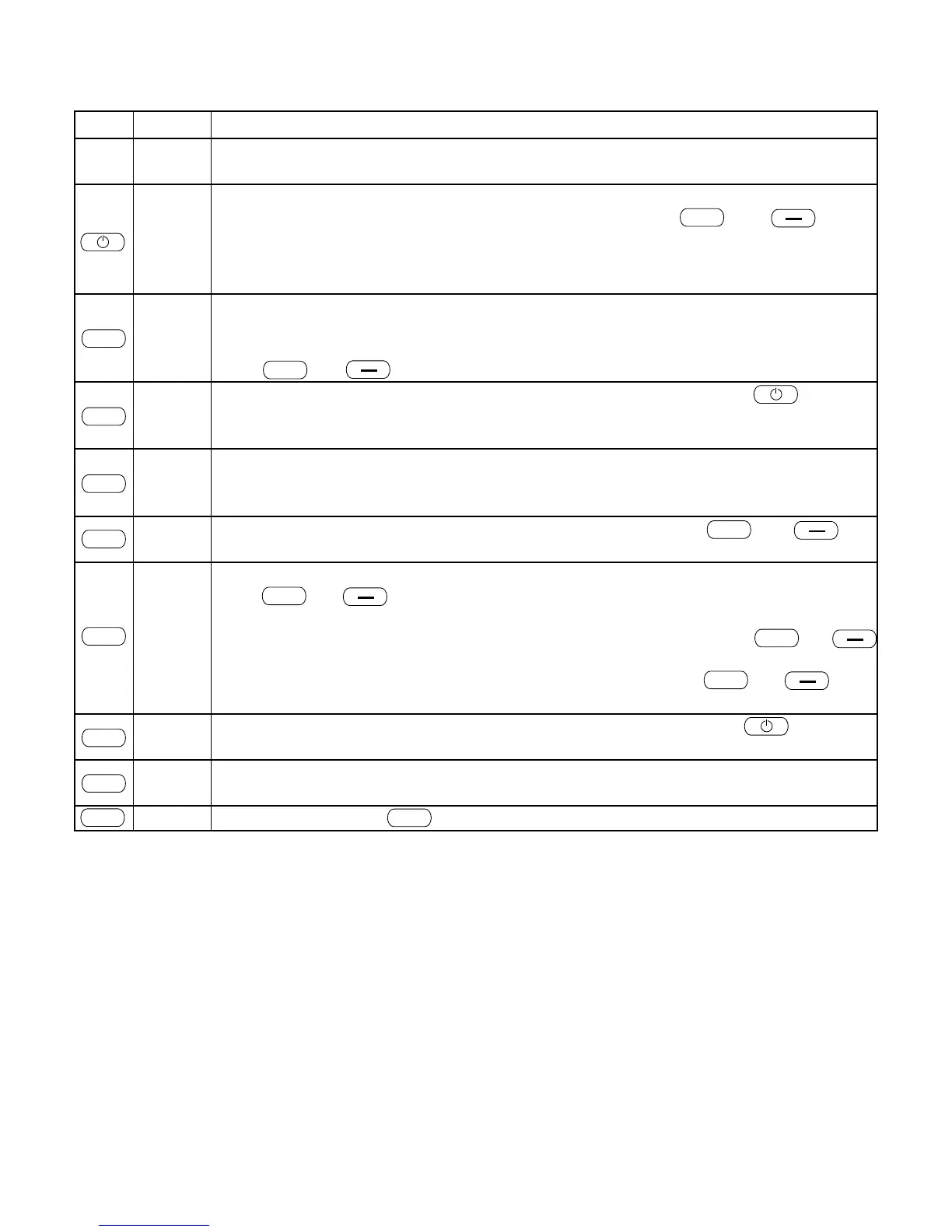
Key Display Description
SETUP
Display to enter the control level for additional functions. You can change between the
operating status On (active) and OFF (inactive).
FROST
OFF
Display of operating status of additional function FROST, frost protection (only in connection
with RIKA room sensor and RIKA wireless room sensor). Using and
you can switch between FROST OFF (inactive) and FROST ON (active). Frost protection is
only active in combination with the comfort functions HEAT OFF, ROOM OFF and AUTO OFF.
Starting temperature 8°C, stopping temperature 13°C.
EXT
OFF
Display of operating status of additional function EXT external unit such as e.g. a customary
room thermostat (see comfort function – external room thermostat, page 53 for more
information).
Using and you can switch between EXT OFF (inactive) and EXT ON (active).
GSM
SET
All settings concerning telephone option – GSM are made here. Pressing takes
you to the submenu of telephone option – GSM. Please see the operating instructions
accompanying the telephone option – GSM for settings.
ROOM
SET
The room temperature displayed may deviate from the actual temperature and therefore
the sensor may be calibrated by +/- 4°C. Thus the actual temperature of the room sensor
can be adjusted e.g. to the house thermometer.
C-FAN
OFF
Display of operating status of option transverse current fan. Using and you
can switch between C-FAN OFF (inactive) and C-FAN ON (active).
LOCK
OFF
Display of operating status of additional function LOCK child safety device (key lock).
Using and you can switch between LOCK OFF (inactive) and LOCK ON
(active).
To lock the keyboard with active child protection device (LOCK ON), press and
at the same time for at least 5 seconds in the standard mode EASY or HEAT. LOCK appears
in the display as confirmation. To unlock the keyboard again press and
at the same time for at least 5 seconds. LOCK OFF appears in the display as confirmation.
RESET
-I:0-
Any settings changed can be reset to the delivery status here. Pressing resets the
stove to the factory settings.
SETUP
Display to enter the control level for additional functions. You can change between the
operating status On (active) and OFF (inactive).
Repeated pressing of returns you to the main menu level.


 To Next Page