Recirculaon with On-Demand Accessories User Guide
16
7. When module LED is RED, press and hold down Connect buon on
MODULE unl LED turns GREEN. Then, release buon.
GREEN
PRESS AND HOLD
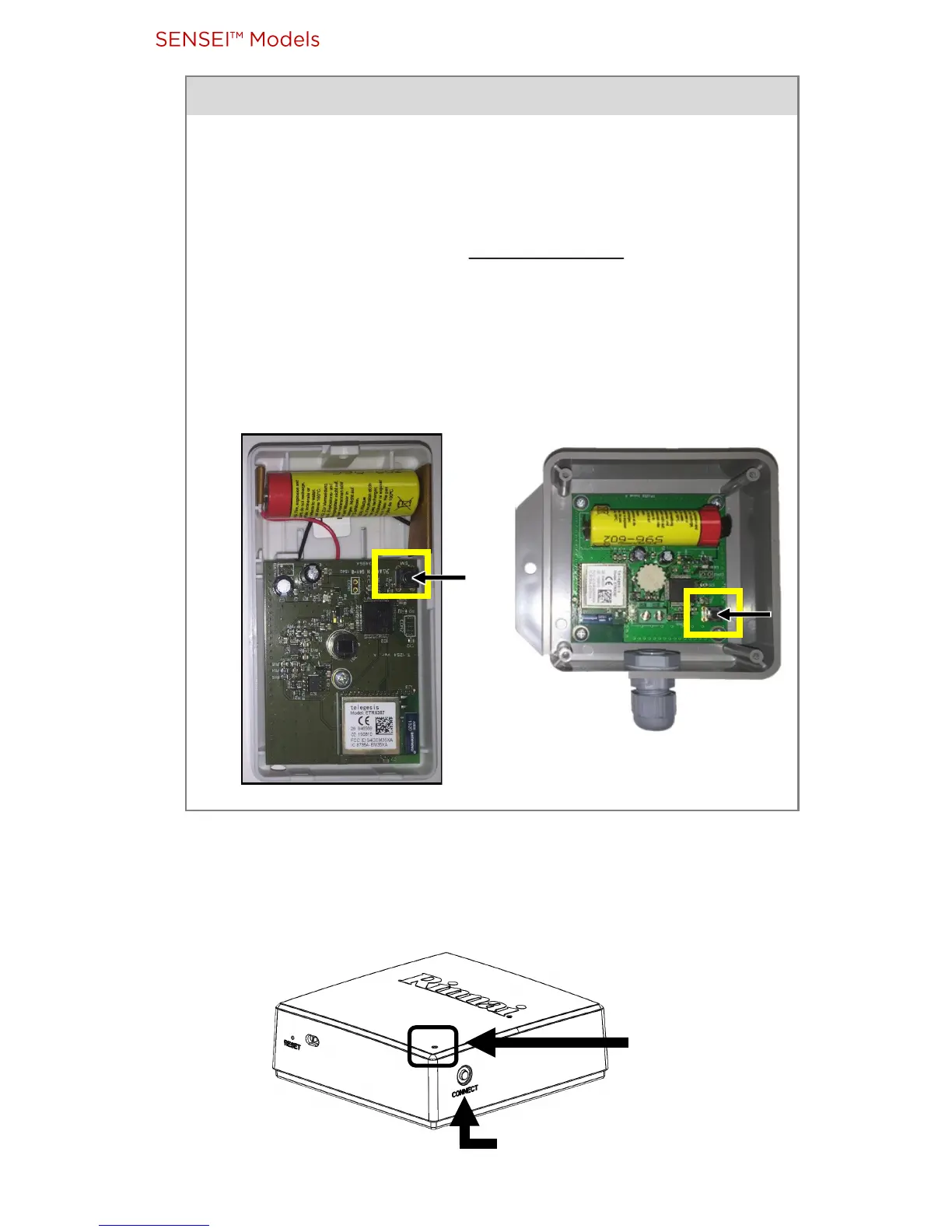
• Use a Phillips Head screwdriver to remove the front
cover.
• Insert the supplied baery while pressing down on the
accessory Connect buon at the same me.
Baery type is 2600mAh AA size Lithium-Thionyl Chloride
baery (3.6V or 3.7V).
Connect buon inside
Moon Sensor
Connect buon inside
Temperature Sensor
Moon Sensor/Temperature Sensor Baeries



 To Next Page