When using a Linked Printer (sold separately)
Setting up a Linked Printer [Link Properties]
226
*1 The tray number may differ depending upon the model of the Linked Printer.
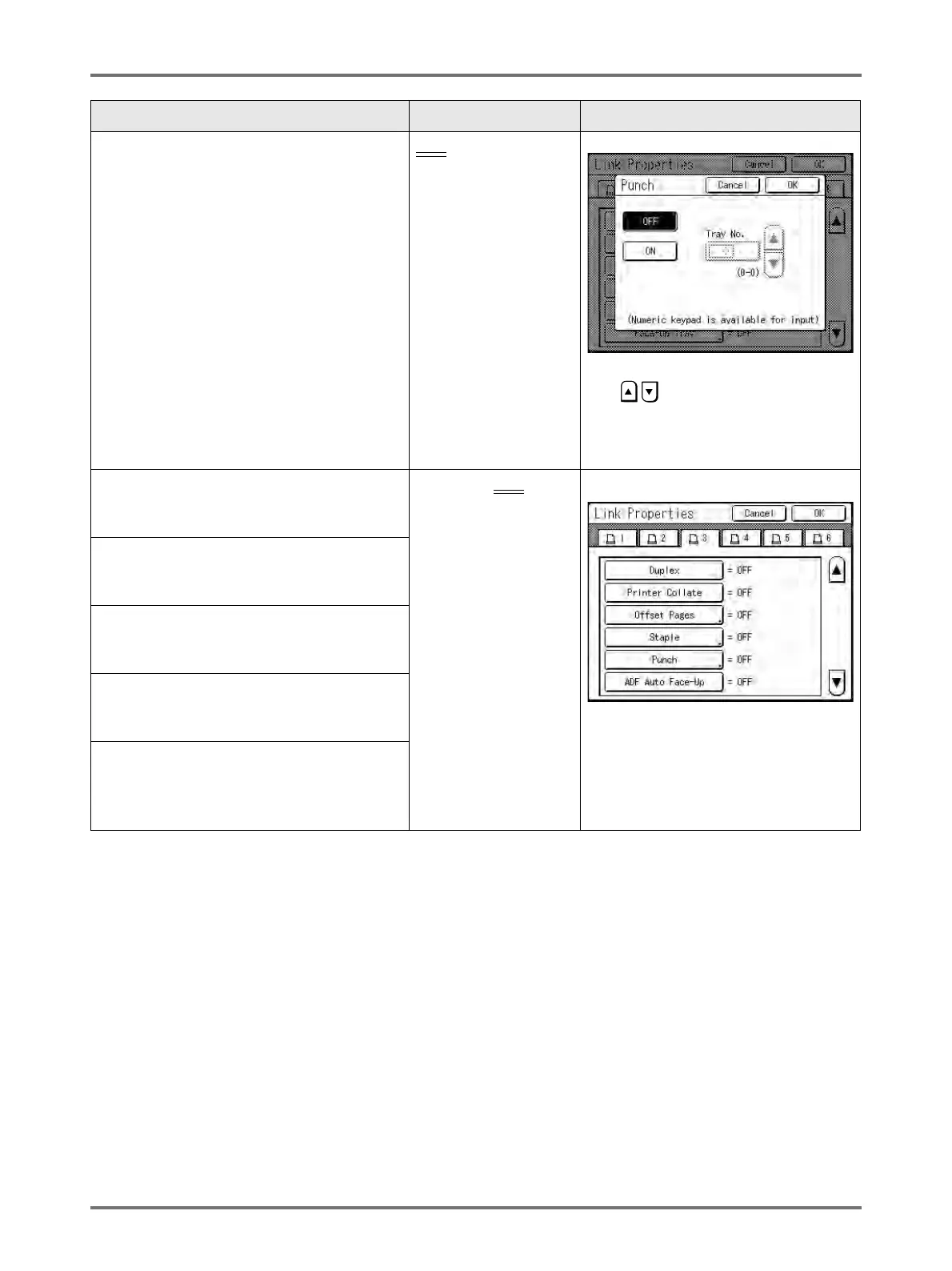
Punch
Set “Punch” ON if the device has the
capability.
Also set the tray number
*1
used by the
“Punch” function.
OFF
: No Punch
capability
ON: Punch function
available
Tray number used
Touch to select a button.
Use , or enter using the Print
Quantity Keys for “Tray No.”.
“Offset Pages” and “Punch” may be
configured using similar steps.
Duplex
Set “Duplex” ON if the device has the
capability.
ON/OFF
“Duplex”, “Printer Collate”, “Output
Reversal”, “ADF Auto Reversal” and
“Mailbox” may be configured using
similar steps.
Touch button to switch between OFF/
ON.
Printer Collate
Set “Printer Collate” ON if the device has the
capability.
Output Reversal
Set “Output Reversal” ON if the device has the
capability.
ADF Auto Reversal
Set “ADF Auto Reversal” ON if the device has
the capability.
Mailbox
Set “Mailbox” ON if the device has the
capability.
Functions Description How to Enter



 To Next Page