INSTALLATION
...............................................................................................................................................................................................................
...............................................................................................................................................................................................................
Manual EC 24 · EN05 · 2015-02
11
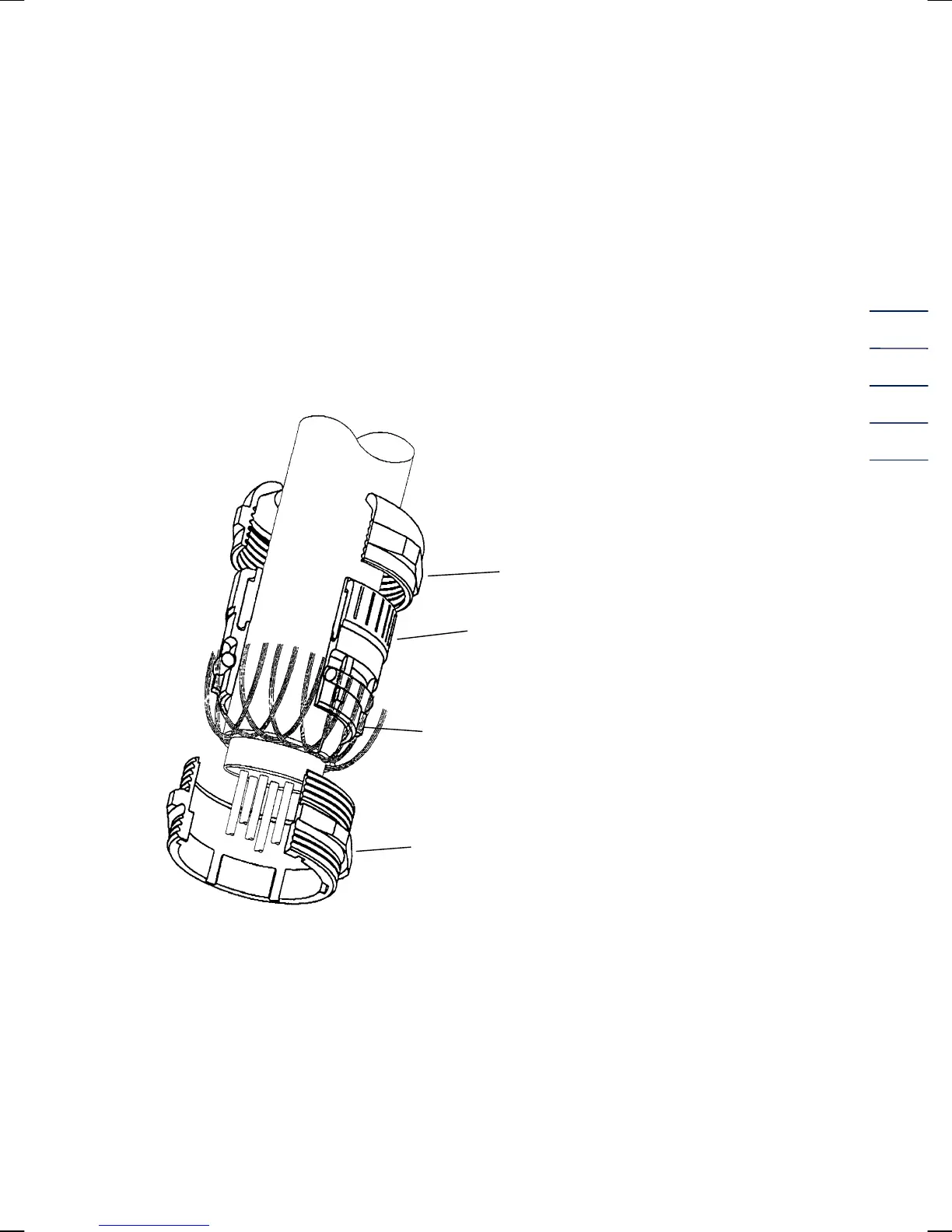
Cable glands
Clamp the shielding on both sides, as shown in the picture below, into the cable glands located on
the outside of the case:
Unscrew the cap nut.
Pull out the plastic clamping piece.
Push the cable end through the cap nut and the clamping piece and bend the shielding
backwards.
Put the clamping piece back into the connecting piece.
Screw on the cap nut again.
Permissible temperature ranges
For the standard design, the following fluid temperature and ambient temperature ranges are
permitted:
Fluid temperature range: -20°C to +60°C
Ambient temperature range: -20°C to +60°C or 40°C
Cap nut
Clamping piece
O
ring
Connecting piece


 To Next Page