EasyManua.ls Logo

RMG EC 24 - Operating Modes

RMG EC 24
48 pages
Print Icon
To Next Page IconTo Next Page
To Previous Page IconTo Previous Page
Loading...
OPERATION
...............................................................................................................................................................................................................
...............................................................................................................................................................................................................
Manual EC 24 · EN05 · 2015-02
25
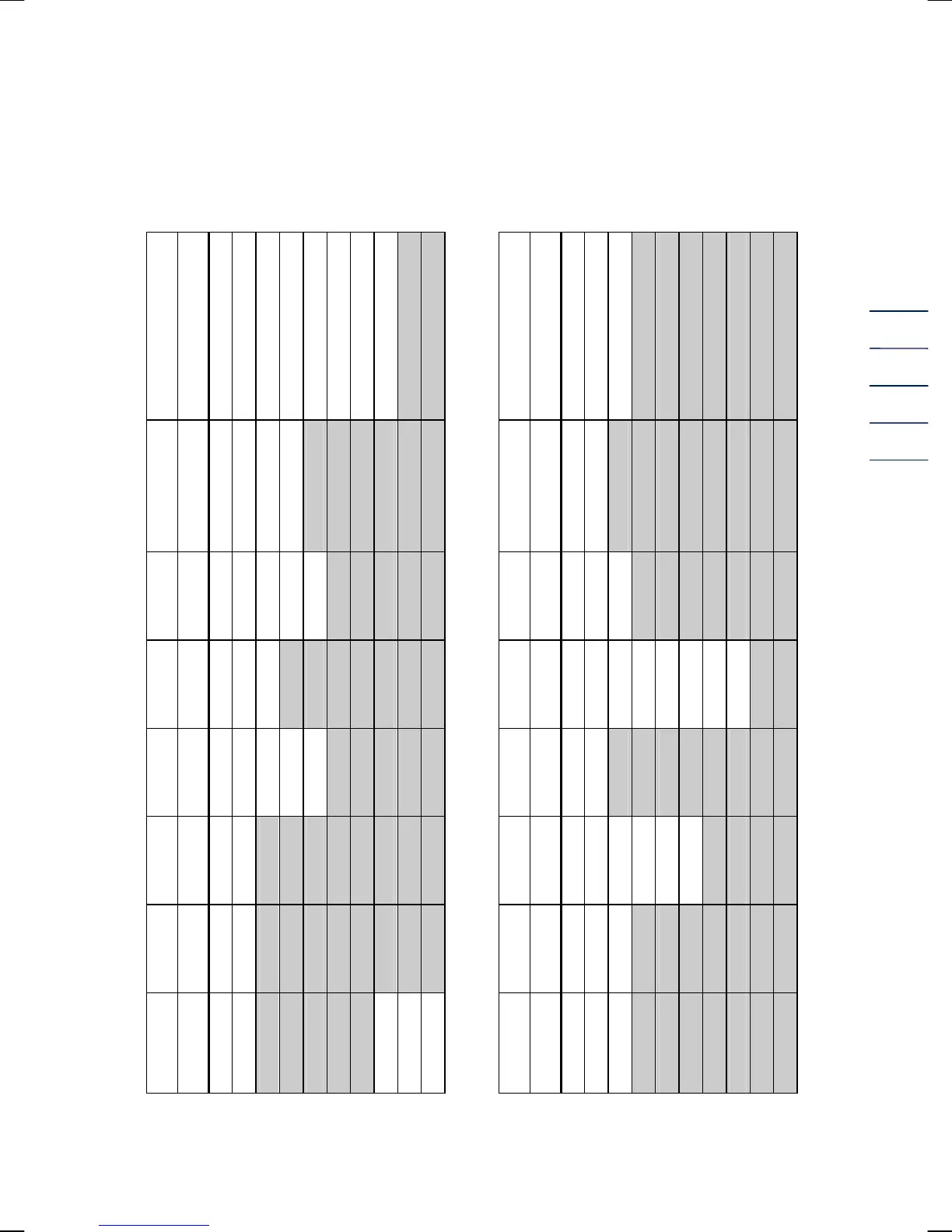
Operating modes
0
1
2
3
4
5
6
7
8
9
0
1
2
3
4
5
6
7
8
9
TerzMode[7]
Operating mode
1 channel
1 channel Vm Stop
1 channel Vm Run
2 channels
// X:Y act. (SW) Vm Stop
2 channels
// X:Y act. (SW) Vm Run
2 channels
// X:Y act. (HW) Vm Stop
2 channels
// X:Y act. (HW) Vm Run
2 channels // X:Y deactivated
EcMode[7]
Frequency
mode
off
pos. edge
neg. edge
TerzMode[6]
Current output
off
Iout without error
Iout 3.5 mA with error
Iout 21.8 mA with error
EcMode[6]
Data logger
mode
Off
V
b
, V
m
, dV
b
, dV
m
, p, T
TerzMode (coordinate Z1)
TerzMode[5]
Pulse scaling
factor
0.01
0.1
1
10
100
EcMode (coordinate Z2)
EcMode[5]
Analysis
mode
K=const
GERG
AGA
TerzMode[4]
Interface
protocol
off
Modbus ASCII
Modbus RTU
EcMode[4]
Pulse width
LF-II
0.8 ms
10 ms
20 ms
50 ms
75 ms
100 ms
125 ms
250 ms
TerzMode[3]
Display
cut-off time
1 min.
5 min.
10 min.
15 min.
test mode
EcMode[3]
LF
selection
Vm
Vb
TerzMode[2]
Pulse width
LF output
125 ms
250 ms
EcMode[2]
Current
selection
off
default
Qm
Qb
temp
pressure
TerzMode[1]
Units
m3, bar, °C
cf
EcMode[1]
Temperature
mode
off
PT 1000
default
TerzMode[0]
Internal
customer
service
clear data logger
clear Qm max.
all coord. on
EcMode[0]
Pressure
mode
off
on
default
0
1
2
3
4
5
6
7
8
9
0
1
2
3
4
5
6
7
8
9

Related product manuals