OPERATION
...............................................................................................................................................................................................................
...............................................................................................................................................................................................................
Manual EC 24 · EN05 · 2015-02
16
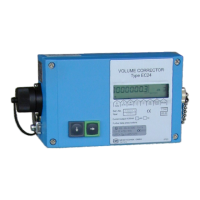
The external and internal buttons correspond to each other in the following way:
Int. button Ext. button Meaning
P P
Display mode:
Switch over to programming mode.
(Press the button longer than 2 seconds.)
Programming mode:
Put the decimal point at the current position.
+
In display mode:
Move to the right within the matrix
(change of column).
In programming mode:
- Increase the decimal by 1.
- Scroll in the list.
(Display value is identified by “L“.)
-
In display mode:
Move towards the bottom
(change of line).
In programming mode:
- Decrease the decimal by 1.
- Scroll in the list.
(Display value is identified by “L“.)
In display mode:
Short-term view of the coordinate (e.g. A01)
In programming mode:
Go to the right by one decimal place
(if the last decimal has been reached:
Quit programming mode).


 To Next Page