Notice: Make sure that Bluetooth is turned ON in your smart device
settings before proceeding.
Locate the Login Information:
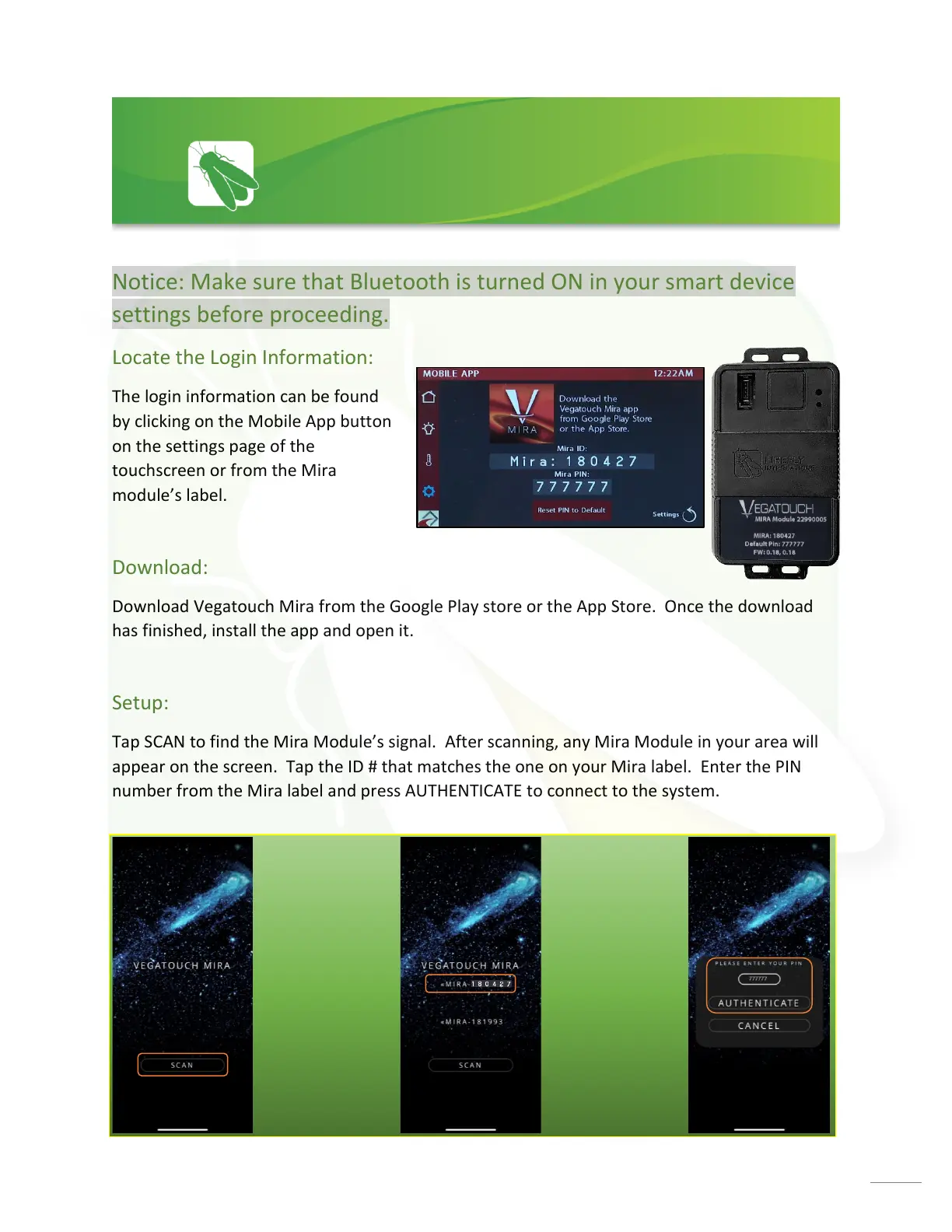
The login information can be found
by clicking on the Mobile App button
on the settings page of the
touchscreen or from the Mira
module’s label.
Download:
Download Vegatouch Mira from the Google Play store or the App Store. Once the download
has finished, install the app and open it.
Setup:
Tap SCAN to find the Mira Module’s signal. After scanning, any Mira Module in your area will
appear on the screen. Tap the ID # that matches the one on your Mira label. Enter the PIN
number from the Mira label and press AUTHENTICATE to connect to the system.






 To Next Page