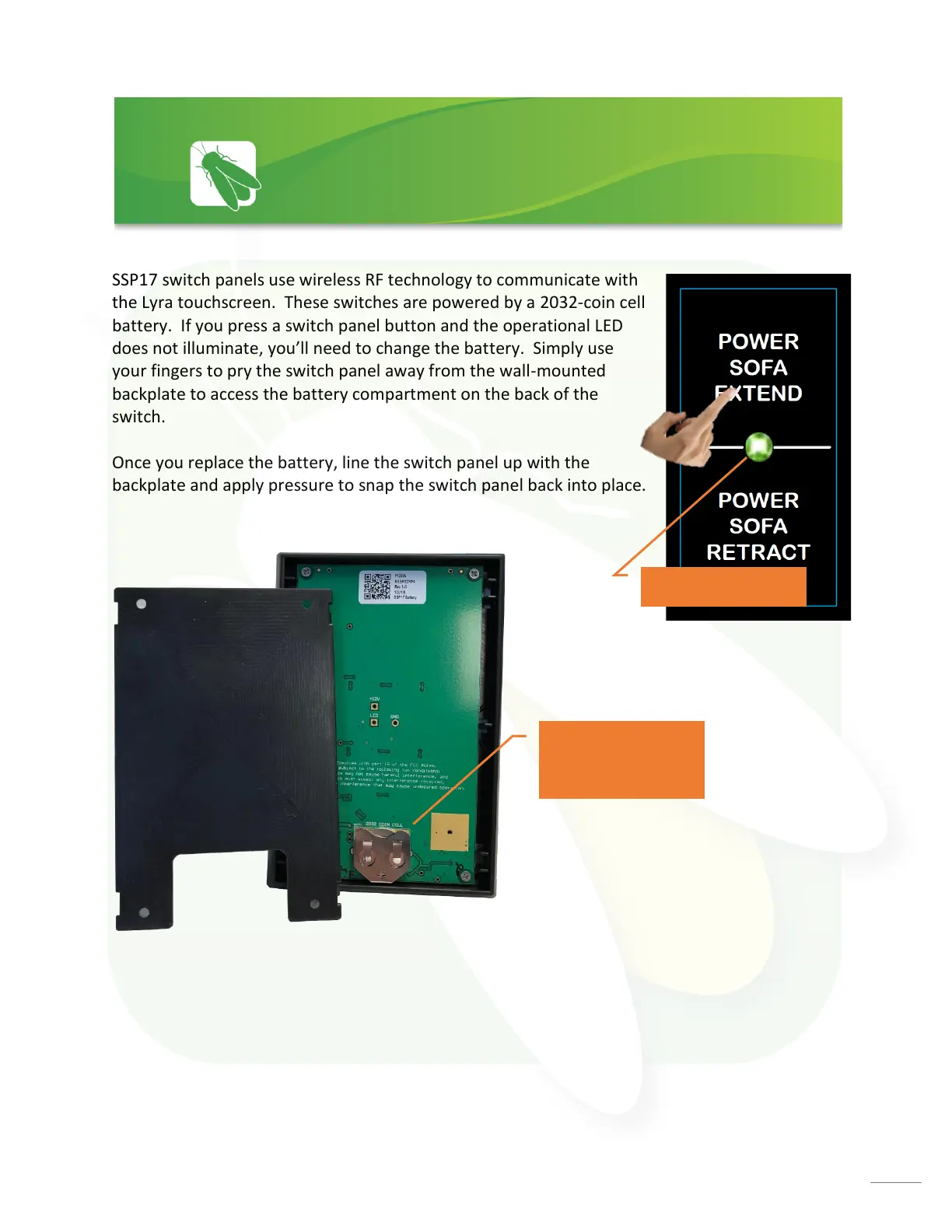
SSP17 switch panels use wireless RF technology to communicate with
the Lyra touchscreen. These switches are powered by a 2032-coin cell
battery. If you press a switch panel button and the operational LED
does not illuminate, you’ll need to change the battery. Simply use
your fingers to pry the switch panel away from the wall-mounted
backplate to access the battery compartment on the back of the
switch.
Once you replace the battery, line the switch panel up with the
backplate and apply pressure to snap the switch panel back into place.








 To Next Page