19
Fixture (continuing) Eect Available DMX values
Robin BMFL WashBeam
RGW 1 0,32-59
RGWr 1 0-255
FS rot 0-255
FS 1 m 0-255
FS 1 s 0-255
FS 2 m 0-255
FS 2 s 0-255
FS 3 m 0-255
FS 3 s 0-255
FS 4 m 0-255
FS 4 s 0-255
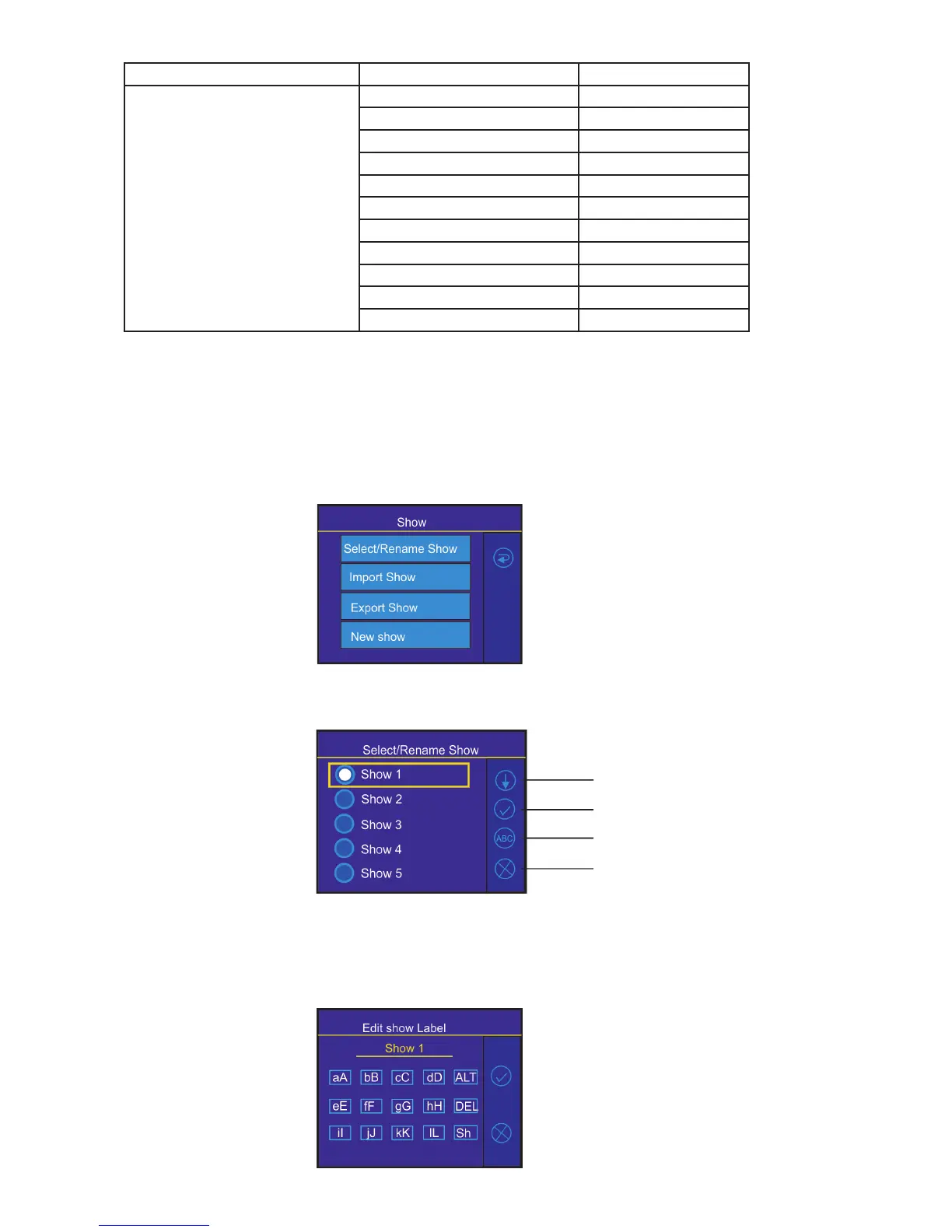
5.2 Menu Show library
The menu item oers 10 user shows. In the show is saved:
Functions mapping of the FollowSpot Controller
Sensitivity of jog-wheels
Faders switching and inversion
The show can be saved on a USB ash drive and load to the FollowSpot Controller if need.
To select a show
1. Enter the menu "Select/rename Show"
2. Select desired show and conrm it.
To rename a show
1. Select a show and touch the Edit button.
Edit button
Down button
Conrm button
Cancel button



 To Next Page