20
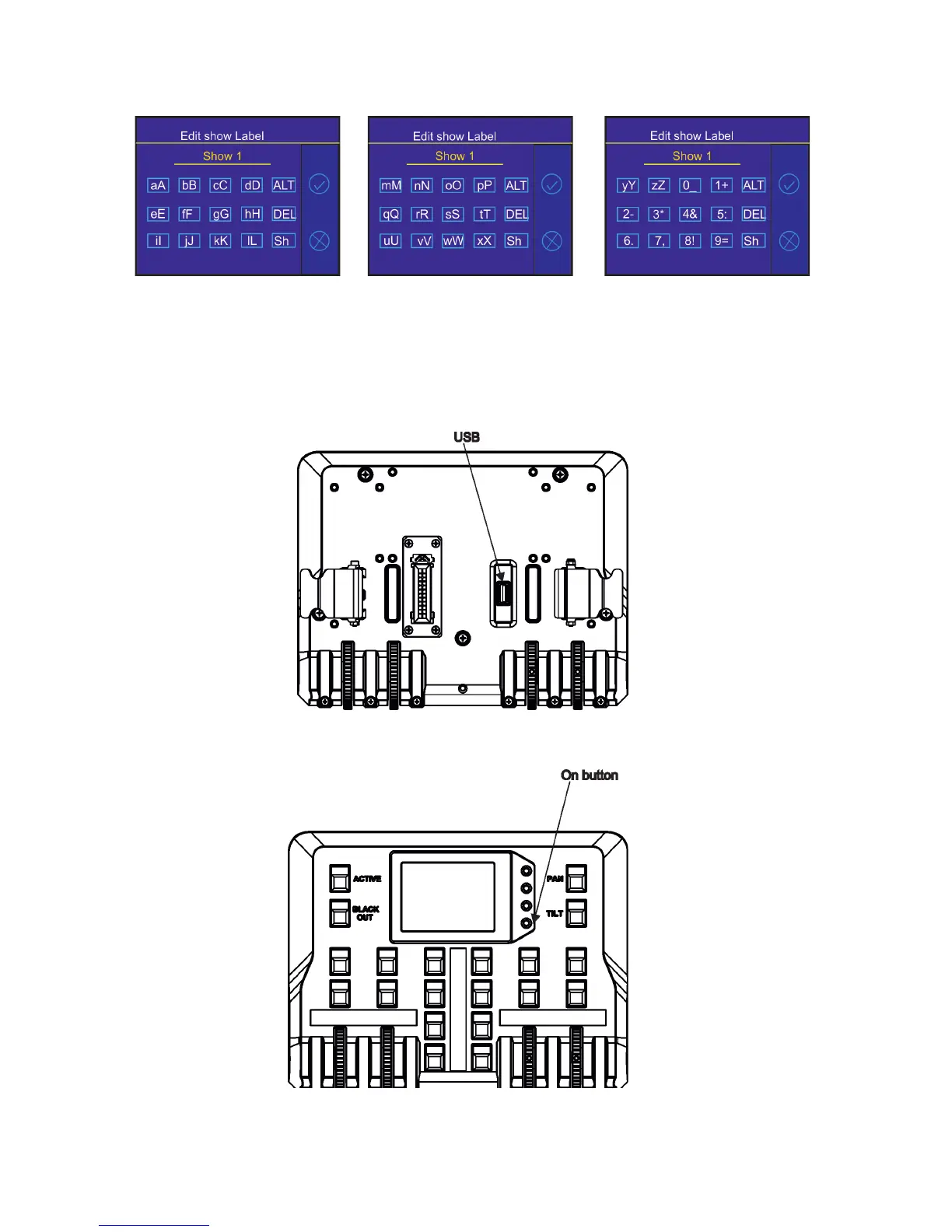
2. Edit the name of selected show by means of the alphanumerical keyboard.
Function keys has the following meaning:
ALT key- switches among keyboards:
DEL key - deletes a character
Sh key - shift key, changes order of displayed characters aA ---> Aa.
The key 0_ serves as a space bar.
To export a show
1. Disconnect the FollowSpot Controller from the FollowSpot Controller base and connect a USB ash drive to
the USB port on the bottom side of the FollowSpot Controller.
2. Press and hold the On button until the graphic touch screen will light (the screen lights about 20 sec and
after that will be switched o unless you touch any icon).



 To Next Page