21
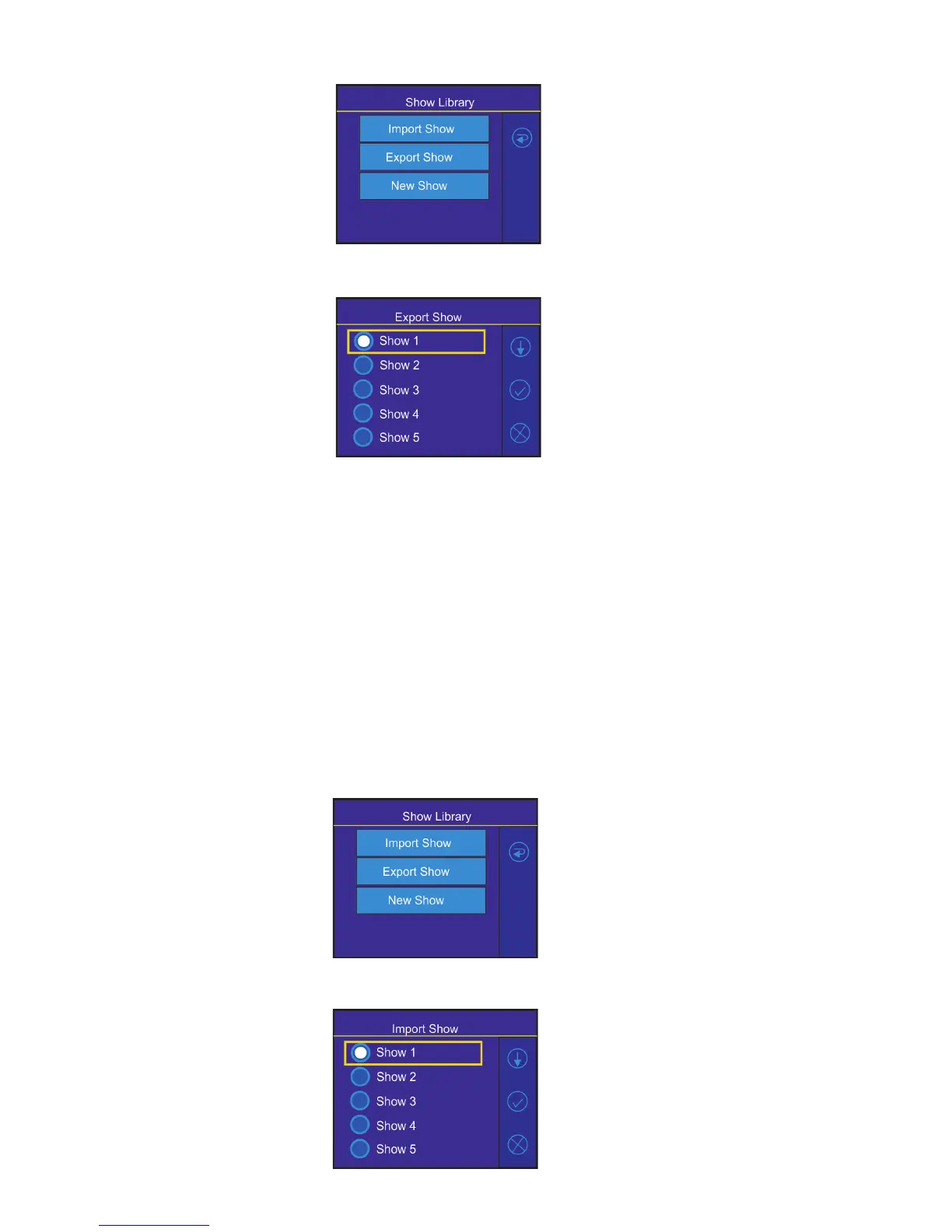
3. Select option "Export Show"
4. Select show and conrm it.
Wait until the message "Show Saved" appears on the screen. Touch the Cancel button.
Default name of saved show le on the USB ash drive has the following sentence structure
e.g. lightmaster-1-0031.cfg
lightmaster-2-0031.cfg
where the number 1 (2,3,...10) represents a number of show, the number 0031 represents last four numbers
of RDM UID of the FollowSpot Controller.
Note: if you save some show more than once, original le is not overwritten, les are dierentiated by a number
after underscore character e.g:
lightmaster-2-0031.cfg
lightmaster-2-0031_1.cfg
lightmaster-2-0031_2.cfg
To import a show
1. Disconnect the FollowSpot Controller from the FollowSpot Controller base and connect a USB ash drive to
the FollowSpot Controller and switch the graphic touch screen on as described above in article To export a show.
2.Select option "Import Show"
3. Select show to which you want to load a show le from the USB ash drive and conrm it.



 To Next Page