14
Functionality of the BMFL LightMaster can by restricted by means of commands on the channel Power/Special
Functions of the Robin BMFL xtures as follows:
240-244 DMX -LightMaster enabled
245-249 DMX - LightMaster disabled (except two faders on its handle bar and pan/tilt)
250-255 DMX - LightMaster disabled (except pan/tilt)
To control desired eect
1.Use its fader on the screen or press the activating button for its jog-wheel and use this jog wheel or use a
corresponding fader.
The FollowSpot Controller overwrites xture channels which are mapped to its jog-wheels or faders, excepting
a dimmer. The dimmer value is a combination of value coming from DMX console and a value on the Follow-
Spot Controller (e.g. DMX console sends 180 DMX, jog-wheels shows 50%, real DMX value coming to xture
is 90 DMX).
In case that the DMX console does not send DMX data, the FollowSpot Controller allows full range (0-255
DMX) of dimmer control.
To release an eect from the jog-wheel (fader)
1.Touch desired eect from the list of eects in the menu "Functions Mapping".
2.Touch the option "Unlink".
3.The eect will be displayed in a white colour.
The item "All" allows to release all assigned eects at one go.
4.2 Saving and recalling FollowSpot controller presets
The FollowSpot Controller oers to save up to 12 presets.
To save a preset
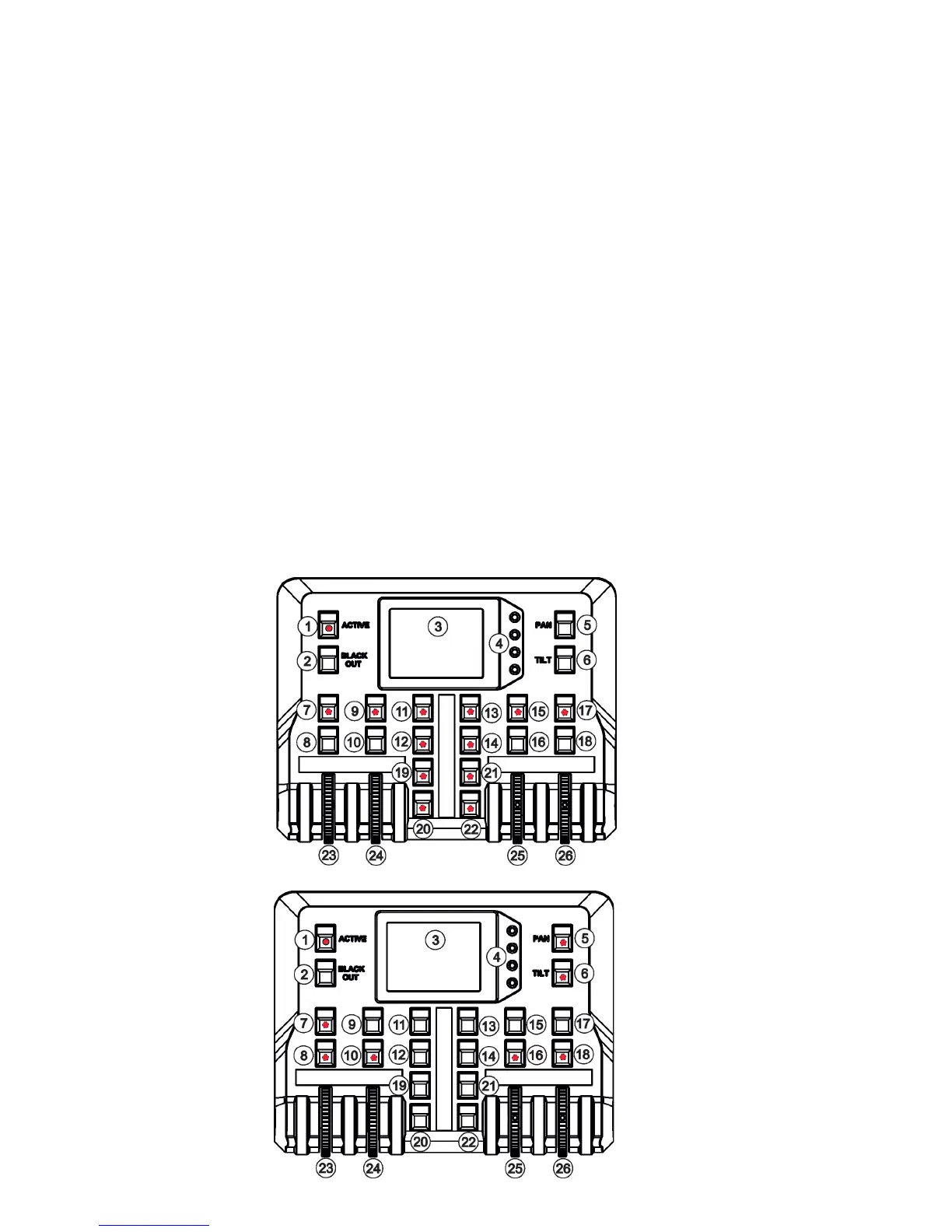
1. Press and hold one of the preset buttons (7/9/11/12/13/14/15/17/19/20/21/22) e.g. button (7) until the jog-
wheels activating buttons (8/9/16/18) and the pan/tilt buttons (5/6) start to ash.
2. Press ashing button of eect which value you wish to add to the current preset (the button will start light
continually).
Note: values on faders
cannot be included to
presets.



 To Next Page