11
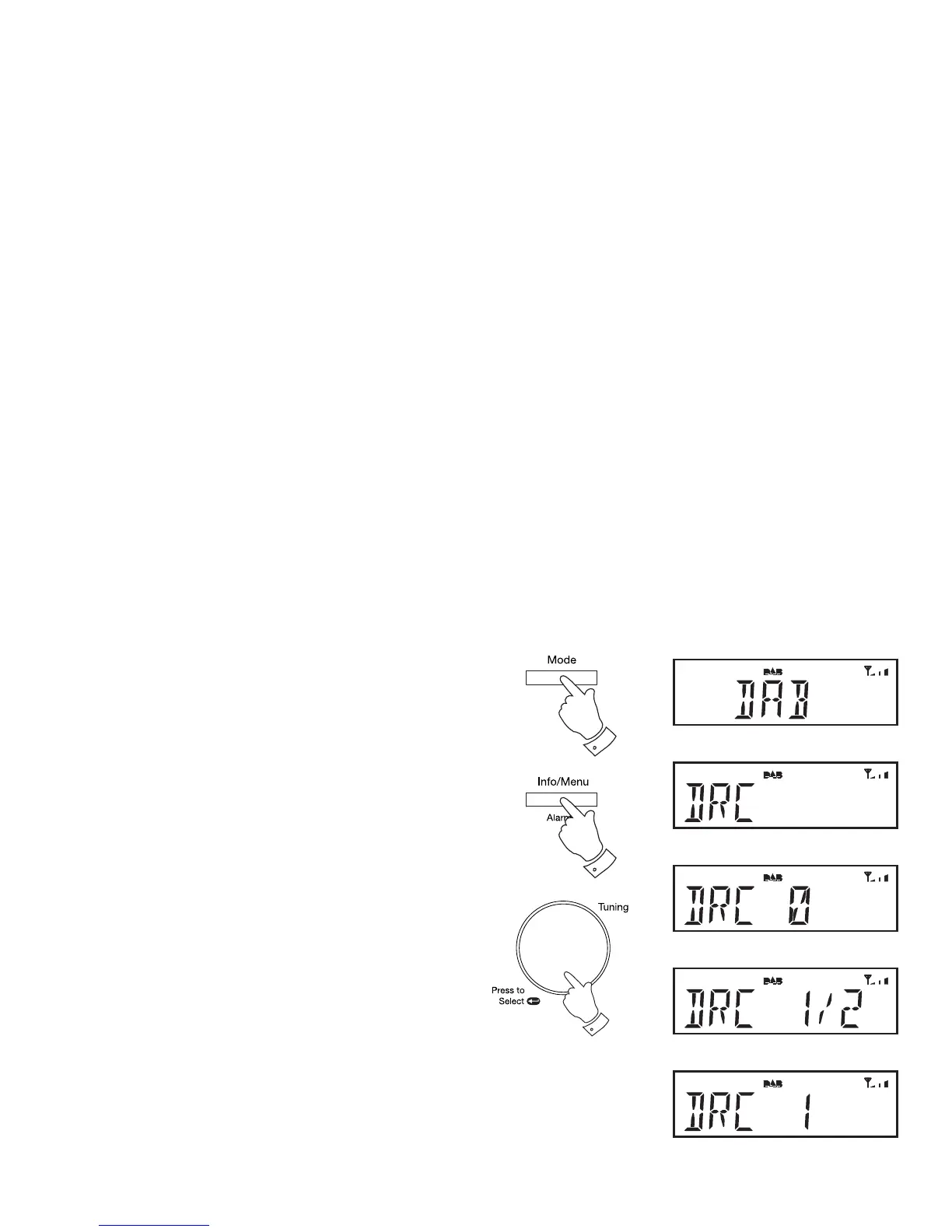
Dynamic Range Control (DRC) settings - DAB
The DRC facillity can make quieter sounds easier to hear when your radio
is used in a noisy environment.
1. Press and release the On/Off button to switch on your radio.
2. Press and release the Mode button until the 'DAB' mode is selected.
3. Press and hold the Info/Menu button. The DAB menu will show on
the display.
4. Rotate the Tuning/Select control until 'DRC' shows on the display.
5. Press and release the Tuning/Select control to enter adjustment
mode.
6. Rotate the Tuning/Select control to select required DRC setting
(default is 0).
DRC 0 DRC is switched off, Broadcast DRC will be ignored.
DRC 1/2 DRC level is set to 1/2 that sent by broadcaster.
DRC 1 DRC is set as sent by broadcaster.
7. Press and release the Tuning/Select control to confi rm the setting. The
display will return to the station name display after several seconds.
Note: Not all DAB broadcasts use the DRC function. If the broadcast
does not provide DRC information, then the DRC setting in the radio will
have no effect.
4-7
2
3



 To Next Page