25
Sleep function
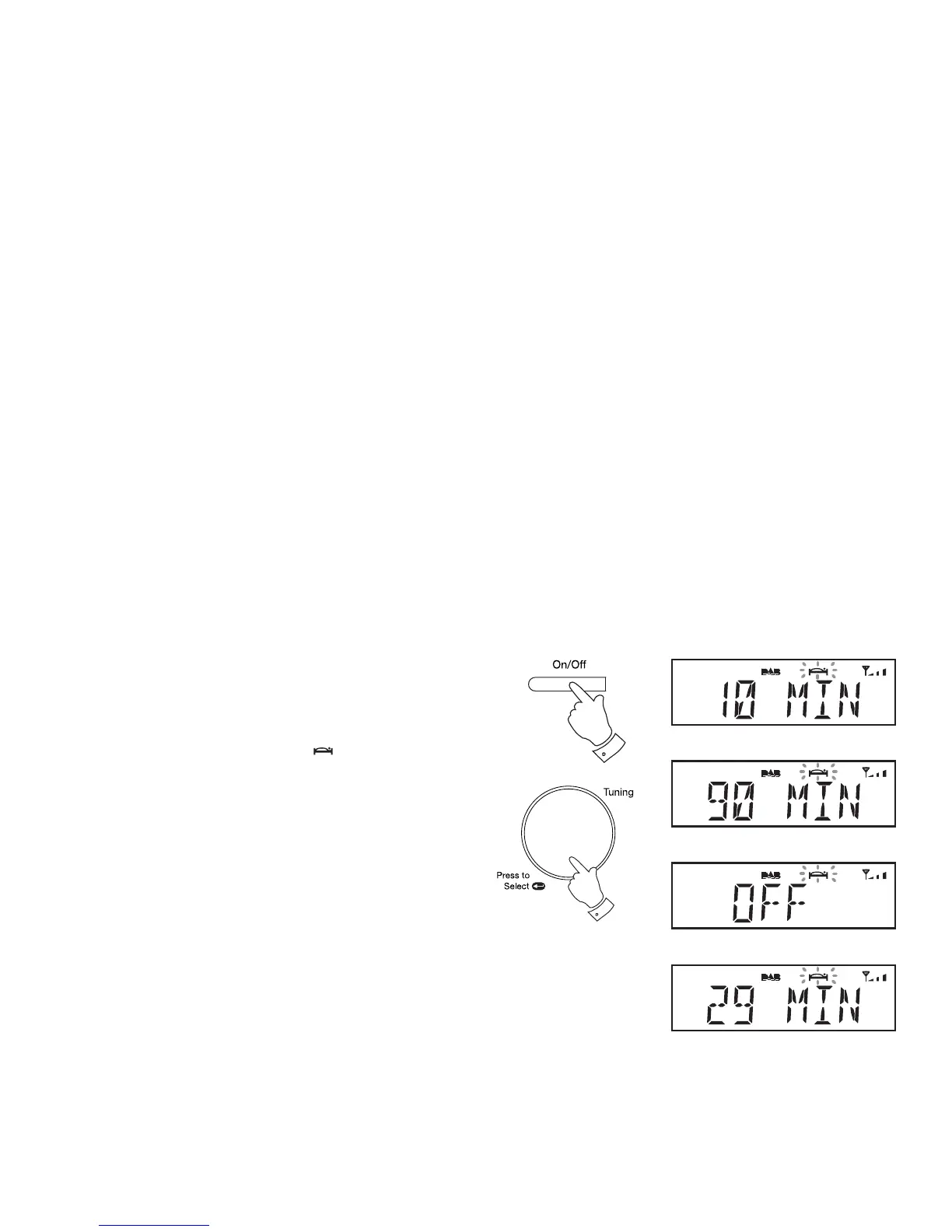
Your radio can be set to turn off after a preset time has elapsed. The
sleep timer can be set to between 10 and 90 minutes. Ensure your radio
is switched on.
1. When using your radio, press and hold the On/Off/Sleep button and
then release the button. The sleep symbol will fl ash on the display.
2. Rotate the Tuning/Select control to select the desired sleep time.
The sleep setting will increase in increments from 10 minutes up to
90 minutes. A further increment will cause the sleep timer to be set to
OFF which will cancel the sleep function.
3. Press and release the Tuning/Select control. The display will exit the
sleep options.
4. Your radio will switch off after the preset sleep time has elapsed.
5. To view the remaining sleep time, press and hold the On/Off/Sleep
button and then release the button. The remaining sleep time will show
on the display.
6. To cancel the sleep timer and switch off your radio before the chosen
sleep time has elapsed, press and release the On/Off button.
To cancel the sleep timer without switching off your radio, set the sleep
timer to the OFF setting.
1-6
2,3



 To Next Page