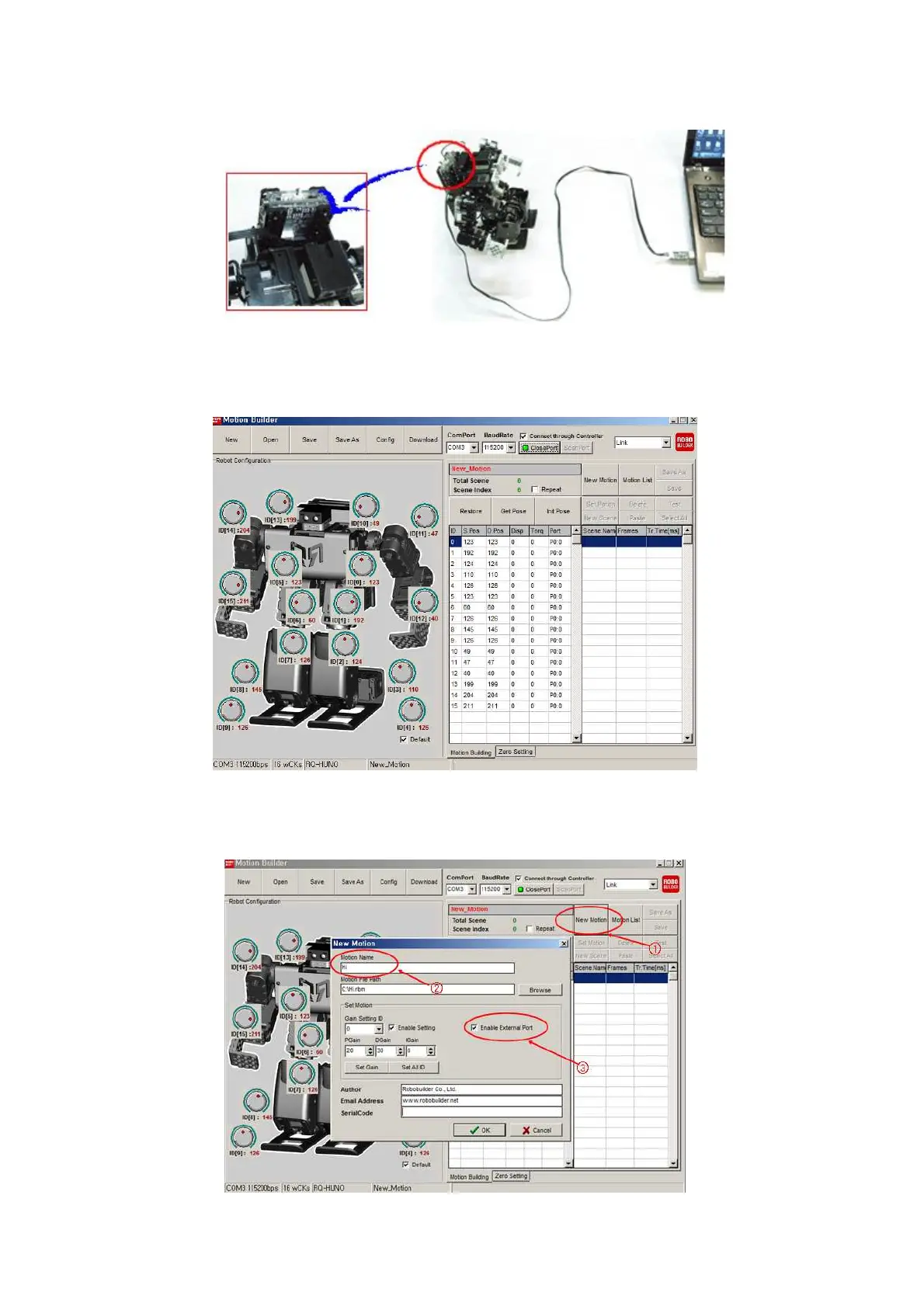
3) Connect RQ-HUNO with PC by using “Down Cable (UART)” then, power on smart controller
(Button P)
4) Click “Scan Port” to search correct COM Port, or you can click “Open Port” if you know the COM
Port No.
5) Click “New Motion”. Then input “hi” in Motion Name.
If you want to use smart servo LED, check the “Enable External Port”, then, click “OK”.



 To Next Page