6.3 Change Motion Speed
Let’s find out about frame and motion run time.
We have applied basic frame and motion run time (30 frames, 1000 msec) in the previous motion
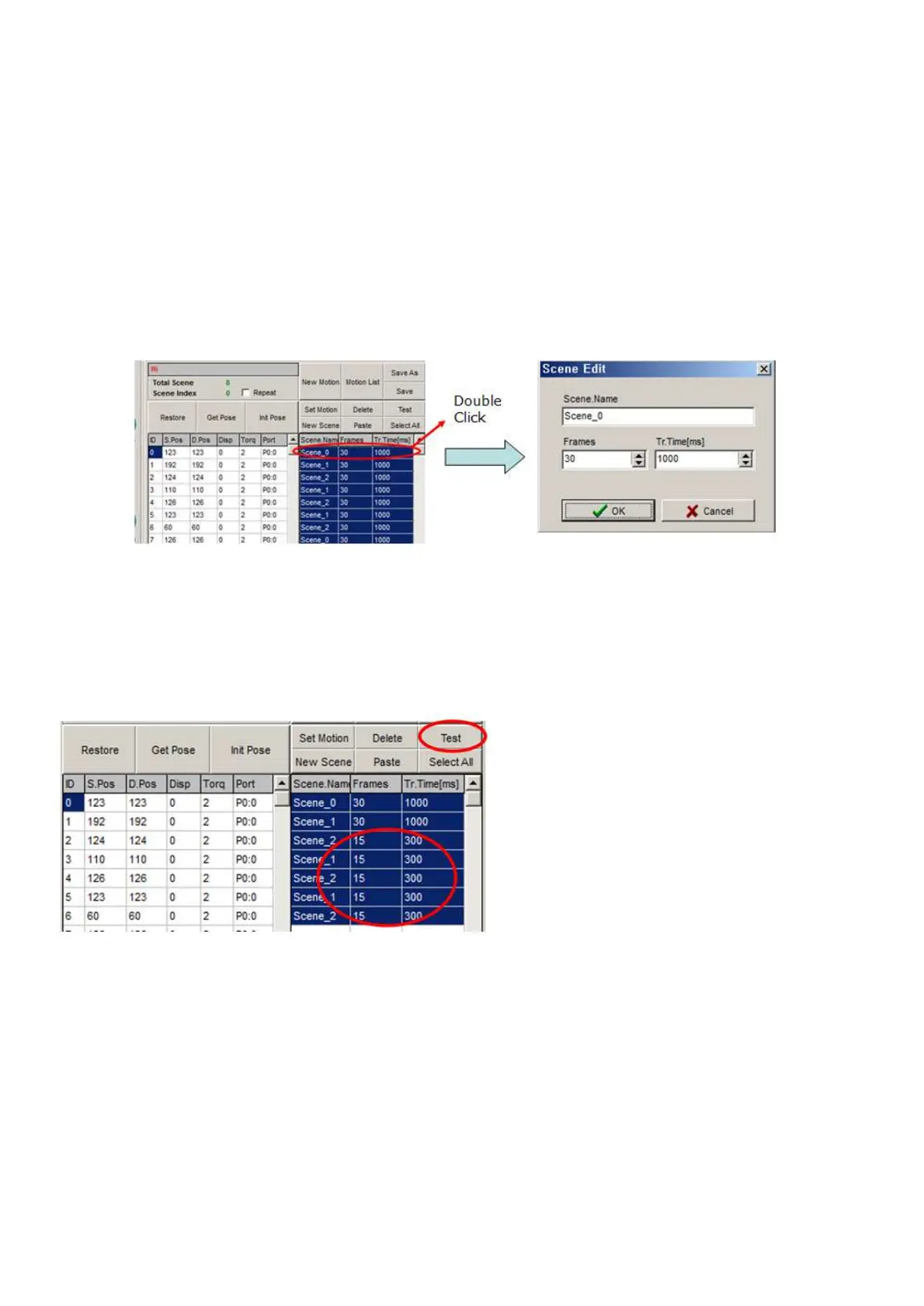
1) If you look at the scene part, you can see all the frame value is 30 and time value is 1000. you can
change the frames and time as you double-click related scene.
2) Minimum motion run time is 20msec for each frame. Therefore, time value should be at least 600
msec if frames are 30. Change the frame value first, then input proper time value.
3) Try to change the frame value to 15, and time value is 300msec then click “Test” as shown below.
4) You can see that motion speed is faster than before.



 To Next Page