7.2 Action Programming #1 (Continuous Motions)
- Robot Action : Basic Posture => Go => Back => Left => Right.
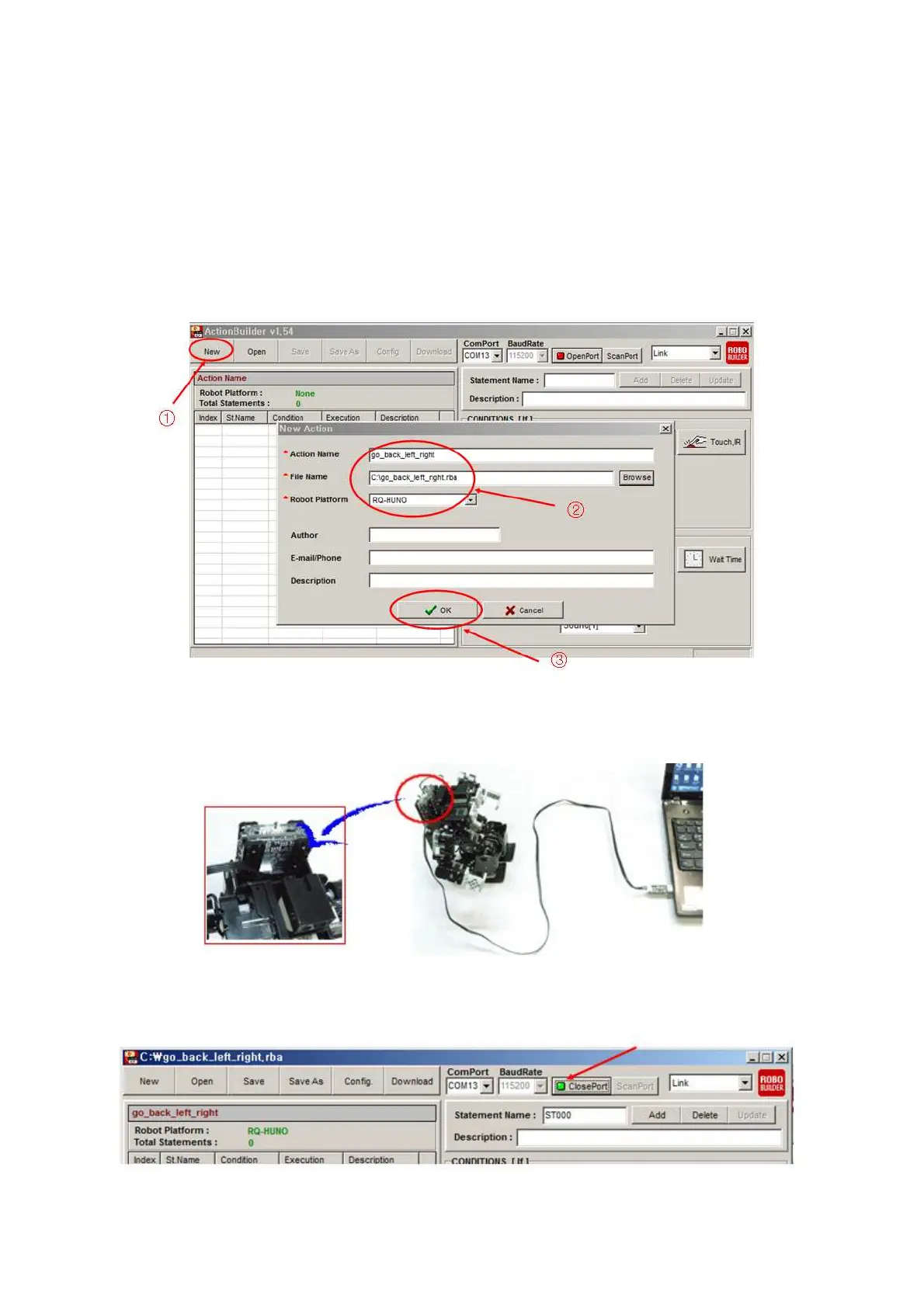
1) Click “New” to create new action file, then input “Action Name, File Name” and select
“RQ-HUNO” platform as the below.
2) Connect RQ-HUNO with PC by using “Down Cable (UART)” then, power on smart
controller.
3) Click “Open Port”.



 To Next Page