8. Appendix
8.1 Auto power-saving mode
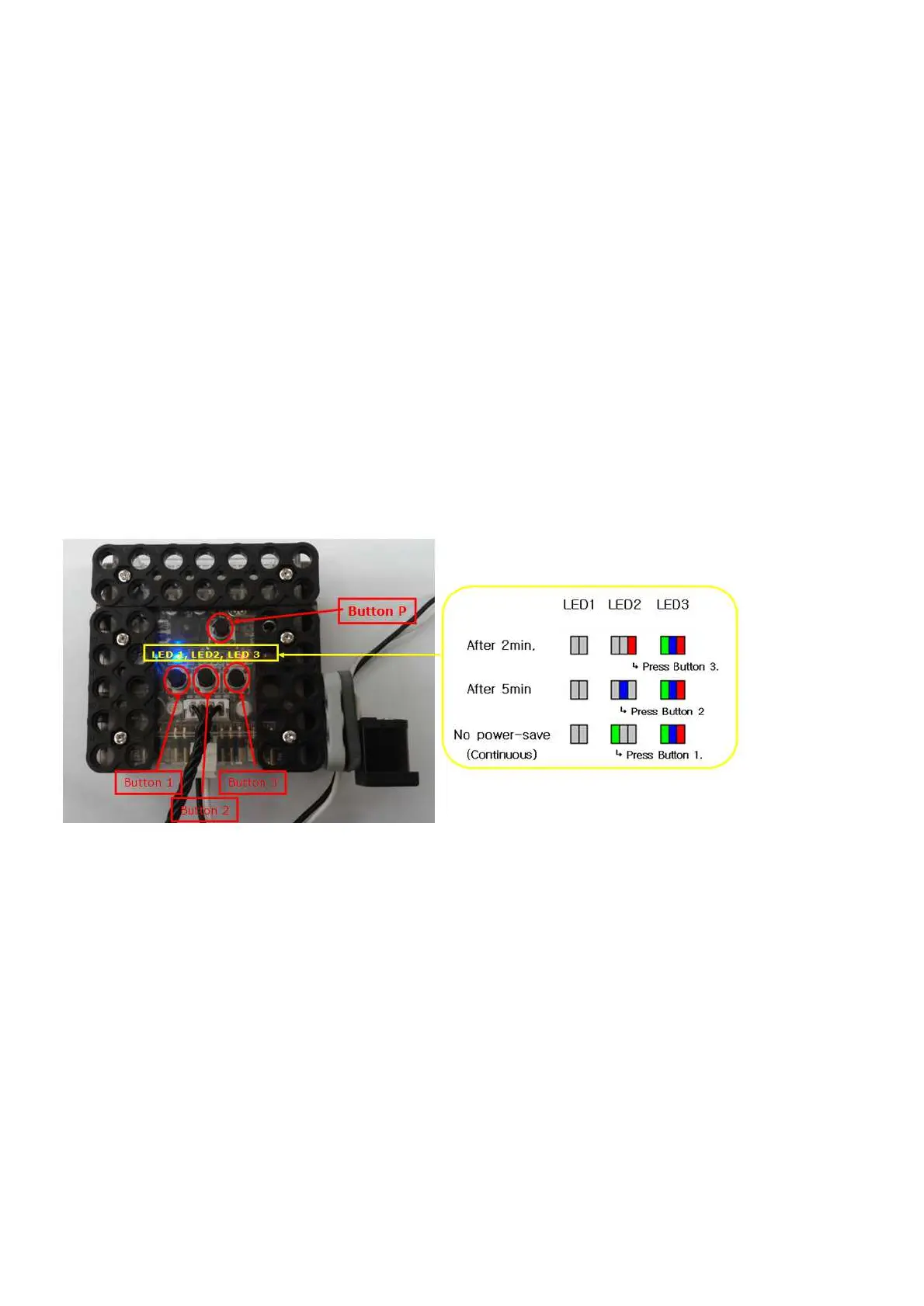
If there is no input or movement during certain time, RQ-HUNO goes into power-saving mode
automatically. You can set the entry time as below.
1) Power-off the smart controller.
2) Press button 3 and then, press button P concurrently.
→ LED3 "Green, Blue and Red" light up.
3) You can adjust the power-saving entry time as shown in the below.
4) Press “Button P” to save current setting after selecting power-saving entry time.



 To Next Page