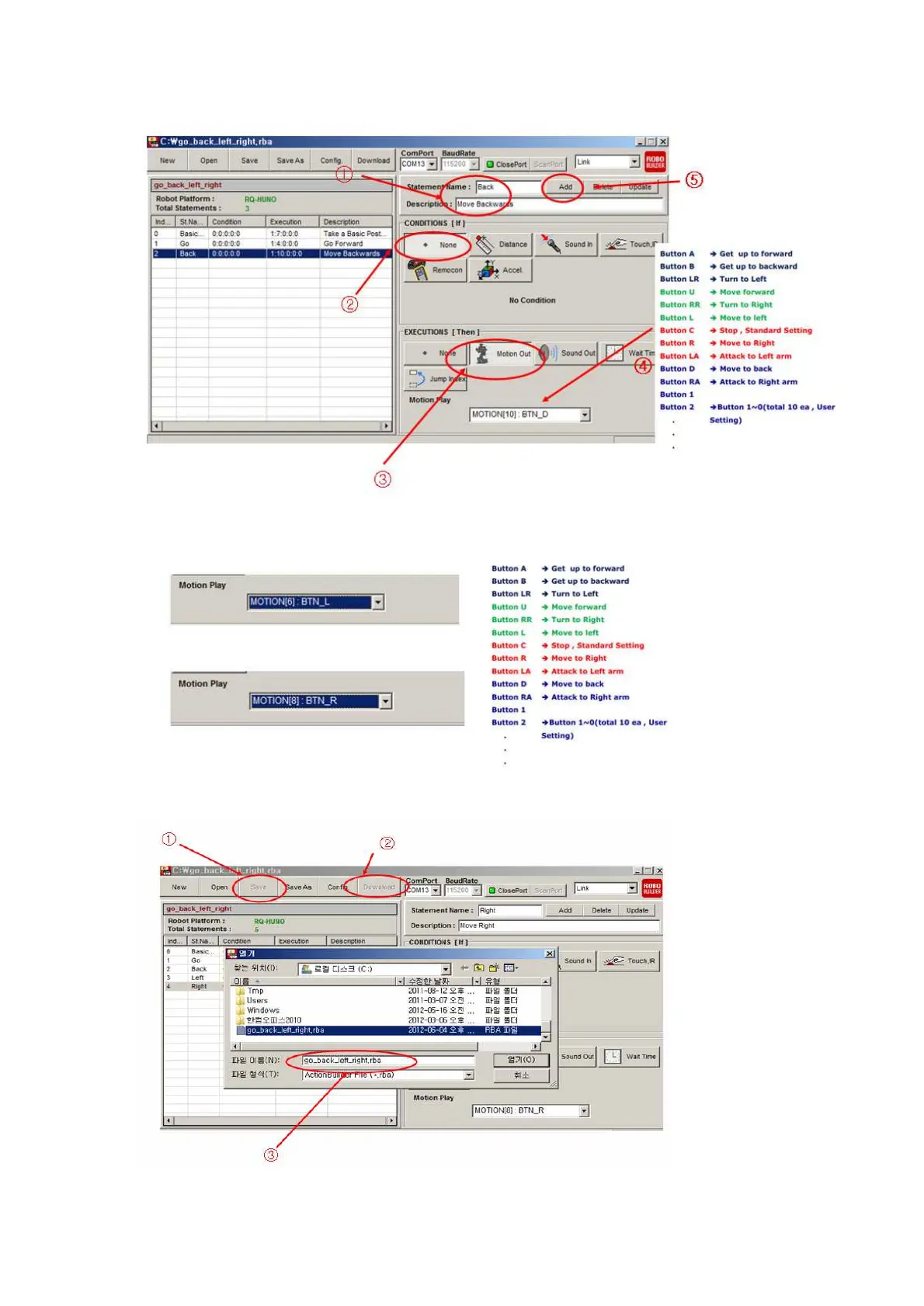
6) Click as the below procedures (1,2,3,4,5) by number to add robot “back” motion.
7) For “Left” and “Right” motion, it is same procedures except “Motion Play” section.
8) Click below procedures (1,2,3) to save action file and download to RO smart controller.



 To Next Page