2
2. Quick Setup
2. Quick Setup
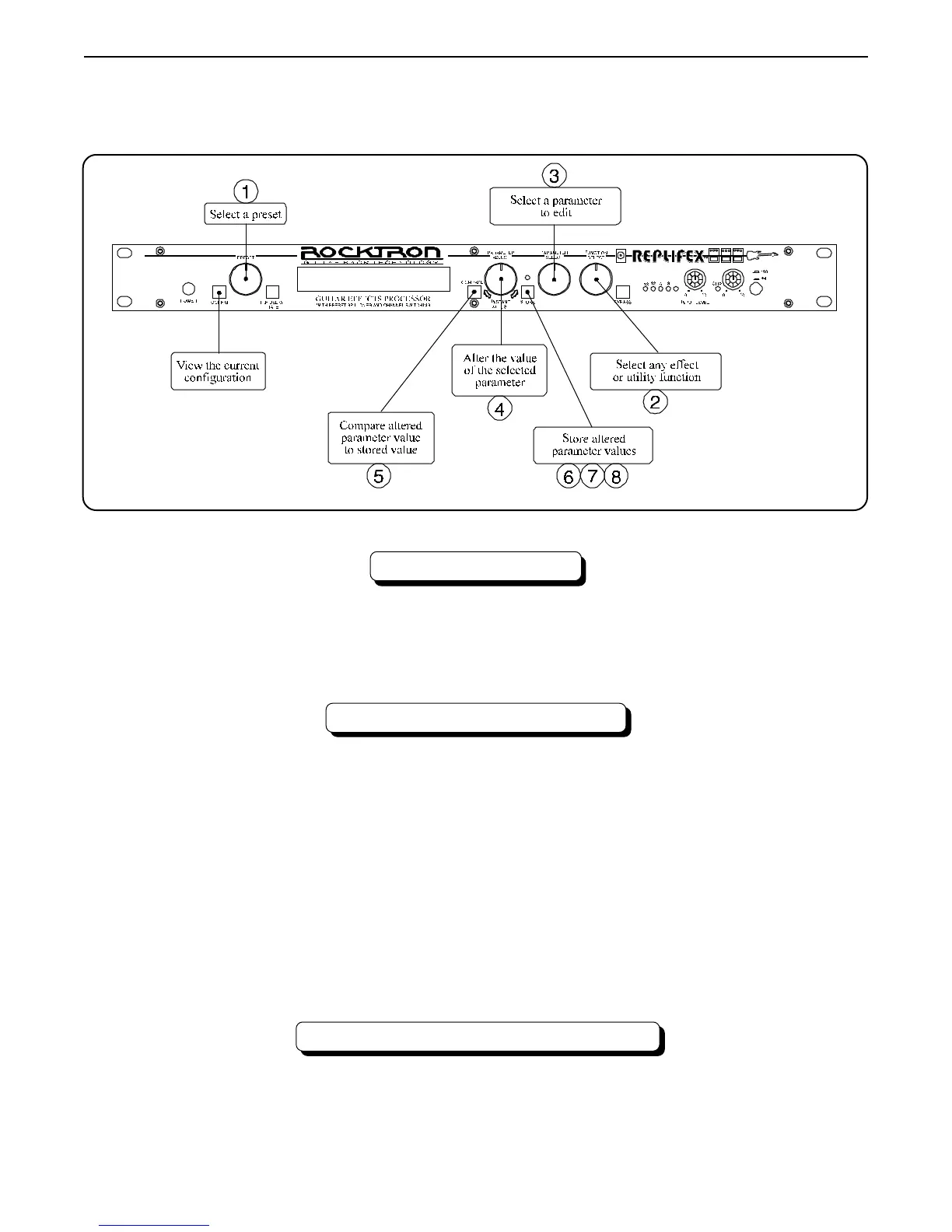
SELECTING A PRESET
STEP 1 Turn the PRESET control to select the desired preset. The new preset will
be recalled automatically.
CHANGING PRESET PARAMETERS
STEP 2 Turn the FUNCTION SELECT control to the desired effect or utility
function.
STEP 3 Turn the PARAMETER SELECT control to the parameter you wish to
alter under the selected effect or utility function.
STEP 4 Use the PARAMETER ADJUST control to select the new parameter
value.
STEP 5 The COMPARE button may be used to compare the sound of the altered
value to the stored value.
STORING CHANGED PARAMETERS
STEP 6 After the desired parameters have been edited, press the STORE button
to store the changes into the preset.



 To Next Page