64
Using the Replifex
with a Rocktron All Access
in REMOTE mode
A Rocktron All Access
MIDI footswitch can be configured as a dedicated remote control for the
Replifex
- allowing direct access to specific Replifex
features and parameters from the footswitch at any
time.
To use an All Access
™
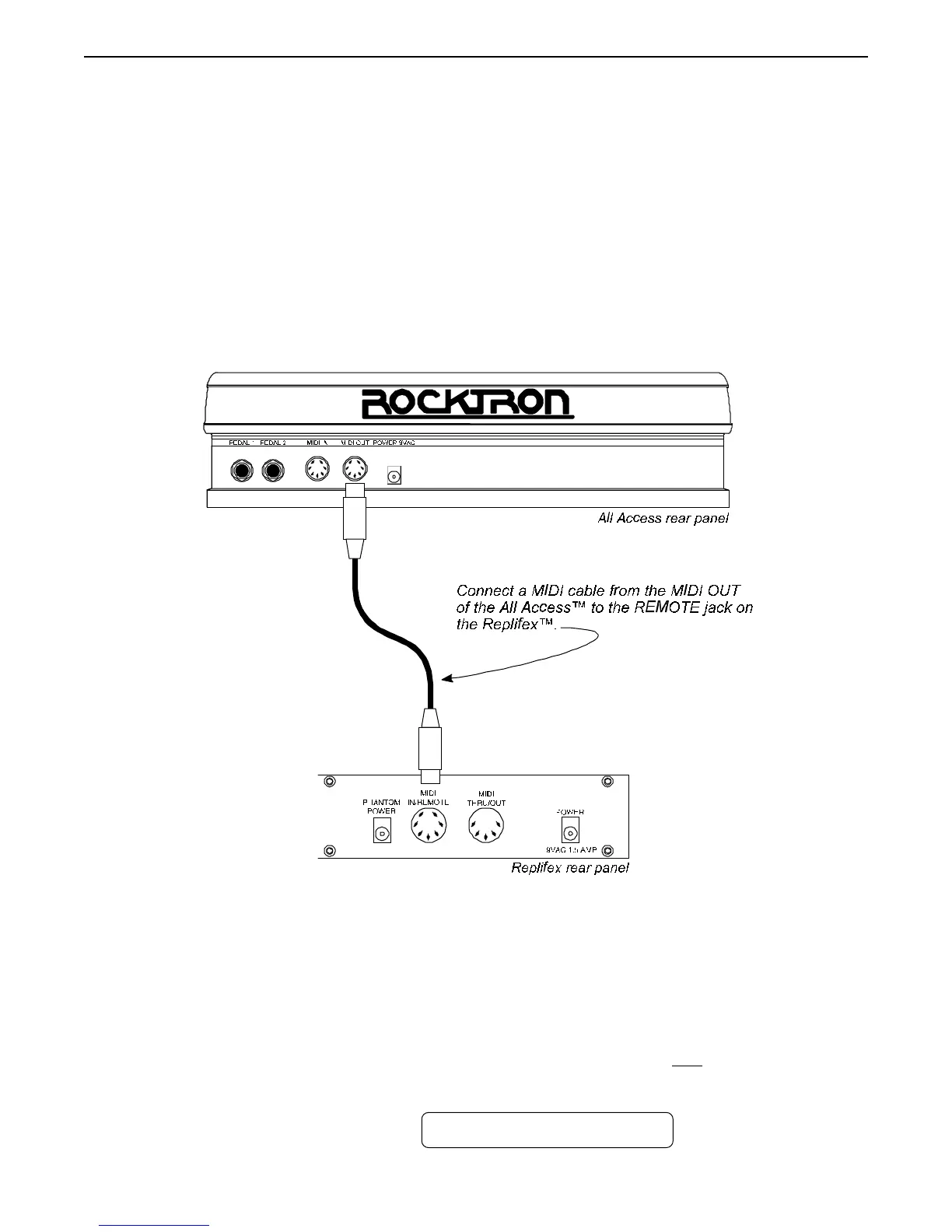
footswitch as a dedicated remote, connect the MIDI OUT of the All
Access
™
to the REMOTE jack of the Replifex
™
using a 7-pin MIDI cable, as shown below.
Step 1
Step 2
Reinitialize the controller assignments as shown on page 62 under the heading "Restoring the
Replifex
™
Controller Assignments". This will match up the Replifex's controller assignments
to the All Access
™
. A code of "244" must be entered to initialize only the controller
information.
ALL RESTORE 244
To set up the Replifex
™
for remote operation, do the following:
Operating the Replifex
™



 To Next Page