57
To reload user data from a sequencer:
Operating the Replifex
™
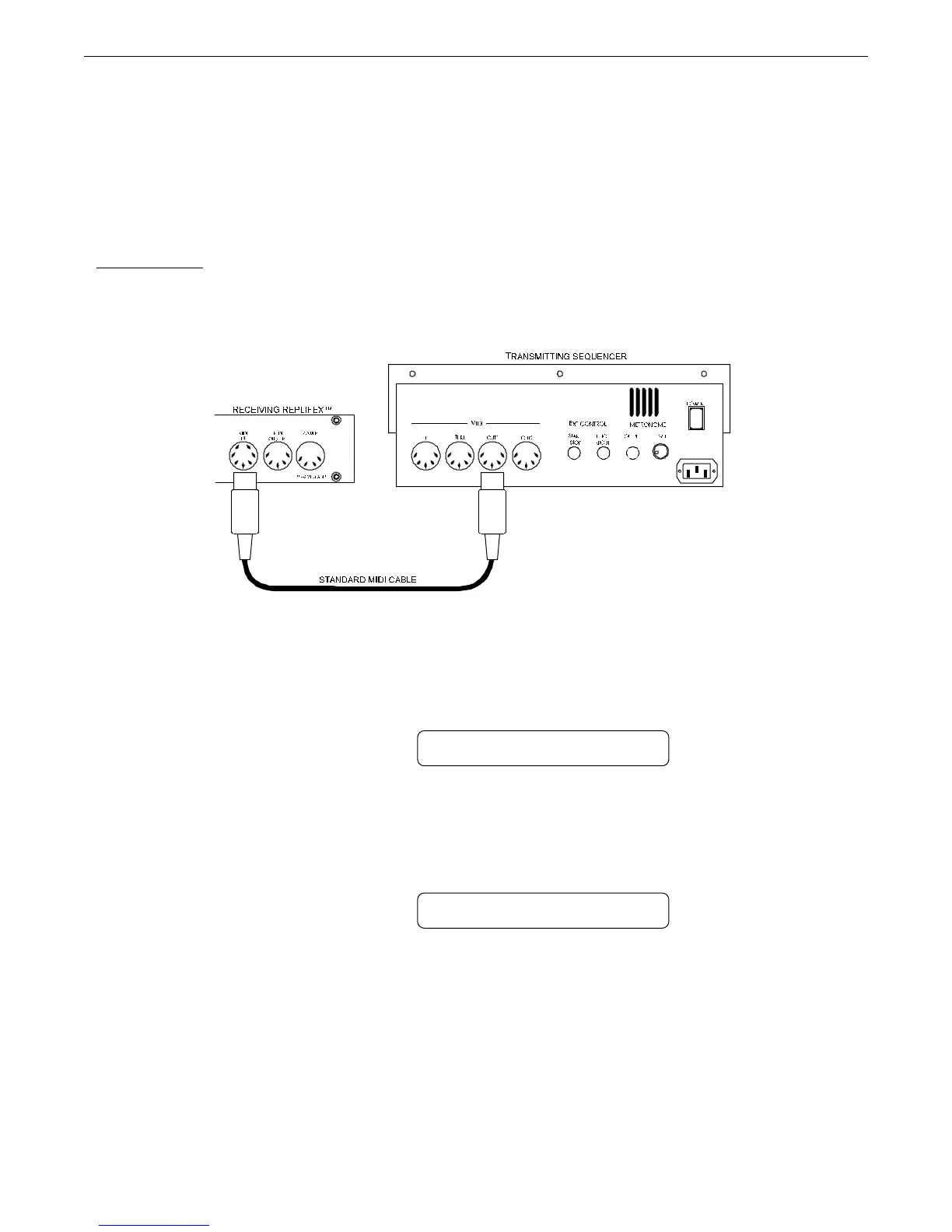
Connect a standard MIDI cable from the MIDI OUT of the transmitting sequencer to the
MIDI IN on the receiving Replifex
™
.
Step 1
IMPORTANT: Do not allow a looping connection from the MIDI OUT/THRU of the receiving Replifex
™
back to the MIDI IN of the transmitting sequencer.
Turn the FUNCTION SELECT controls on both the receiving Replifex
™
until "MIDI DUMP/
LOAD" is displayed.
MIDI DUMP/LOAD
RECEIVING REPLIFEX
Turn the PARAMETER SELECT controls on the receiving Replifex
™
until "BULK DUMP/
LOAD" is displayed.
MIDI DUMP/LOAD
RECEIVING REPLIFEX
Step 3
Step 2



 To Next Page