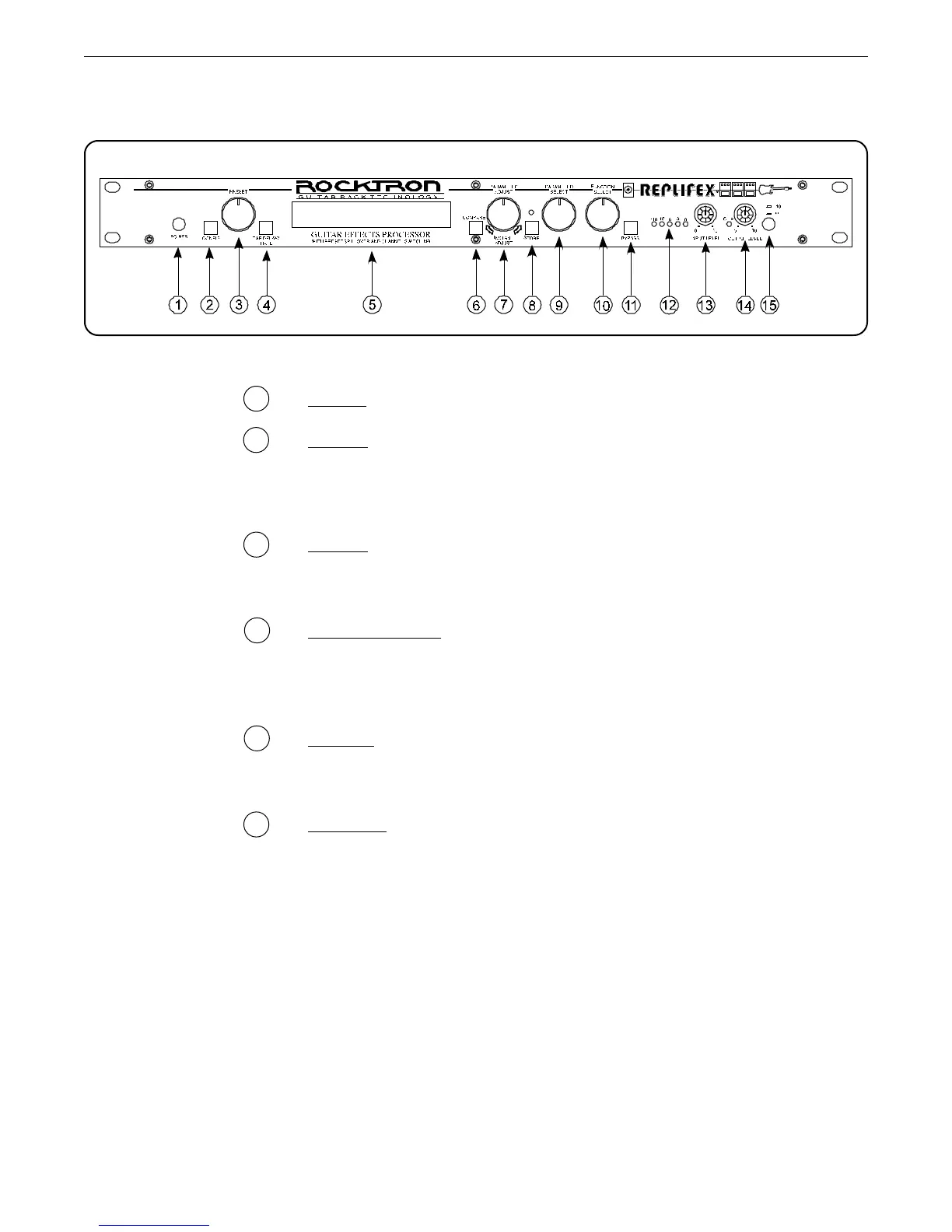
3
3. Front Panel
3. Front Panel
1 POWER switch
2 CONFIG button/led
This button briefly displays which configuration the current preset
uses. After displaying the configuration, the Replifex
™
will display
the current preset number and title.
3 PRESET control
This control scrolls through and instantly recalls the successive
presets.
4 TAP DELAY/RATE button
This button is used to select a new delay time or modulation rate
based on the length of time occurring between two taps. See
Section 7: "Tap Delay" for more information.
5 DISPLAY panel
The DISPLAY panel provides 16 characters consisting of 14
segments each.
6 COMPARE button
The COMPARE button may be used to compare an altered param-
eter value to its stored value.
Note: If comparing an altered value to the stored value and the stored value is currently
being viewed, turning a knob or pressing a button that changes the parameter value
displayed will cancel the previous altered value. This will also occur if a MIDI
control change is received while viewing the stored value(s).



 To Next Page