10
3-4 Turning on the Power
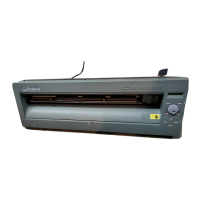
Switch on the power switch on the left side of the CM-24/12.
Be sure not to place the hands or
anything else on the platen when
switching on the power.
Doing so may result in injury.
(The cutting carriage moves simultaneously
when the power is switched on.)
POWER/ERROR LED lights up
3-5 Loading the Material
Loading the Material
Depending on the type of material, it may be necessary to make DIP switch settings on the CM-24. To do this, first switch off the power
to the unit, then set DIP switch SW-9 to ON if loading piece material, or to OFF if loading roll material. After making the setting, turn the
CM-24 back ON. On the CM-12, it is not necessary to make any DIP switch settings.
The grit rollers on the CM-24 are divided into four areas that can secure the material with the pinch rollers. Also, The grit rollers on the
CM-12 are divided into two separate areas. The range of movement is determined by the pinch rollers on the left and right (see "Material
Loading Position"). Experiment with the range of the left and right pinch rollers to determine usable area.
When loading a material, first place it atop the grit rollers and make sure that it is positioned where it can be secured by the pinch rollers.
Width (horizontal dimension)
CM-24 50—711 mm (1-15/16"—28")
CM-12 50—406 mm (1-15/16"—16")
Length (vertical direction)
100 mm (3-15/16") or more when DIP switch SW-9 is set to "ON"
No other restrictions (* Accuracy assured within a range of up to 1,600
mm (63"))
No restrictions (* Accuracy assured within a range of up to 1,600 mm
(63"))
Acceptable media widths



 To Next Page
 Loading...