
 Need help?
Do you have a question about the Roland Color Camm Pro PC-60 and is the answer not in the manual?
Details about the covers of the PC-60 unit.
Main frame assembly (part 1) and its components.
Main frame assembly (part 2) and its components.
Exploded view and parts list for the main chassis.
Components and parts list for the thermal carriage.
Components and parts list for the tool carriage.
Parts list for the stand assembly.
List of accessories for the PC-60 unit.
Electrical wiring diagram illustrating connections.
Details and circuit diagram of the main board.
Circuit diagrams for other related boards.
Procedure for quickly replacing the head carriage.
Detailed procedure for replacing the head carriage assembly.
Procedure for replacing the tool carriage assembly.
Instructions for fixing the head arm component.
Procedure for replacing the pinch roller assembly.
Procedure for replacing the wire component.
Instructions for fixing the motor components.
List of special tools recommended for adjustments.
Instructions for entering and operating the service mode.
Instructions for entering and operating the factory mode.
Steps to upgrade the unit's firmware via PC.
Procedure for adjusting the tool height for print quality.
Procedure for adjusting the tool pressure for cutting quality.
Procedure for adjusting the head voltage.
Procedure for head alignment (1st adjustment).
Procedure for head alignment (2nd adjustment).
Procedure for adjusting print and cut alignment.
Procedure for aligning cartridge position.
Procedure for adjusting media-feeding rate accuracy.
Flowchart detailing the unit's operational sequence.
Diagram illustrating sensor locations and their functions.
Troubleshooting guide for printing related issues.
Troubleshooting guide for cutting related issues.
Troubleshooting for miscellaneous problems.
Checklist for performing regular maintenance.
Explanation of user-configurable DIP switch settings.
Procedure for adjusting the line spacing for users.
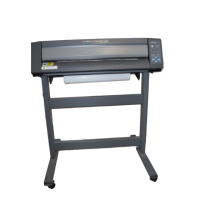
Detailed technical specifications of the PC-60 unit.
 Operating Environment
| operating temperature | 15—30ºC |
|---|---|
| operating humidity | 35—70% (non-condensing) |
| acoustic noise level (printing/cutting mode) | less than 60 dB (A) |
| acoustic noise level (standby mode) | less than 40 dB (A) |
 Power
Power| power consumption at 100 V | 0.9 A |
|---|---|
| power consumption at 117 V | 0.8 A |
| power consumption at 220-240 V | 0.45 A |
 Performance
| acceptable media width | 50 mm—610 mm |
|---|---|
| maximum work area | 571.6 mm x 24998 mm |
| acceptable media thickness | 0.23 mm—0.06 mm |
| cutter force | 30 gf—200 gf |
| cutting speed | 10 mm/sec.—200 mm/sec. |
| printing speed | Max. 130 mm/sec. |
| cutting resolution | 0.025 mm/step |
| printing resolution | 600 dpi |
| cutting accuracy | Less than +/-0.3 % of distance traveled or +/-0.3 mm |
| registration between printing/cutting | Less than +/-0.3 mm |
System Memory| memory | 2 Mb |
|---|
 Ports & Interfaces
| interface type | Parallel (Centronics), Serial (RS-232C, RS-422) |
|---|---|
| transmission speed (RS-232C) | 9600, 19200 |
| transmission speed (RS-422) | 115.2 Kbps, 57.6 Kbps |
 Weight and Dimensions
| main unit dimensions (width x depth x height) | 1016 mm x 326 mm x 266 mm |
|---|---|
| main unit dimensions with open cover (width x depth x height) | 1016 mm x 326 mm x 355 mm |
| dimensions with stand (width x depth x height) | 1016 mm x 326 mm x 1125 mm |
| dimensions with stand and open cover (width x depth x height) | 1016 mm x 326 mm x 1214 mm |
| main unit weight | 26 kg |
| weight with stand | 45 kg |




 To Next Page