EasyManua.ls Logo

Roland FP-9 - Page 22

Roland FP-9
40 pages
Print Icon
To Next Page IconTo Next Page
To Previous Page IconTo Previous Page
Loading...
CONNECTING
WITH
AUDIO
EQUIPMENT
OR
OTHER
ELECTRONIC
MUSICAL
INSTRUMENTS
The
FP-9
has
high-quality
built-in
stereo
speakers
that
let
you
easily
enjoy
performing,
but
you
can
also
hook
up
a
stereo
system,
and
enjoy
performances
that
are
even
more
impressive.
You
can
also
record
what
you
play
on
a
tape
recorder
or
the
like.
Before
you
connect
any
external
equipment,
be
sure
that
the
power
to
the
FP-9
is
off.
Playing
Audio
Equipment
or
Other
Digital
Instruments
Through
the
FP-9’s
Speakers—The
Line
In
Jacks
and
Line
In
Level
Knob
If
you
want
to
play
along
on
the
keyboard
with
the
sound
from
an
audio
device
such
as
a
CD
player
or
an
electronic
instrument
like
a
rhythm
machine,
then
connect
the
L
and
R
Line
In
jacks
to
the
corresponding
L
and
R
Output
(or
Line
Out)
jacks
on
the
external
device.
You
can
also
hook
up
a
device
with
no
built-in
speakers
(such
as
a
microphone
or
a
guitar),
and
hear
it
through
the
FP-9’s
speakers.
Making
the
Connections
If
you're
using
the
Line
In
jacks
to
connect
an
external
device,
follow
the
steps
below
to
make
the
connections.
If
this
is
not
done
in
the
correct
sequence,
you
risk
causing
malfunction
and/or
damage
to
speakers
on
the
FP-9
or
the
connected
device.
1.
Turn
the
volume
all
the
way
down
on
the
FP-9
and
on
4.
Use
a
connecting
cable
(such
as
the
PJ-1M,
sold
sepa-
the
device
you're
about
to
connect.
rately)
to
make
the
connection.
2.
Set
the
Line
In
Level
control
on
the
back
of
the
FP-9
to
5.
Switch
on
the
connected
device.
Line.
6.
Switch
on
the
FP-9.
3.
Switch
off
the
power
to
the
FP-9
and
the
device
you're
about
to
connect.
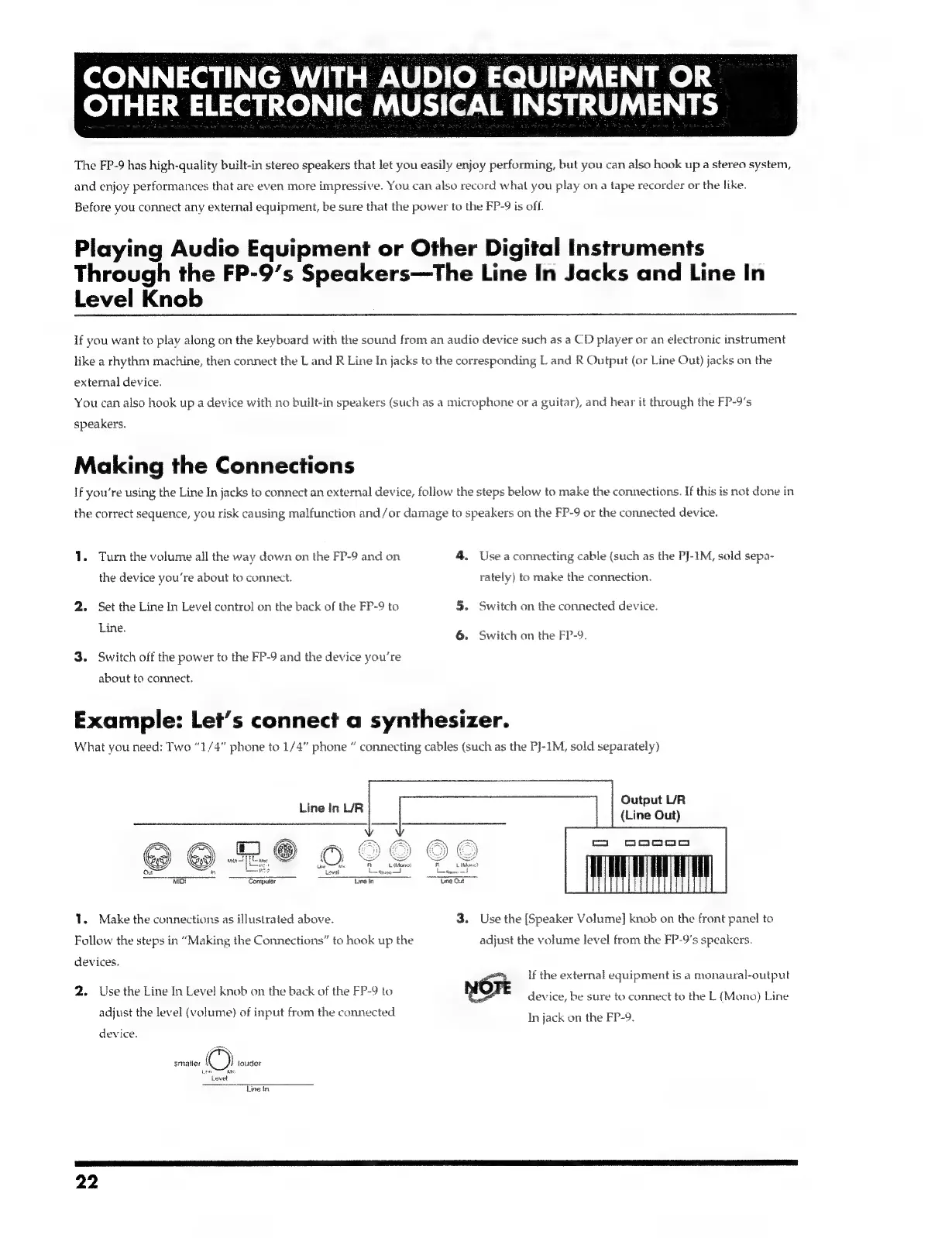
Example:
Let’s
connect
a
synthesizer.
What
you
need:
Two
“1/4”
phone
to
1/4”
phone
connecting
cables
(such
as
the
P]-1M,
sold
separately)
Output
UR
Line
In
L/R
(Line
Out)
Mior
Computer
~~
Tine
it
1.
Make
the
connections
as
illustrated
above.
3.
Use
the
[Speaker
Volume]
knob
on
the
front
panel
to
Follow
the
steps
in
“Making
the
Connections”
to
hook
up
the
adjust
the
volume
level
from
the
FP-9's
speakers.
devices.
If
the
external
equipment
is
a
monaural-output
;
i
evel
k
shack
of
2
P_c
F
x
2.
Use
the
Line
In
Level
knob
on
the
back
of
the
FP-9
to
Nort
device,
be
sure
to
connect
to
the
L
(Mono)
Line
adjust
the
level
(volume)
of
input
from
the
connected
In
jack
on
the
EP-9.
device.
at
smaller
©)
touder
is
"eed
Line
tn
22

Related product manuals