22
Other Operations
Using the DJ-707M in Stand-Alone Mode
You can use the DJ-707M when it is not connected to Serato DJ Pro (when
Serato DJ Pro is not running).
In stand-alone mode, you can use the following functions in each section of
the DJ-707M.
Section Available functions
Mixer section
[TRIM] knob
* Does not work if the input select switch is set to “PC.”
[HI], [MID], [LOW] knobs
[FILTER/FX] knobs
Channel [CUE] buttons
Channel faders
[MASTER] knob
[BOOTH] knob
[ZONE] knob
[SAMPLER] knob
Cross fader
Mic section
MIC 1, 2 [ON] buttons
[DUCK] button
[FX] button
[LEVEL] knob
[HI], [MID], [LOW] knobs
[VOCAL FX] knobs
Front panel
PHONES [LEVEL] knob
PHONES [MIXING] knob
[SPLIT/STEREO] switch
[CROSS FADER CURVE] knob
[CH 1]–[CH 4] switches
AUX IN select switch
AUX IN [LEVEL] knob
Deck section
A MIDI message is transmitted when you operate a button/knob.
Performance pads
* Use deck 3 to operate TR and deck 4 to operate OSC. Set the input
select switch to “TR” or “OSC” respectively.
Others
5 When you move (press) a top panel controller, MIDI messages are
transmitted.
5 MIDI messages are transmitted from the PC-A port.
Only MIDI messages for synchronization are transmitted from the
MIDI OUT connector.
Using an iOS Device
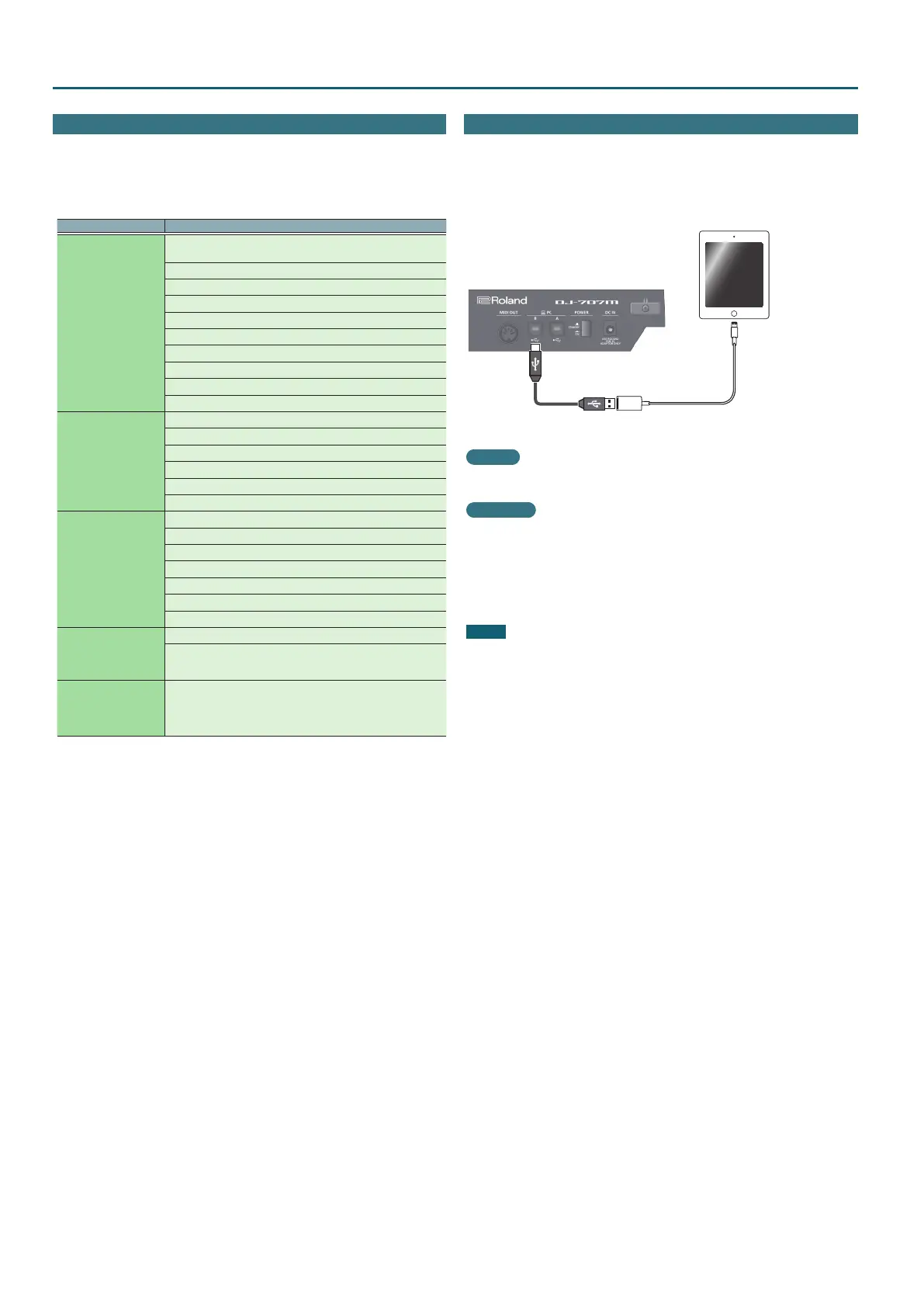
An iOS device can be connected to the PC-B port.
* To make this connection you’ll need an Apple Inc.’s Lightning - USB
camera adaptor (sold separately).
Lightning to USB camera adapter
iOS device
Setting
In system settings, set “PC-B USB” to “GENERIC.”
Oparation
1. Play back a song in iTunes, etc.
2. Use the [SAMPLER] knob to adjust the volume.
The sound is output from the MASTER OUT, BOOTH OUT, and ZONE OUT
jacks as specied by the Assign settings (p. 19) for MsterOut Setting,
BoothOut Setting, and ZoneOut Setting.
NOTE
DJ software etc. cannot be used.



 To Next Page