3
Installing the Software
System Requirements
Verify that your computer meets the system requirements before you
proceed with installing the software.
Mac OS Windows
Operating System
macOS 10.14
macOS 10.13
macOS 10.12
Windows 10
Windows 8.1
Windows 7 SP1
CPU/Clock
Intel® Core™ i9/1.07 GHz
Intel® Core™ i7/1.07 GHz
Intel® Core™ i5/1.07 GHz
Intel® Core™ i3/1.07 GHz
Screen Resolution 1280 x 720
Memory 4 GB
Free HDD Space 5 GB
USB Available USB 2.0 port
* 64-bit only (32-bit operating systems not supported).
* For the latest system requirements, refer to the Serato DJ Pro webpage.
Downloading the Software
The DJ-707M USB driver and Serato DJ Pro are not included in the
package. Download them from the Roland or Serato website.
Downloading the DJ-707M USB Driver
The DJ-707M USB driver is software that outputs audio from your
computer to the DJ-707M.
Mac OS users
1. Start a browser and access the following Roland support
webpage.
https://www.roland.com/support/
2. Search for “DJ-707M.”
3. In downloads, nd “DJ-707M Driver for macOS” and click it.
4. Download the driver as directed by the screen.
Windows 10 users
1. Connect your internet-connected computer to the DJ-707M’s
USB port.
2. Power-on the DJ-707M.
3. Download the driver as directed by the screen.
Users of other than Windows 10
1. Start a browser and access the following Roland support
webpage.
https://www.roland.com/support/
2. Search for “DJ-707M.”
3. In downloads, nd “DJ-707M Driver for Windows **” and click
it.
4. Download the driver as directed by the screen.
Downloading the Serato DJ Pro Software
1. Start a browser and access the following Serato DJ Pro
webpage.
https://serato.com/dj/pro/downloads
2. Click “DOWNLOAD V**.”
3. Enter your email address, and click “CONTINUE.”
4. Enter your password and country, and click “CONTINUE.”
An email is sent to the address you specied.
5. Click “DOWNLOAD V**” as directed by the email.
6. Follow the instructions as directed by the screen, then
download the Serato DJ Pro.
Installing the Software
Install the software as follows.
Mac OS Users
1. Decompress the DJ-707M USB driver le that you
downloaded.
2. Open the decompressed le, and double-click “DJ707M_
USBDriver.pkg.”
The installer starts.
3. Install the software as directed by the screen.
4. Double-click the Serato DJ Pro software le that you
downloaded.
The installer starts.
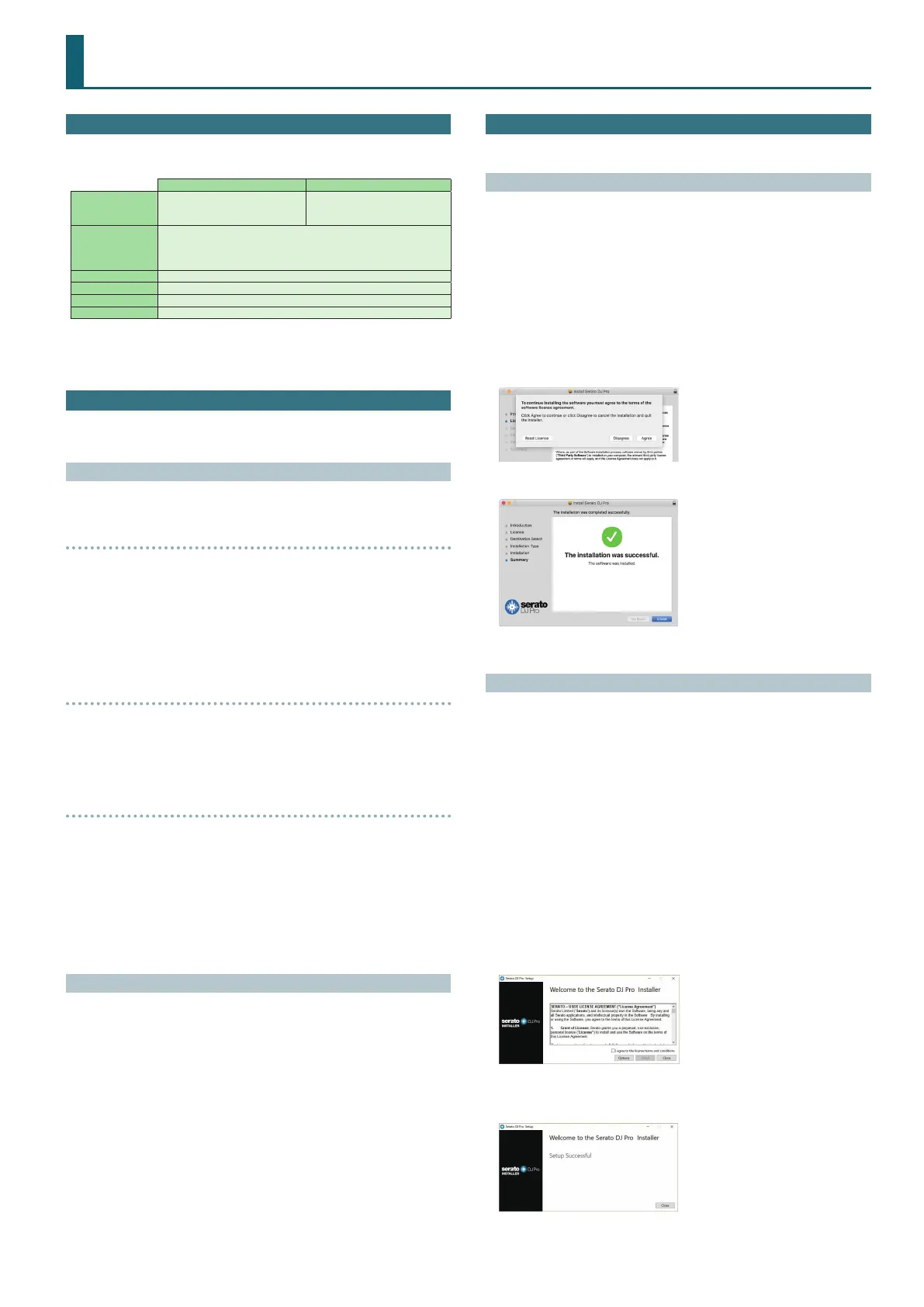
5. Read the license agreement, and if you accept the conditions,
click [Agree].
6. When the following screen appears, click [Close].
This completes the installation.
Windows Users
* If you’re using Windows 10, start from step 4. (The USB driver is
installed automatically.)
1. Right-click the DJ-707M USB driver folder that you
downloaded, and choose “Extract all.”
The folder is decompressed.
2. Open the decompressed folder, and double-click “Setup.exe.”
The installer starts.
3. Install the software as directed by the screen.
4. Right-click the Serato DJ Pro software folder that you
downloaded, and choose “Extract all.”
The folder is decompressed.
5. Double-click the decompressed le.
The installer starts.
6. Read the license agreement, and if you accept the conditions,
choose [I agree to the license terms and conditions] and click
[Install].
Installation begins.
7. When the following screen appears, click [Close].
This completes the installation.



 To Next Page