23
Connecting External Equipment
Connecting source equipment to RGB/COMPONENT IN connectors requires changing a setting on the V-800HD. Use the
procedure described below to change the source from DVI to RGB/Component.
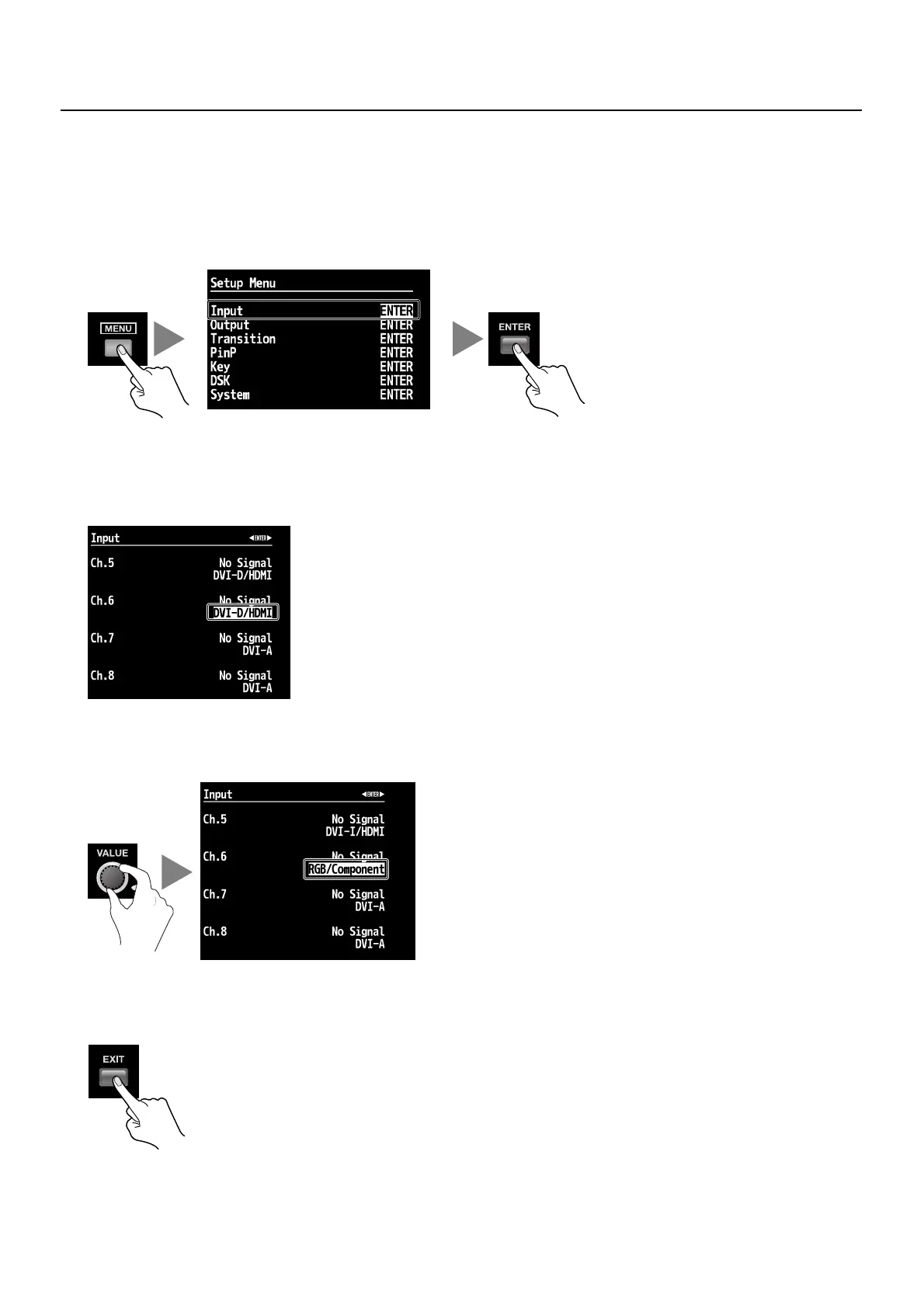
1. Display the Input menu.
Press the [MENU] button to display the menu. Use the [CURSOR] buttons to select [Input], then press the [ENTER] button to
display the Input menu.
fig.open-input-menu.eps
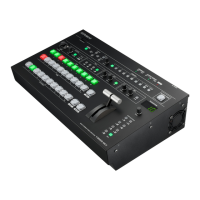
2. Select the channel.
Use the [CURSOR] buttons to select which input format you wish to use at this input channel.
* If the target channel is not displayed, press the left or right [CURSOR] button to change the page.
fig.select-channel-RGB.eps
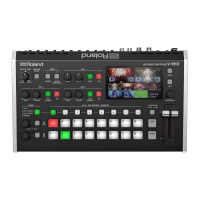
3. Change the assignment.
Turn the [VALUE] dial to change the setting to [RGB/Component].
fig.change-assign-RGB.eps
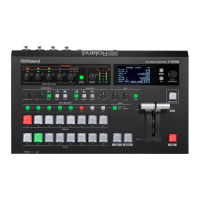
4. Exit the menu.
Press the [EXIT] button several times to quit the menu.
fig.close-menu.eps
スクリーンショット


 To Next Page