53
Appendices
The V-800HD supports remote control via MIDI and the RS-232C interface, enabling you to operate the unit remotely from an
external device. When performing remote control, download “Remote Control Guide” from the following Roland website.
http://www.rolandsystemsgroup.net/
fig.MVC-logo.eps
The V-800HD can be operated remotely from a device that supports MIDI Visual Control. MIDI Visual Control is a feature that uses
MIDI to link visual expression to a musical performance.
About Rack-mount Angles
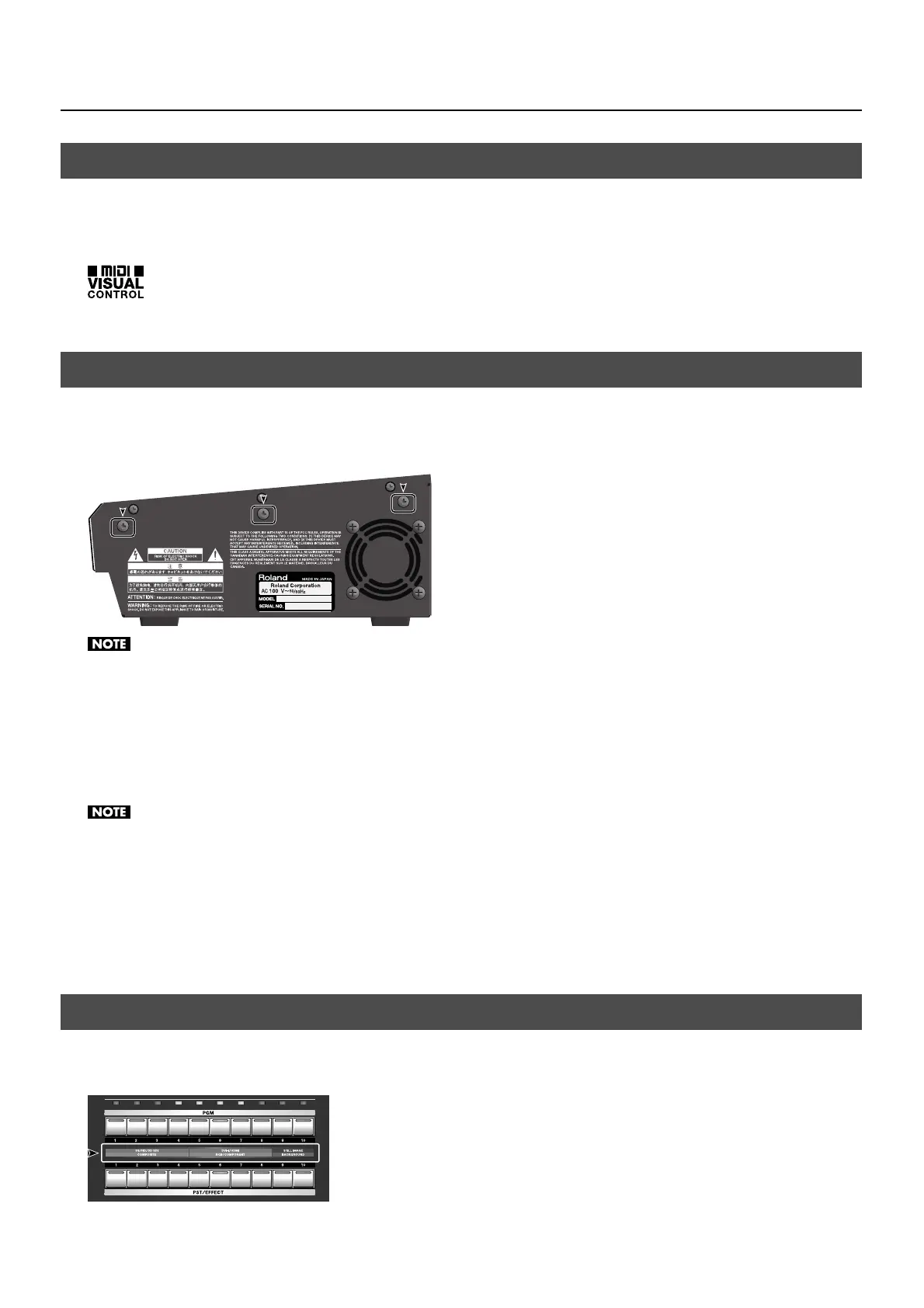
When using the unit installed with the rack-mount angles, remove the screws at the locations shown in the figure below (at 3
locations on each side, for a total of 6) at first and install the angles with original screws.
fig.angle-screws.eps
When installing or detaching the rack-mount angles, give attention to the following precautions.
• Before removing any screws, turn off the power to the V-800HD and detach the power cord and all connection cables.
• Be sure to block the screw holes with the removed screws.
• Never use any screws except the removed ones to block the screw holes. Using other screws may cause malfunction.
• When installing the rack-mount angles, turn off the power to the V-800HD and detach the power cord and all connection cables. Also, be sure
to install using the original screws.
Mounting in a 19-inch Rack
When mounting the unit in a rack, observe the following precautions.
• The video fader protrudes beyond the mounting surface of the rack. Take care not to damage it when mounting the unit.
• To prevent incorrect operation or malfunction, take care not to subject areas protruding beyond the rack to accidental impact.
• To ensure room for connectors and cables as well as space around the ventilation ports, ensure 2U of clearance above the unit.
• Before mounting, turn off the power to the V-800HD and detach the power cord and all connection cable.
• Use all threaded holes (at 4 locations on each side, for a total of 8) to secure the unit to the rack using screws. (Screws for rack-mounting are not
included.)
• When mounting the unit in the rack, use due caution to ensure that your fingers do not get caught or pinched between a rack-mount angle and
the rack.
The included input template indicates the factory-default correspondences between cross-points and input channels. Use it
attached at the location shown below.
fig.input-template.eps
About Remote Control
About Rack Mounting
About the Input Template


 To Next Page