45
About Other Features
You can copy data saved in the V-800HD’s internal memory to a USB memory device formatted on the V-800HD. A batch copy of
all data in internal memory from 1-1 to 8-8 is carried out at this time.
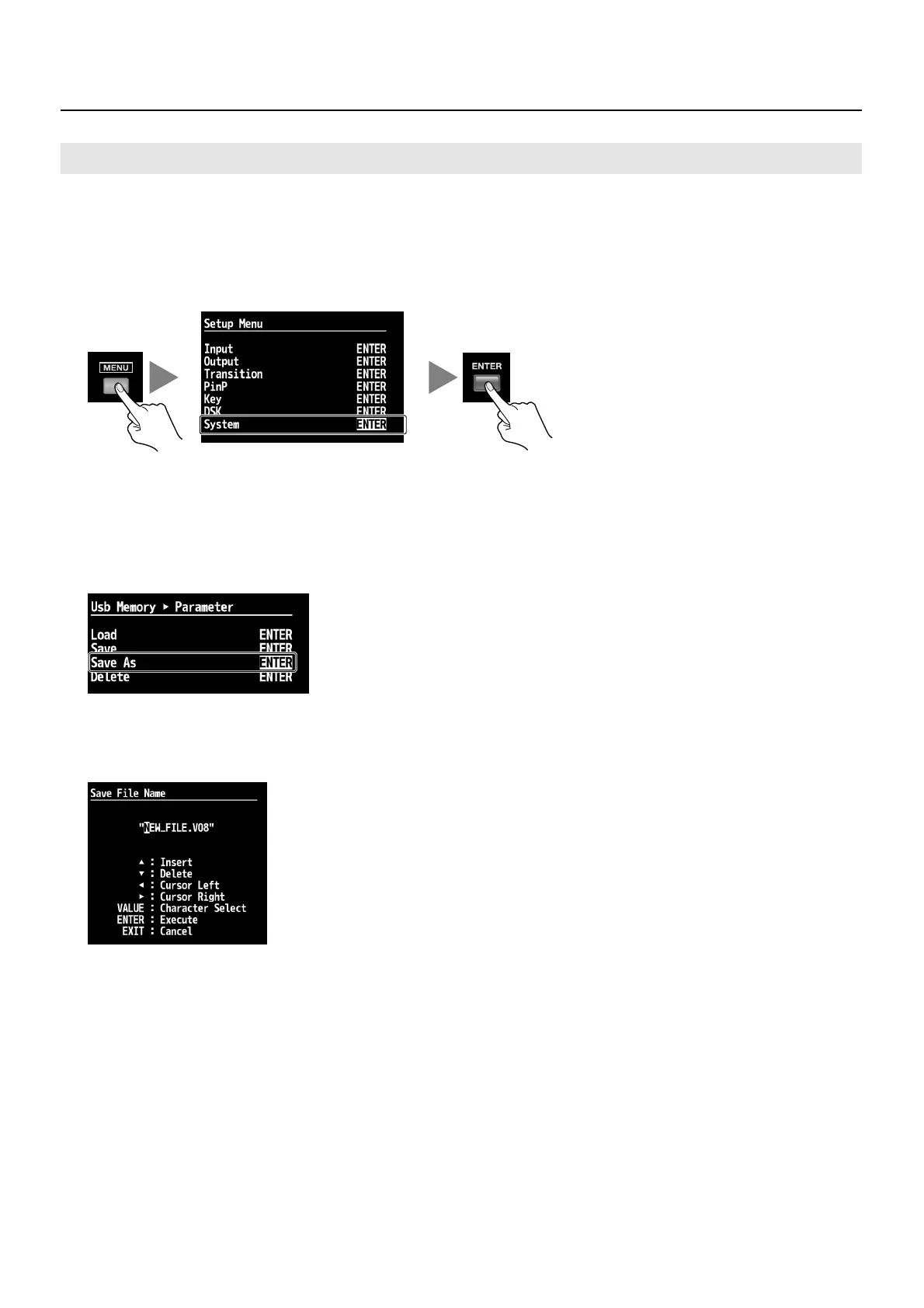
1. Display the System menu.
Press the [MENU] button to display the menu. Use the [CURSOR] buttons to select [System], then press the [ENTER] button to
display the System menu.
fig.open-system-menu.eps
2. Select the Save menu.
Use the [CURSOR] buttons to go to [USB Memory] and select [Parameter], then press the [ENTER] button. The display changes to a
screen for selecting the operation.
3. Select the Save As menu.
Use the [CURSOR] buttons to select [Save As], then press the [ENTER] button. The display changes to a screen for editing the file name.
fig.save-as-menu.eps
4. Edit the file name.
Use the [CURSOR] buttons to move the cursor left or right, and turn the [VALUE] dial to change the text string.
* The extension of the file name is [V08]. If you have edited the file name on your computer, small letters are displayed after conversion to capitals.
fig.file-name-edit.eps
5. Save to the USB memory device.
Press the [ENTER] button to finalize the file name. Pressing it displays the message [Push ENTER to execute]. To save, press the
[ENTER] button.
6. Exit the menu.
Press the [EXIT] button several times to quit the menu.
Menu Items for Save/Load Operations
At the System menu, the following operation menu items are displayed under [Parameter] in [USB Memory].
• Load This copies setting values saved on a USB memory device to the V-800HD’s internal memory. The settings in internal memory are
overwritten.
• Save This saves settings by overwriting. Selecting this menu item changes the display to a screen for selecting the file to overwrite.
• Save As This saves a new set of settings.
• Delete This deletes a settings file from the USB memory device. Selecting this menu item changes the display to a screen for selecting the
file to delete.
Saving Settings on a USB Memory Device



 To Next Page