46
About Other Features
On the V-800HD, you can use still-image files in the ways described below. To use a still-image file, first import it into the V-
800HD’s internal memory. Direct output from a USB memory device is not possible.
• You can assign separate still images to channel 9 and channel 10.
• You can save up to 16 still-image files in internal memory. The data remains in memory after the power is turned off.
• You can create and save a still image from output video.
About the Format and Sizes of Still-image Data
Save still-image data onto a USB memory device. The format and size must be as below. Data in other formats or sizes cannot be
imported into the V-800HD.
• Format Bitmap (.bmp), 24 bits/pixel, uncompressed
• Maximum resolution 1920 x 1200
Assigning Still Images to Channels 9/10
Still images saved on a USB memory device can be assigned to channel 9 or channel 10 on the V-800HD.
1. Save still-image data on a USB memory device.
Save the still-image data in the root directory of a USB memory device formatted on the V-800HD. Use a file name containing no
more than eight single-byte alphanumeric characters, and be sure to add the “.bmp” file extension.
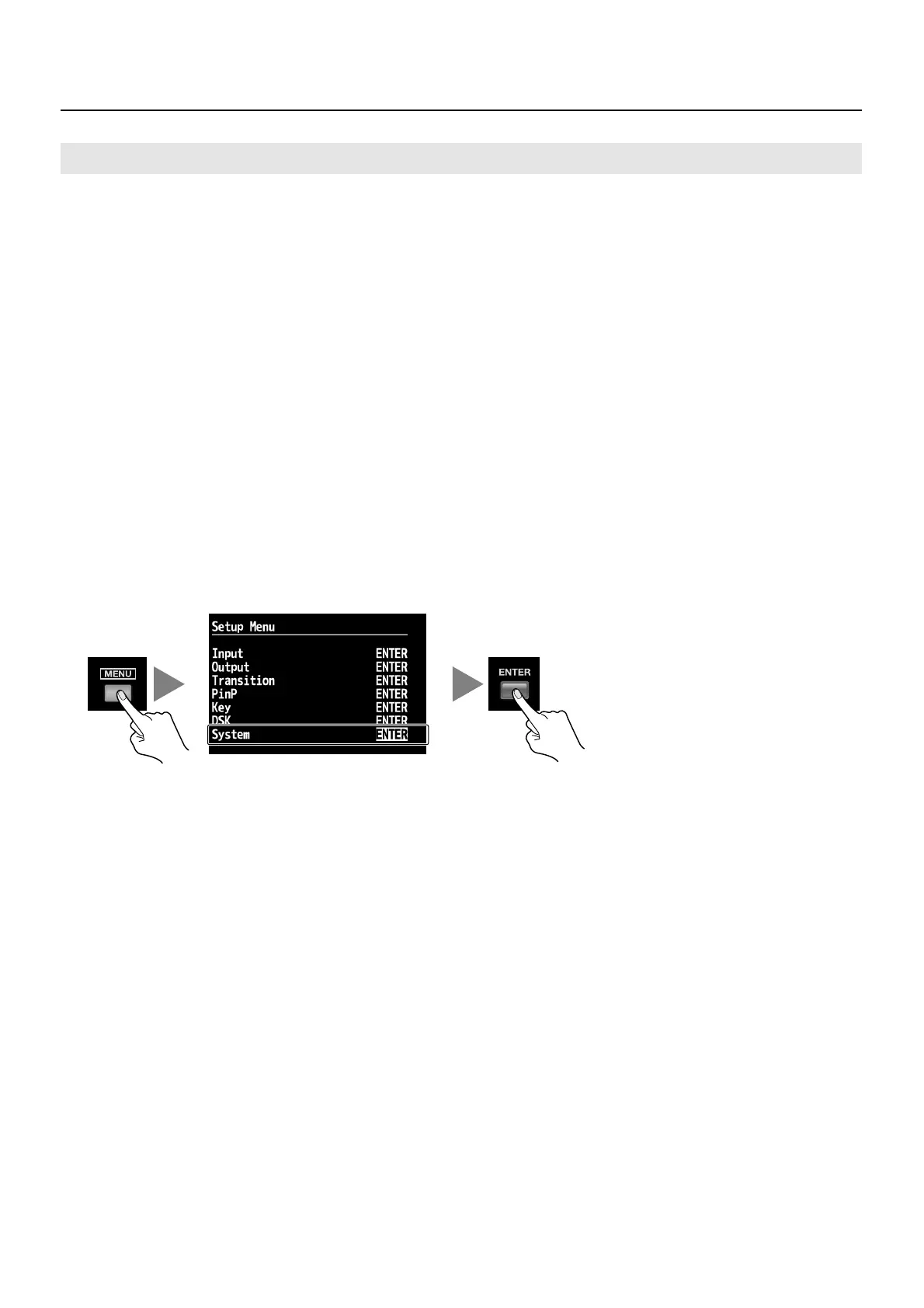
2. Display the System menu.
Press the [MENU] button to display the menu. Use the [CURSOR] buttons to select [System], then press the [ENTER] button to
display the System menu.
fig.open-system-menu.eps
Using Still-image Files


 To Next Page