47
About Other Features
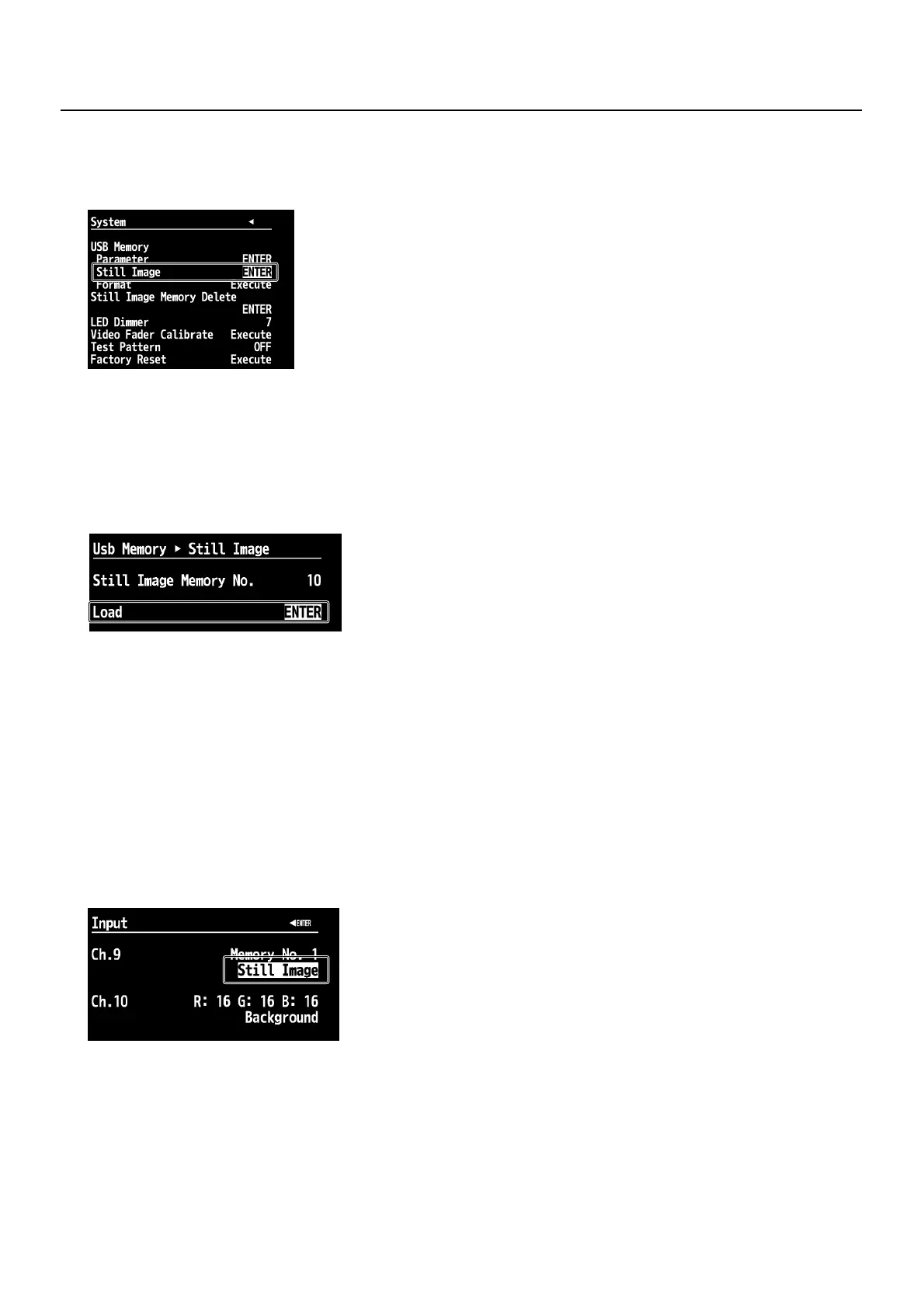
3. Display the menu for loading still images.
At [USB Memory], select [Still Image], then press the [ENTER] button.
* If the target menu is not displayed, press the left or right [CURSOR] button to change the page.
fig.USB-memory-menu.eps
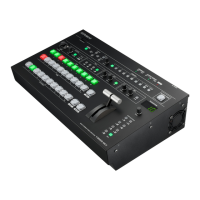
4. Select the assignment destination for the still image.
Use [Still Image Memory No.] to select the internal memory number ([1] through [16]) for the assignment destination.
* A [*] next to a number indicates that a still image is already assigned to internal memory at that number.
5. Display the menu for loading still images.
Use the [CURSOR] buttons to select [Load], then press the [ENTER] button. The display changes to a screen for selecting still
images.
fig.still-image-menu.eps
6. Select the still image to import.
Use the [CURSOR] buttons to select a still-image file, then press the [ENTER] button. The message [Push ENTER to execute]
appears. Pressing the [ENTER] button once more copies the selected still-image file from the USB memory device to the V-
800HD’s internal memory.
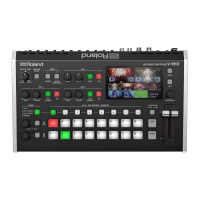
7. Select the channel for assignment.
Return temporarily to the initial menu screen and select the Input menu. Press the [CURSOR] buttons to select [CH 9] or [CH 10].
* If the target channel is not displayed, press the left or right [CURSOR] button to change the page.
8. Choose the still image to assign to the selected channel.
Check to make sure the source assignment is [Still Image], then press the [ENTER] button. The display changes to a screen to
select memory number. Choose the internal memory number you selected in step 3.
* You can adjust the display position and the color at the same screen.
fig.assign-to-channel.eps
9. Exit the menu.
Press the [EXIT] button several times to quit the menu.
Deleting Still-image Data from Internal Memory
At the System menu, select [Delete] under [Still Image Memory No.]. Selecting it displays the message [
E
xecute]. You can delete
the still-image data from internal memory by pressing the [Enter] button once more.
* Deleting still-image data from internal memory shortens startup times.


 To Next Page