9
About the Multi-view Monitor
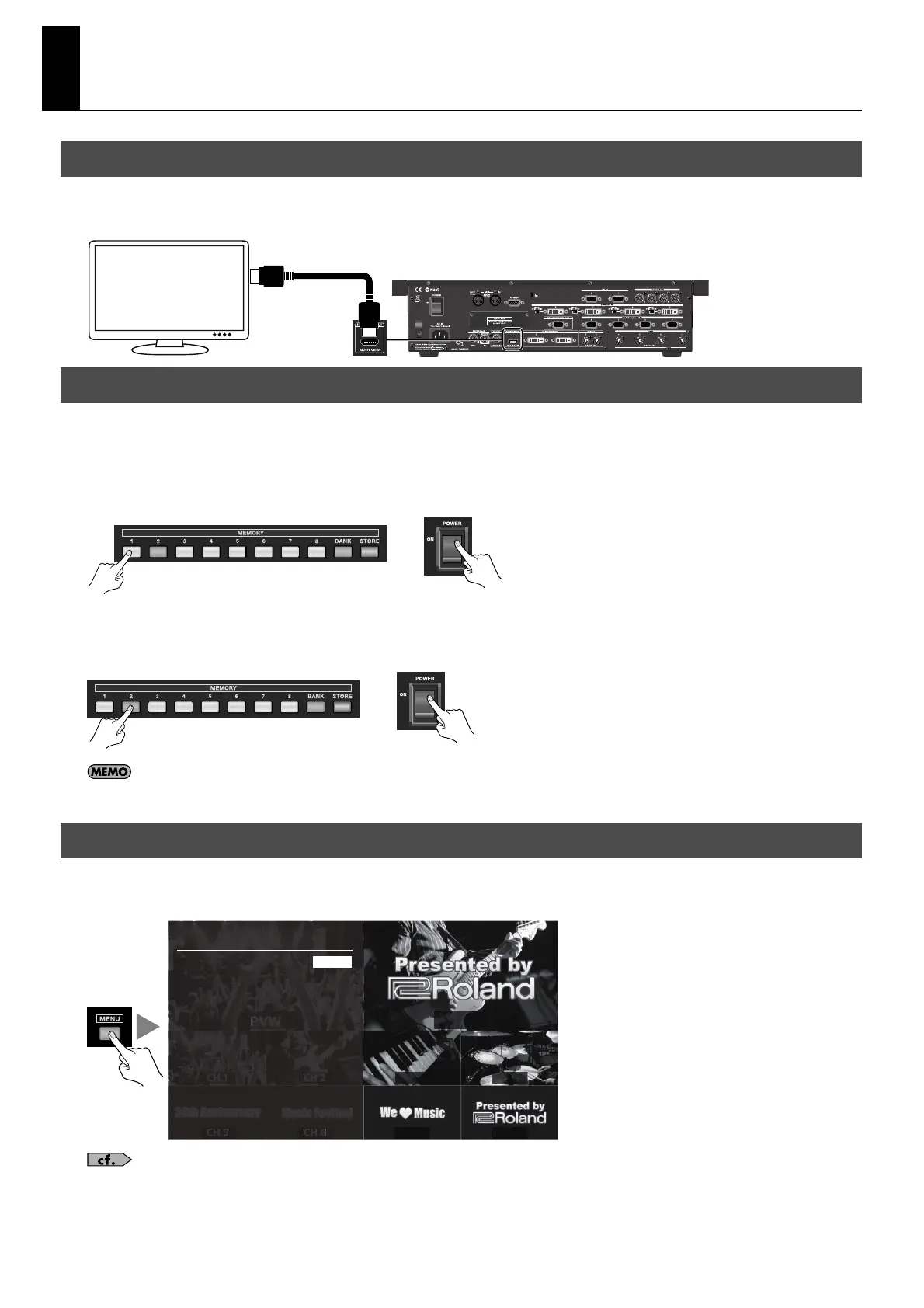
To operate the V-800HD, a monitor must be connected. Connect a monitor that supports HDMI input to the connector shown
below.
fig.connect-monitor.eps
You can select an output format for the monitor connected to the V-800HD. Depending on the monitor you are using, select one
from below.
Output Y/Cb/Cr signal
Hold down [1] of the MEMORY buttons and turn the power on.
fig.HDMI-out.eps
Output RGB signal
Hold down [2] of the MEMORY buttons and turn the power on.
* Select RGB output when you are connecting a monitor using a HDMI - DVI conversion cable or the like.
fig.RGB-out.eps
Once you select, the setup is kept and valid from the next booting. While booting, [1] or [2] of the MEMORY will light up in red and enables you to
check your setup.
Pressing the [MENU] button on the top panel displays the menu. To make the menu disappear, press the [EXIT] or [MENU] button
on the top panel.
fig.menu-display.eps
For information on using the menus, refer to “Menu Operations” (p. 51). For information of the menu items, download “Reference Manual” from
the following Roland website.
http://www.rolandsystemsgroup.net/
Connecting the Monitor
Selecting an Output Format for the Multi-view Monitor
About the Menu Displays
HDMI
+
+
PVW PGM
CH 1 CH 2 CH 3 CH 4
CH 5 CH 6 CH 7 CH 8
Setup Menu
Input
Output
Transition
PinP
Key
DSK
System
ENTER
ENTER
ENTER
ENTER
ENTER
ENTER
ENTER



 To Next Page