37
Compositing the Video
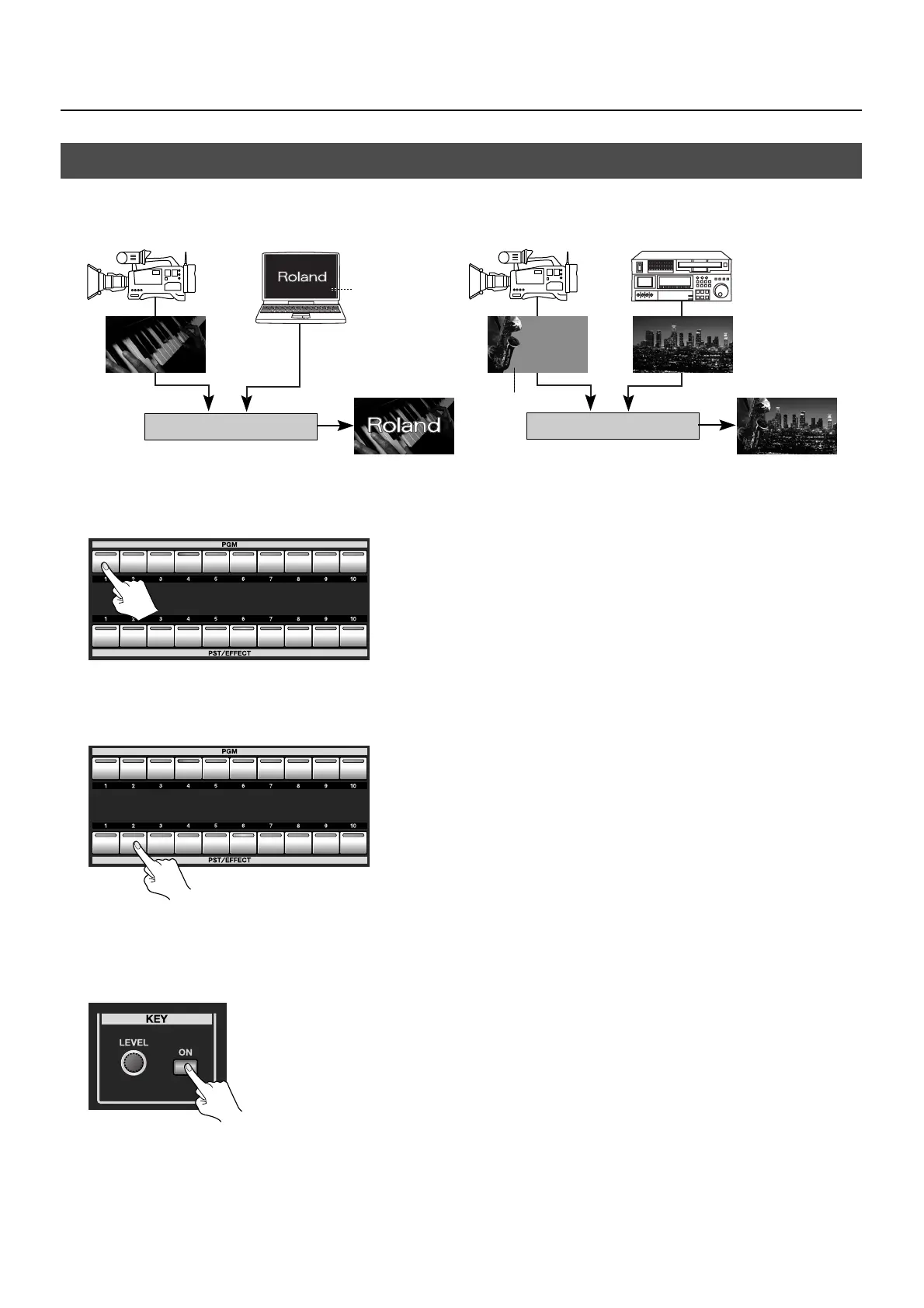
You can perform compositing using luminance key or chroma key.
* By default, black extraction is applied. You can select a different color using the menus (p. 51).
fig.key-image.eps
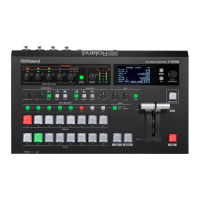
1. Select the background channel.
Use buttons 1 through 8 on the [PGM] side to select the background channel.
fig.select-background.eps
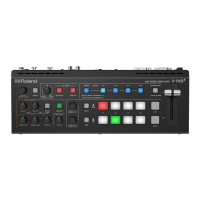
2. Select the channel to overlay.
Use buttons 1 through 8 on the [PST/EFFECT] side to select the channel to overlay.
fig.select-foreground.eps
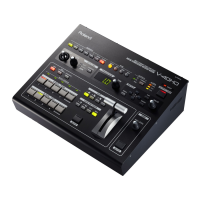
3. Preview the results of compositing.
At the KEY section, press the [ON] button to make it light up green. When the [ON] button lights up, a preview of the compositing
result is displayed in [PVW] section of the multi-view monitor. At this stage, the final output has not yet been changed.
fig.press-key-on.eps
Compositing Using Luminance/Chroma Key
Blue or Green
Black or White
Luminance Key Chroma Key



 To Next Page