
 Need help?
Do you have a question about the Roland VersaCamm VP-300 and is the answer not in the manual?
Explains the meaning of WARNING, CAUTION labels, and safety symbols.
Highlights key machine features and explains manual notation.
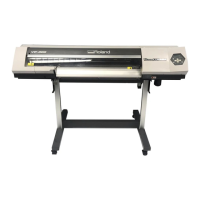
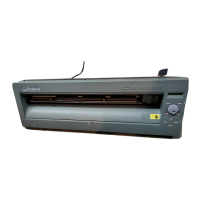
Identifies and describes major components of the printer unit.
Details the functions of the operation panel keys and display.
Procedure for turning the machine's power on and off.
Instructions for loading and cutting media.
How to configure the media heating system settings.
Steps to prepare for and start printing or cutting.
Procedures for handling low or empty ink cartridges.
Detailed guide on how to perform cutting operations.
Routine cleaning and maintenance procedures.
Steps for when print head cleaning is not effective.
Instructions for manual head cleaning using a kit.
Guide on replacing parts like wipers, blades, and knives.
Advice for maintaining the machine during periods of non-use.
How to pause or cancel ongoing printing/cutting jobs.
How to define the starting point for printing or cutting.
How to save and load optimized printer settings as presets.
Adjustments for media thickness to improve print/cut quality.
Settings for handling different media types.
Customizing printer behavior like sleep mode and ink out actions.
Adjusting print heater and dryer settings.
Fine-tuning cutting parameters like force and speed.
Procedures for printing and cutting as distinct operations.
Configuring network parameters like IP address.
Checking media status, system info, and network settings.
Procedures for ink draining and internal washing.
Overview of the machine's menu structure.
Troubleshooting steps when the machine fails to operate.
Solutions for poor print quality or cutting issues.
Steps to take when the media jams.
Troubleshooting media feed and stability problems.
Actions to take if the print heads cease movement.
Explains common messages and required actions.
Lists and explains error messages and their solutions.
Details on compatible media types and conditions.
Information on the maximum printable and cuttable areas.
Guidance on blade selection, force, and life.
Identifies the location of important labels on the machine.
Technical specifications and operational parameters of the machine.
 General
| Print Width | 30 inches (762 mm) |
|---|---|
| Print Speed | max. 15.6 m²/h |
| Ink Type | Eco-Sol MAX |
| Dimensions | 63.5 x 25.2 x 46.2 inches (1615 x 640 x 1172 mm) |
| Print Technology | Piezo inkjet |
| RIP Software | Versaworks |
| Connectivity | USB |
| Media Compatibility | Vinyl, banner, canvas, paper |
| Ink Colors | CMYK |
| Media Width | 8 to 30 inches (203 to 762 mm) |






 To Next Page
