10
Names of Things and What They Do
fig.top-panel.eps
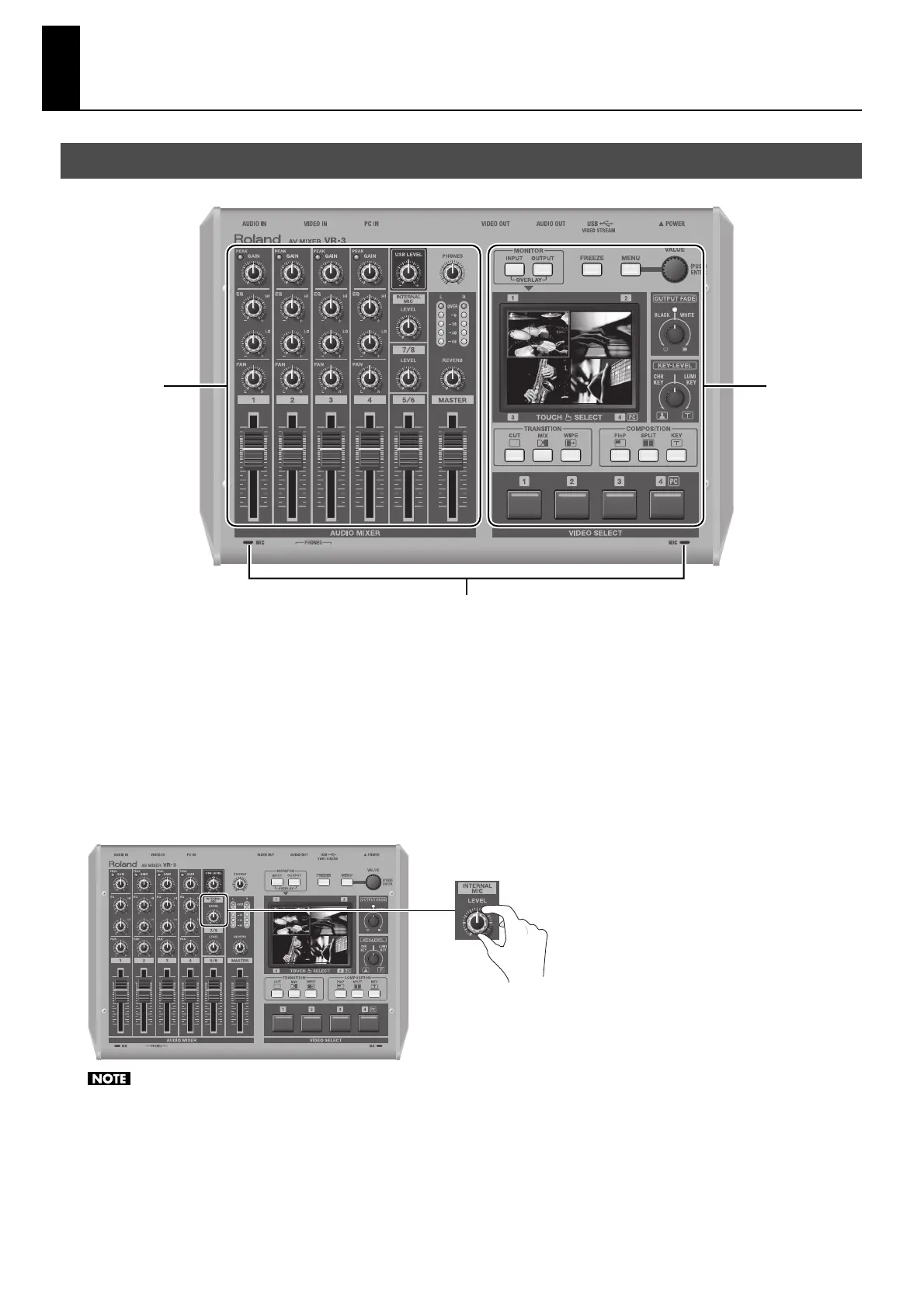
1. Audio Mixer Section (p. 11)
This section is for audio mixing. Use the dials and faders to adjust the input sensitivity, output levels, and other values for each
channel.
2. Video Select Section (p. 12)
This section is for switching and compositing video. Use the buttons and dials to select transition effects and compositing modes.
3. Internal Stereo Microphones
Internal microphones for picking up ambient audio are located on the left and right sides of the top panel. To adjust the level, use
[LEVEL] dial of [INTERNAL MIC].
fig.int-mic-level.eps
When adjusting buttons or faders, some handling noise may be heard in the internal microphones.
Top Panel
1 2
3



 To Next Page