21
Connecting External Equipment
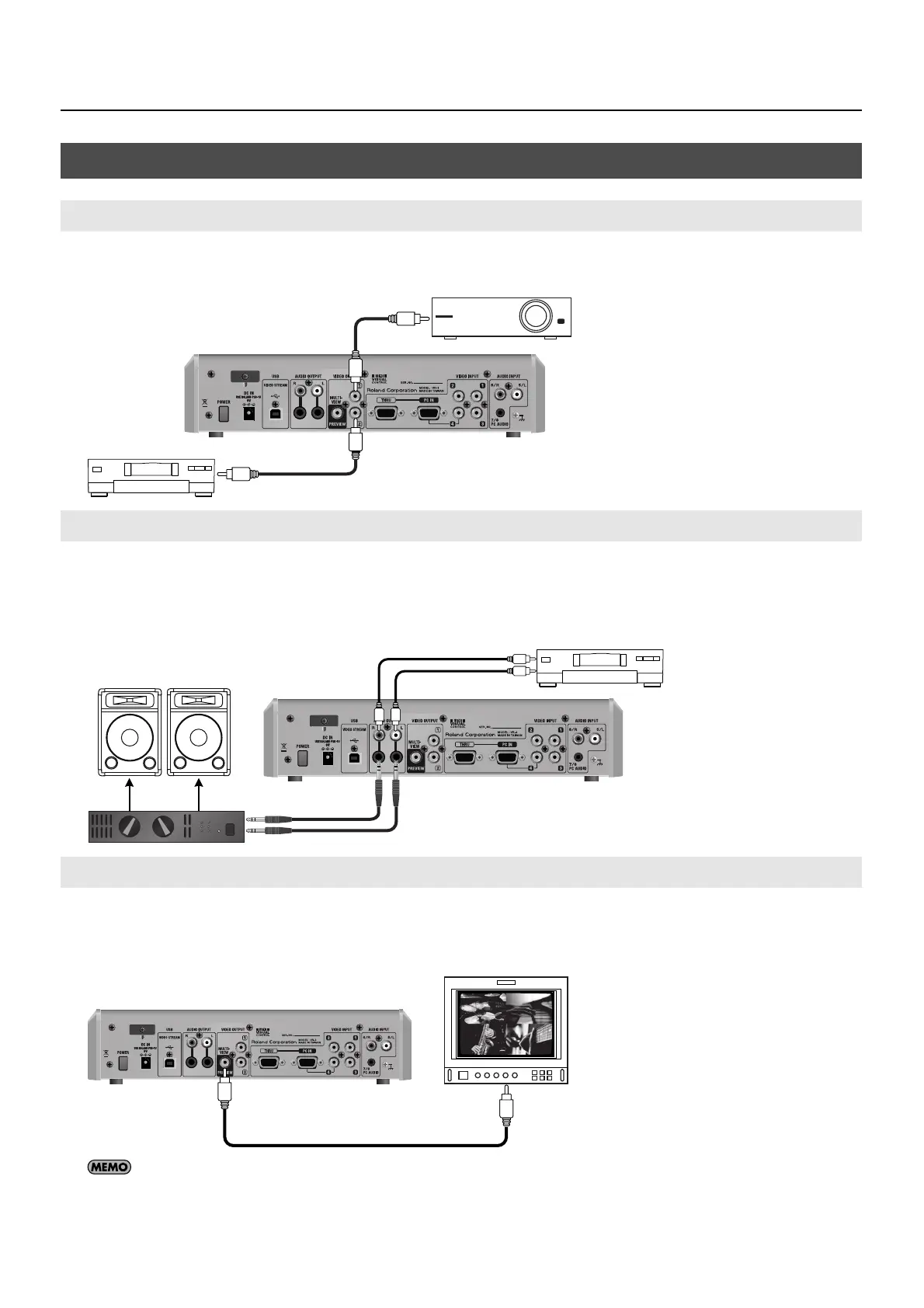
Connect projectors and recorders at the VIDEO OUTPUT connectors.
fig.connect-projector.eps
Connect an amplifier, speakers or a recorder to the AUDIO OUTPUT connectors. The VR-3 has standard TRS and RCA type AUDIO
OUTPUT connectors, and the same audio is output from both types.
* Nominal output level of the VR-3 is -10 dBu. Connect equipment that supports input at -10 dBu.
fig.connect-speaker.eps
A preview monitor connected to the PREVIEW connector displays the same preview screen that appears on the built-in monitor.
The preview video selected using the [MONITOR] buttons is output.
* The monitor connected to the PREVIEW connector does not show the menu screens.
fig.connect-monitor.eps
When you want to display a four-way split screen as shown in the figure above, use the [MONITOR] buttons to select [INPUT].
Connecting Output Equipment
Connecting a Projector or Recording Unit
Connecting an Amplifier, Speakers, and Recorders
Connecting a Preview Monitor
Projector
Recorder
Amp
Recorder



 To Next Page
 Loading...








