Quick Installation Guide
00825-0400-4101, Rev AA
March 2011
Rosemount 2051
7
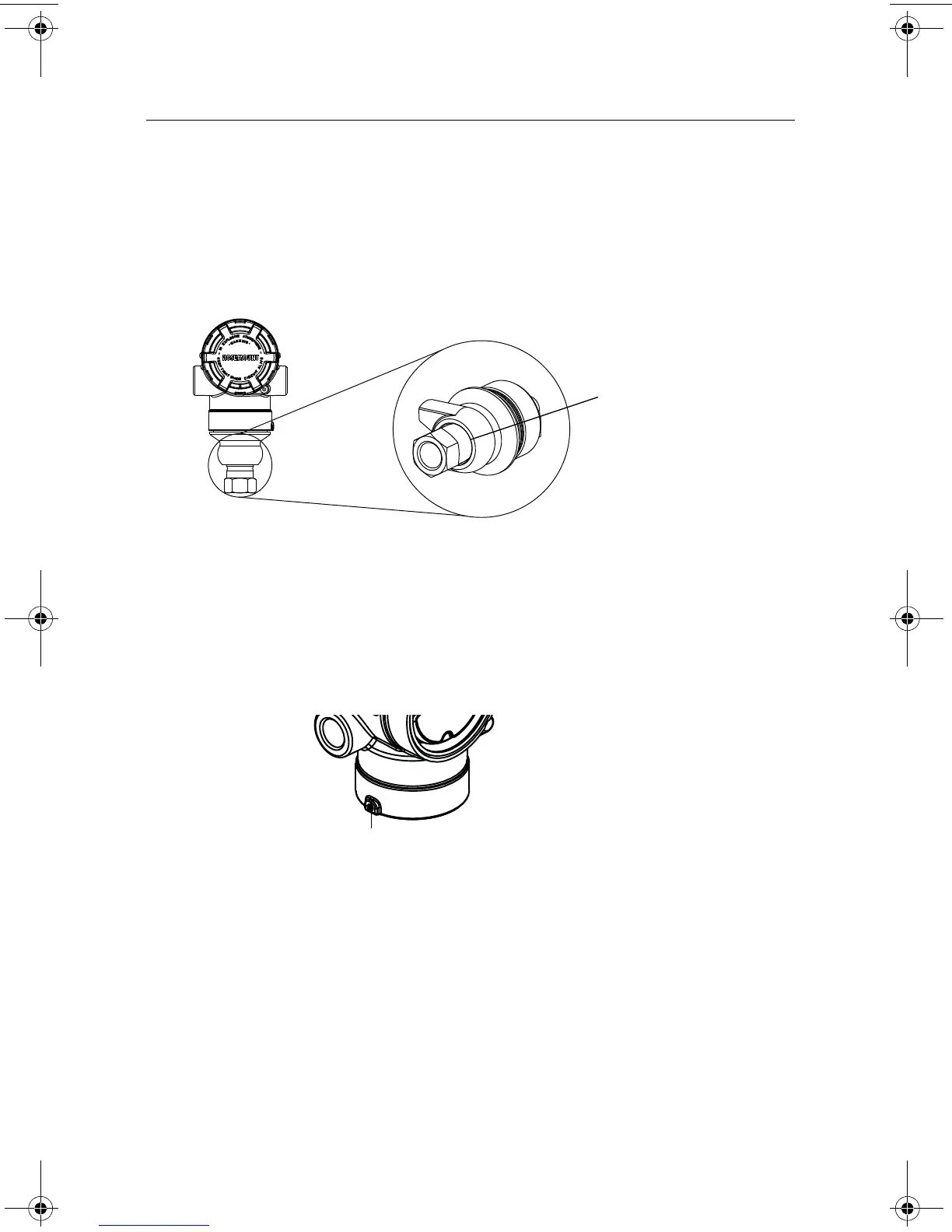
Inline Gage Transmitter Orientation
The low side pressure port (atmospheric reference) on the inline gage transmitter is located
in the neck of the transmitter, behind the housing. The vent path is 360° around the
transmitter between the housing and sensor. (See Figure 3.)
Keep the vent path free of any obstruction, including but not limited to paint, dust, and
lubrication by mounting the transmitter so that the process can drain away.
Figure 3. Inline Gage Low Side Pressure Port
STEP 2: CONSIDER HOUSING ROTATION
To improve field access to wiring or to better view the optional LCD display:
1. Loosen the housing rotation set screw.
2. First rotate the housing clockwise to the desired location. If the desired location cannot
be achieved due to thread limit, rotate the housing counter clockwise to the desired
location (up to 360° from thread limit).
3. Retighten the housing rotation set screw.
Low side pressure port
(atmospheric reference)
Housing Rotation Set Screw
(5/64-inch)
00825-0400-4101.fm Page 7 Friday, March 25, 2011 1:34 PM















 To Next Page