Configuration, Startup and Operation 27
Reference Manual Section 3: Configuration, Startup and Operation
00809-0100-4892 January 2019
will remain at a default value of 3.5 mA through this warm-up period. Once warm, the probe will be reading oxy-
gen and the 4-20 mA signal display will be the 0 to 10% O
2
value.
3.2.4 Error Conditions
If there is an error condition at startup, an alarm message will be displayed. Refer to Section 4: Troubleshooting,
to determine the cause of the error. Clear the error and cycle power. The O
2
and temperature display should
return less the alarm message.
3.2.5 Keypad
The 6888Xi can be used to change the software and alarm settings, to adjust the high and low gas settings, and
to initiate the calibration sequence. Refer to the following control descriptions. Use the control keys on the front
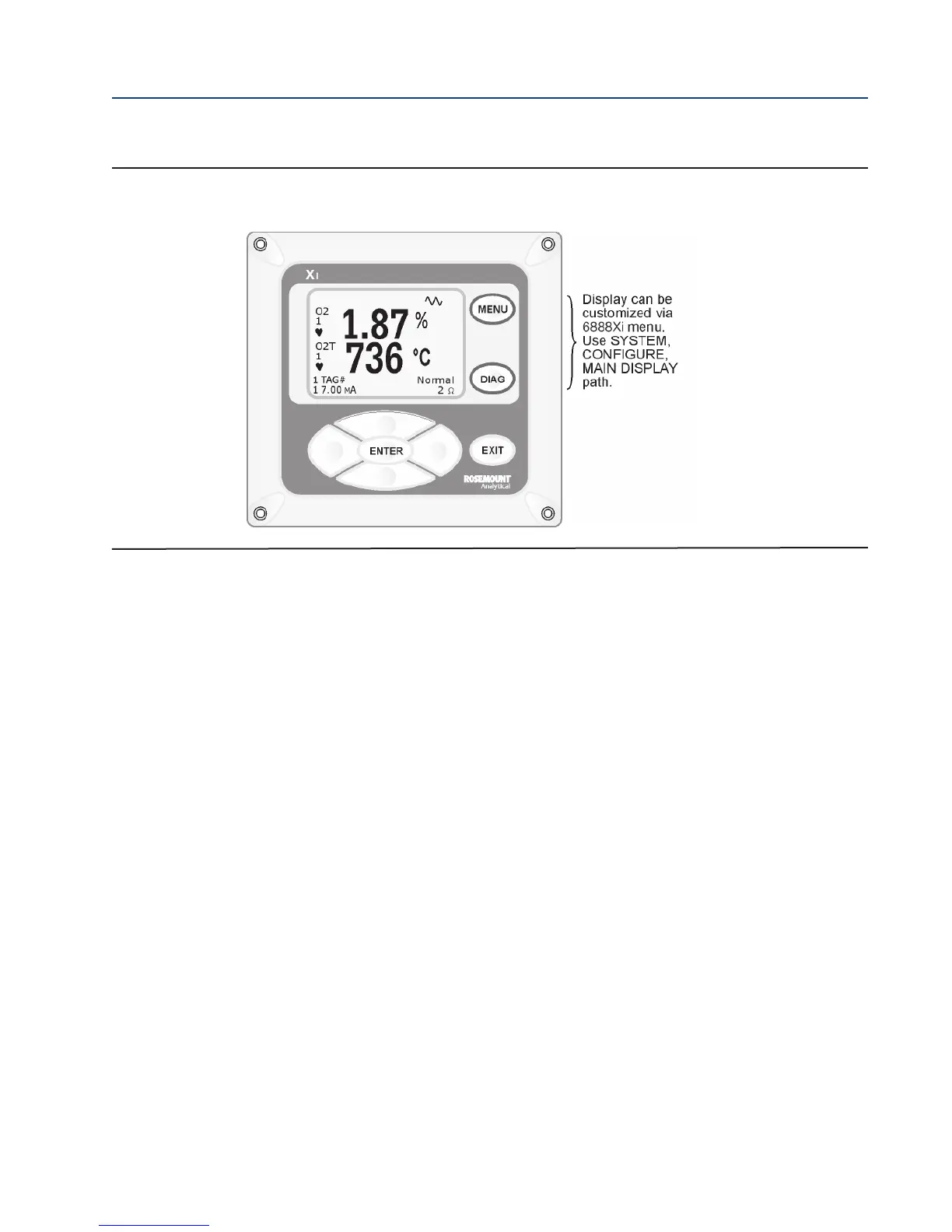
panel of the 6888Xi, Figure 3-2, to navigate the 6888Xi menu, Figure 3-3.
MENU toggles between three Main menu options: System, Probe1, and Probe2 (if available). The top level of the
selected main menu is displayed.
DIAG toggles between the Alarms list of the three main menus. All faults and warnings related to the selected
main menu device are displayed.
ENTER saves newly entered data and returns you to previous menu level.
EXIT returns you to the previous menu level without saving newly entered data. When navigating the menu tree,
pressing EXIT returns you to the Main menu.
UP/DOWN keys scroll up and down through menu items. During data entry the Up/Down keys increment and
decrement the data values.
LEFT arrow key returns you to the previous menu level. During data entry, the left arrow key moves the cursor
one digit to the left.
RIGHT arrow key advances you to the next menu level and, when a menu item is highlighted, selects the item
from a list of menu options. During data entry, the right arrow key moves the cursor one digit to the right.
3.2.6 Password Protection
The main display and diagnostic screens of the 6888Xi can be viewed at any time, but further
access and unauthorized configuration changes can be prevented by enabling a password pro-
tection feature. However, the 6888Xi is shipped with password protection disabled.
FIGURE 3-2. 6888XI Display (Typical)














 To Next Page