Maintenance and Service 81
Reference Manual Section 5: Maintenance and Service
00809-0100-4892 January 2019
5.4 Replacement Parts
R
efer to Section 6: Replacement Parts for individual replacement parts and part replacement
kits. Part replacement kits are available for each of the components discussed in this section.
5.5 6888Xi Component Replacement
Each of the following procedures detail how to replace a specific component of the 6888Xi.
Most of these procedures include component setup instructions that must be performed before
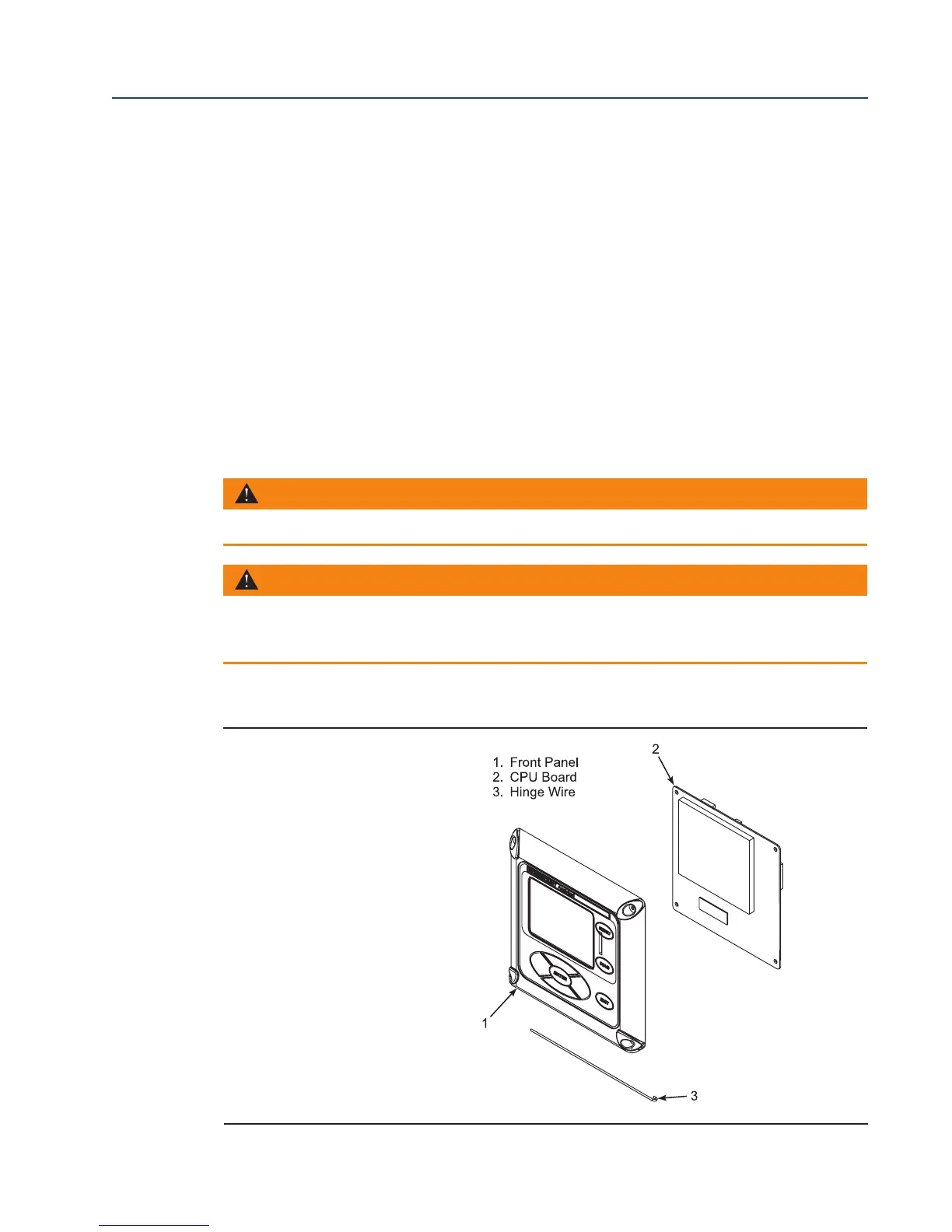
returning the related O2 Probe to service. Refer to Figure 5-1 and Figure 5-2 for illustrations of
the 6888Xi components.
5.5.1 I/O Board Replacement
FIGURE 5-2. 6888Xi Components
WARNING
Disconnect and lock out power before working on any electrical components.
WARNING
The I/O Board is shipped from the factory without any of the enhanced software features activated. These
features must be activated once the new board has been installed and before the Remote Interface is put
into service.














 To Next Page