64 Configuration, Startup and Operation
Section 3: Configuration, Startup and Operation Reference Manual
January 2019 00809-0100-4892
3.8.2 Calibration Procedure
This section covers manual calibration. For automatic calibration details see the Reference
Manual for the SPS 4001B Single Probe Autocalibration Sequencer or the IMPS 4000 Intelligent
Multiprobe Test Gas Sequencer.
Calibration can be performed using two basic calibration methods. The methods available to
you for use depend on the configuration of your system. The paragraphs that follow describe
how to perform a calibration for the configurations shown in Figure 3-7.
Setup of the calibration parameters should be performed before the first O
2
calibration.
Thereafter, perform calibration setup only as needed to change the calibration parameters or to
reset the parameters following the replacement of primary system components.
When performing a calibration, certain settings will cause specific actions to occur. If calibration
acknowledge is set to yes, each calibration will generate an alarm condition that requires the
operator to decide whether or not to accept the new calibration. The 6888XI will continue to
function after the calibration completes, but the new slope and constant will not be implement-
ed until accepted. If the 6888XI has the diffuser warning function activated, a diffuser warning
alarm may occur after a calibration. If an alarm occurs, it will need to be acknowledged and the
associated parameters need to be reviewed to determine if there is any significant fouling of the
diffuser.
O
2
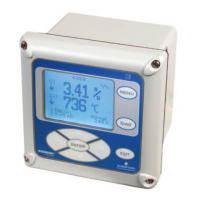
Calibration with 6888Xi
For systems with configuration 1, shown in Figure 3-5, use the following procedure to perform a
calibration using the 6888Xi. If necessary, use the 6888Xi menu tree in Figure 3-2 for refer-
ence.Multiprobe Test Gas Sequencer.
1. Press the MENU button repeatedly until the IOB1 Probe 1 menu displays.
2. From the main menu, select CALIBRATION then press ENTER.
3. From the CALIBRATION menu, select O2 CALIBRATION then press ENTER.
4. In the first screen, a “Ctrl Loop to Manual” warning occurs. Remove the 6888XI from any
automatic controls loops to avoid a potentially dangerous operating condition. Press
ENTER when ready to start calibration.
5. Follow the prompts on the 6888XI display to perform the calibration.
6. The STOP GAS 2 step screen just prior to the purge step will display the calibration result. In
the event the calibration cycle fails, the reason will be displayed here as well. The calibra-
tion results are described as follows:
Success – Calibration completed successfully.
Failed Constant – The calculated calibration constant is outside the range of ±20.00.
Failed Slope – The calculated calibration slope is outside the range of 34.5 to 57.5.
Failed Temperature – With the extended temperature function enabled and the operating
above the heater set point, the process temperature varied by more than ±5°C during
the calibration cycle.
Gas 1 Tolerance Error – The measured value for gas 1 varied more than ±10% from the pro-
grammed value. Possible causes are incorrect gas value programmed in the 6888XI,
incorrect gas value in bottle, or gas bottle is empty. This error can occur only if the
WARNING
Failure to remove the 6888Xi from automatic control loops prior to performing this procedure may result
in a dangerous operating condition.














 To Next Page