Communications
AC-425 Hardware Installation and User Manual 37
At each end of the data line, both where the panel connects to the server and
on the last panel in the network, a termination resistor of 100–120 Ω may be
required. Apply the resistor across the L1 and L2 connections.
These termination resistors are especially important in long cable runs.
6.2 TCP/IP Network Connection
This section applies to the AC-425IP model only.
The computer running the AxTraxNG server can communicate with the access
control panels via a TCP/IP network. The connection settings are controlled
within the AxTraxNG Client software.
AC-425 panels connect to the TCP/IP network (LAN or WAN) directly, using an
onboard network module. When an access control panel network is connected
using RS-485, up to 32 panels can be connected on each TCP/IP network.
6.2.1 LAN and WAN Requirements
The devices can be connected to a TCP/IP network using any valid network
address.
Use a TCP/IP connection when a LAN network already exists and the long RS-
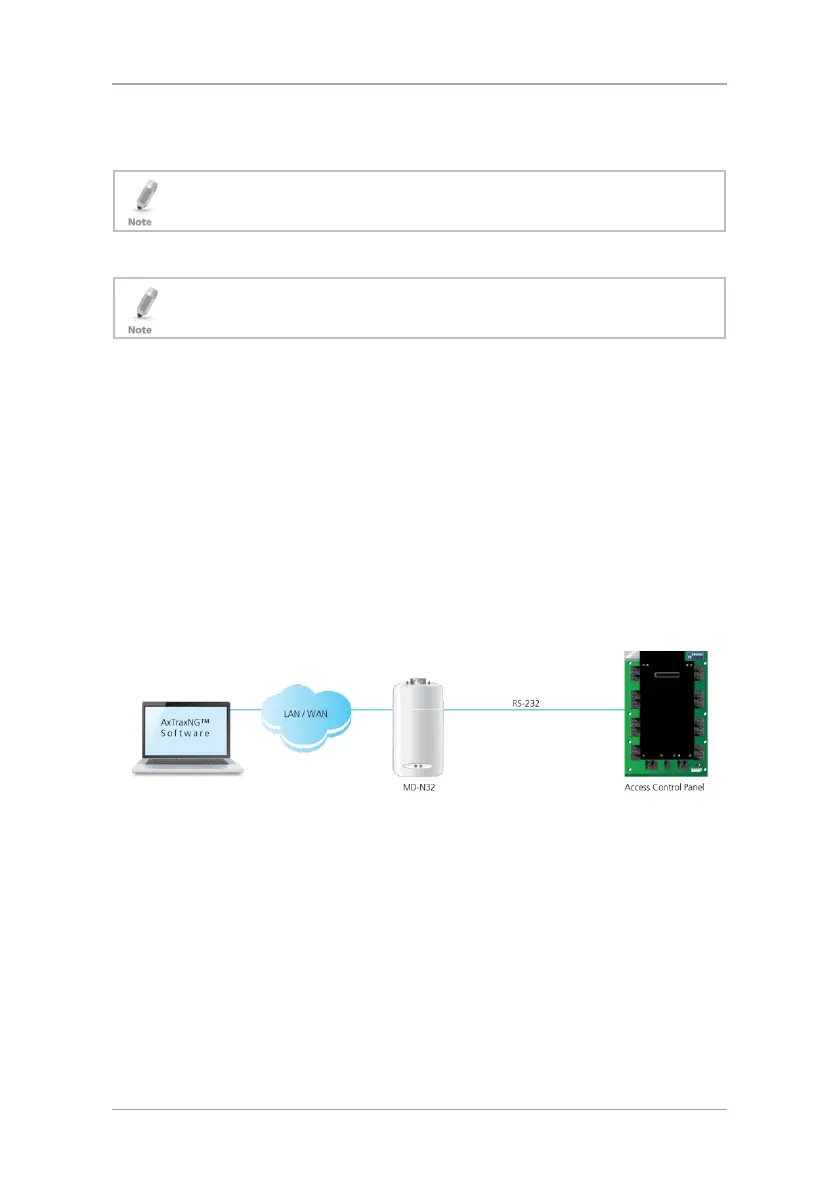
485 network is not required. The following schematic illustrates the connection
of a single AC-425 to a computer via a LAN network.
Figure 21: MD-N32 Configuration Connecting a Single Panel
The maximum distance from the Ethernet port of the panel to the LAN/WAN
connection is 100 m (330 ft).
When the TCP/IP connection is implemented over a Wide Area Network
(WAN), it becomes possible to connect through the Internet. This makes it
possible to control multiple access control panels worldwide, all from a single
server.


 To Next Page
 Loading...