Page | 34 DRM-3000 Operating Manual
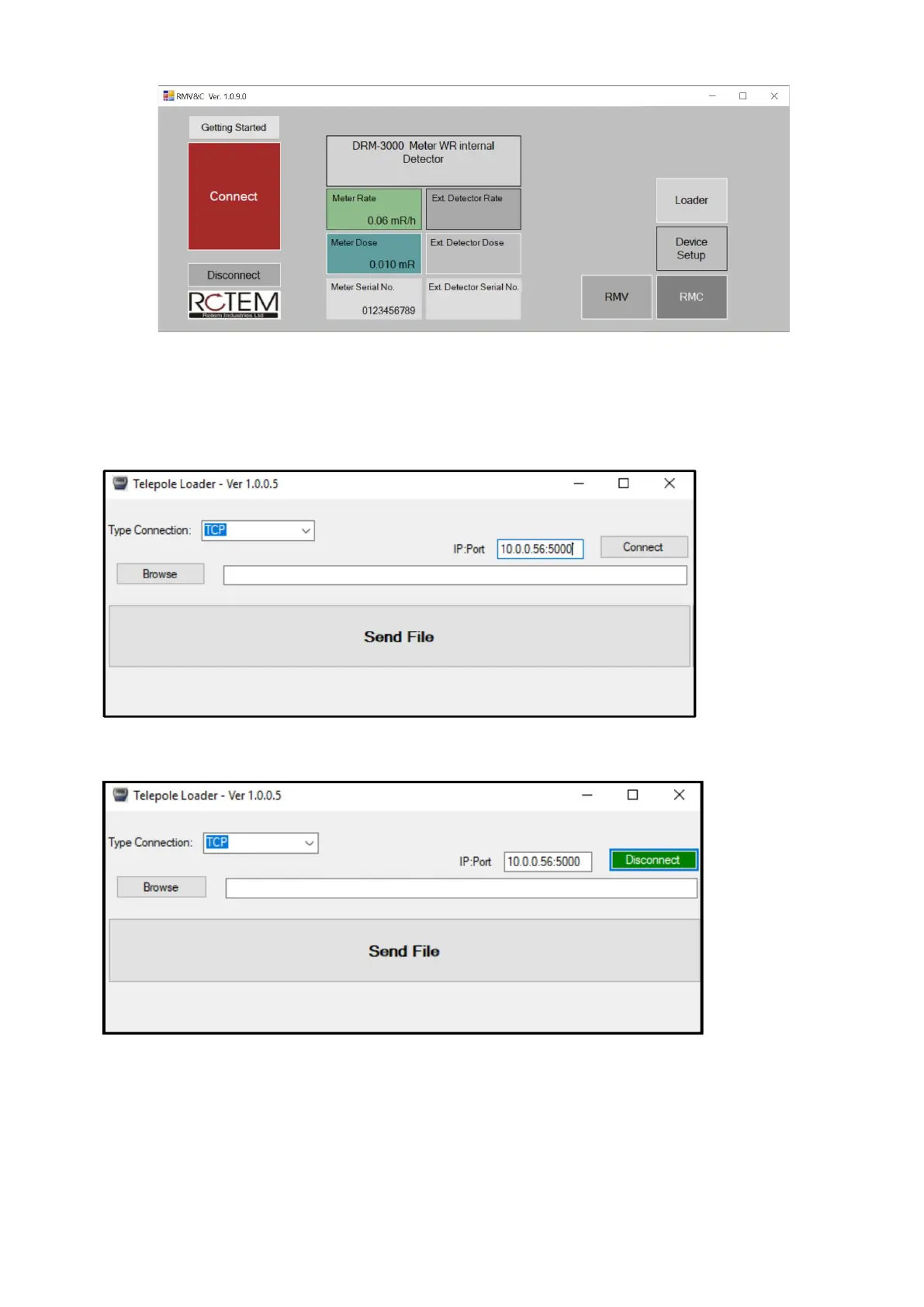
Click on the Loader Button,
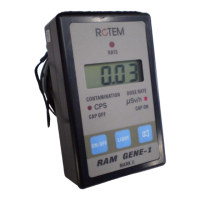
The loader app will appear, make sure that the meter is connected to the RMVC software, and type
in the “IP:Port” field – “XX.XX.XX.XX:5000”. Fill in your device’s IP address instead of the X’s and
add the “5000 port.
Press “Connect”. The button should turn green if all was correct.
Press “Browse” button and find the new FW file and open it.
Press “Send File” to start the update. Make sure the progress bar is showing progress and the
screen of the DPU-3000 displays “UPDATING…”.
The Following message will appear when the update is complete:
Programming Completed Successfully! Pls switch of and power up to reset


 To Next Page