LOKA HAHB remote control
EN
81
Installation and user manual
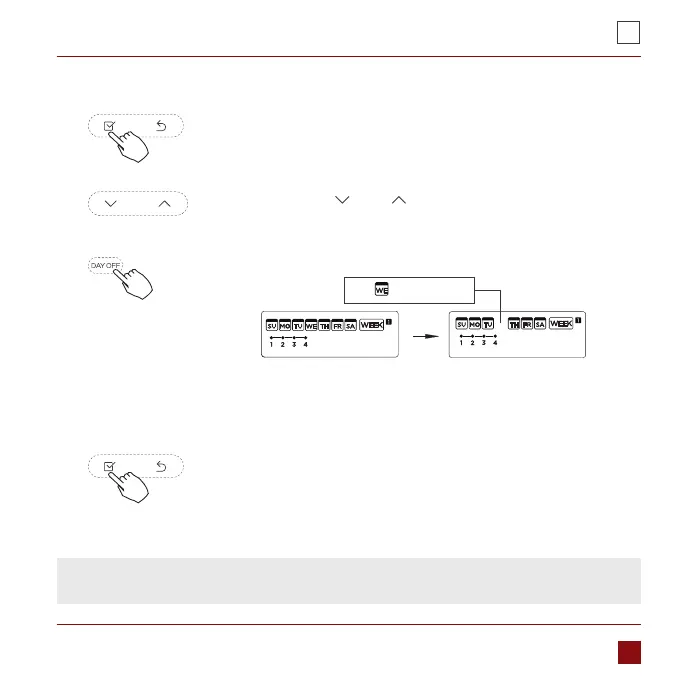
To set the DAY OFF (for a holiday)
During the weekly timer, press the Conrm button.
Press the button „ ” or „ ” to select the day in this week.
1.
2.
Press the Day o button to set the DAY OFF.
3.
4.
Press the Back button to back to the weekly timer.
5.
ex.The DAY OFF is set for Wednesday
The mark is hidden
The DAY OFF can be setted for other days by repeating the steps
2 and 3.
To cancel: Follow the same procedures as those for setup.
NOTE: The DAY OFF setting is cancelled automatically after the set day has passed.



 To Next Page